3 SpeedTouch™ Web Interface
E-SIT-CTC-20030306-0003 v3.0
52
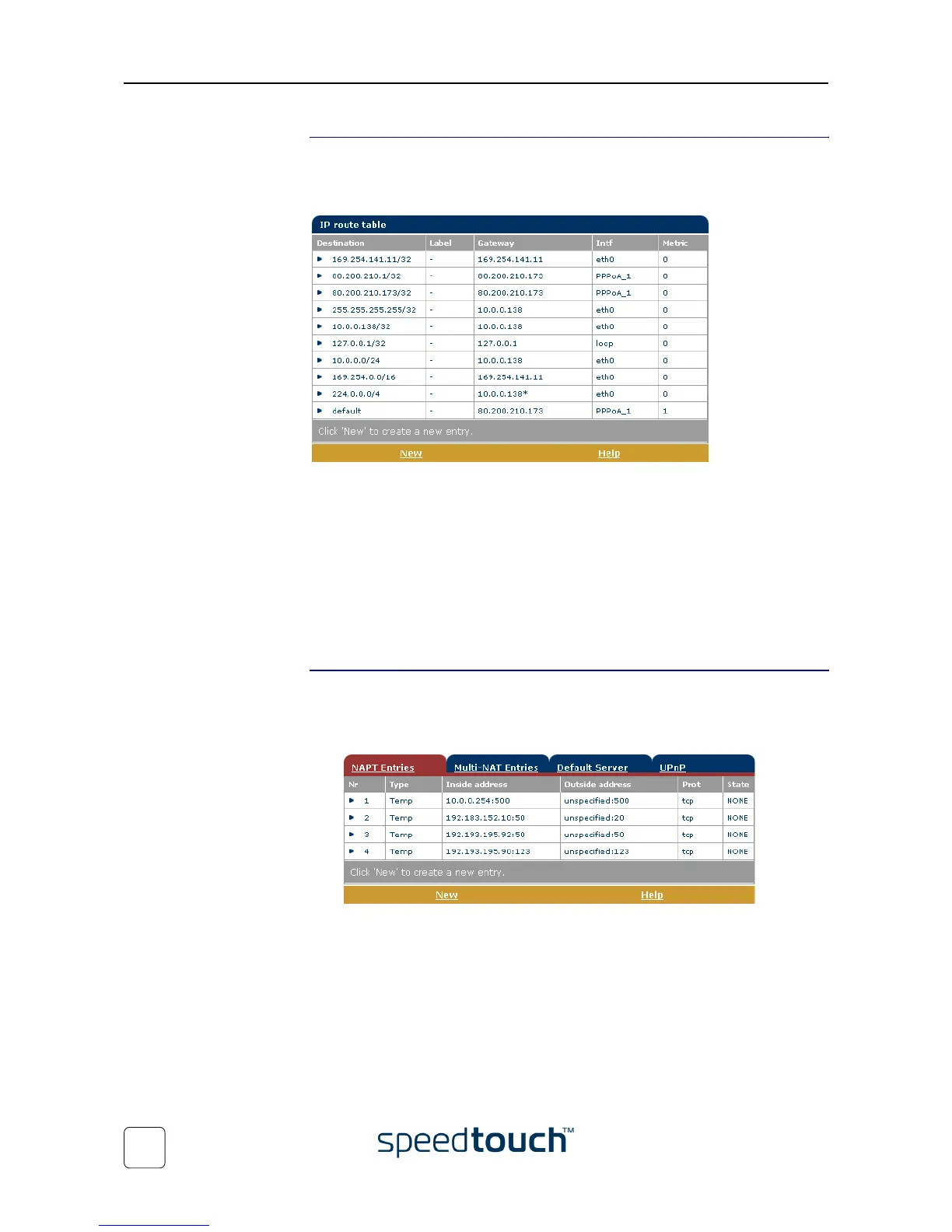
IP Routing Click this link to display the IP Routing page.
This page allows you to view or add/delete static IP routes for SpeedTouch™'s IP
router:
Routing can be useful when subnetting your local network. To add a static IP route
proceed as follows:
1 Click New.
2 Specify the destination IP address (use the prefix notation to apply a subnetmask),
Gateway, Interface and Metric.
Note If applicable, you can also select a label for packet classified IP Routing.
3 Click Apply to add the entry to the table.
4 Click Save all to save your changes to persistent memory.
NAPT
Clicking this button displays the Network Address and Port Translation (NAPT) page.
This page allows you to:
• View or add/delete specific static NAPT entries:
To add static NAPT entries proceed as follows:
1 Click New.
2 Specify the outside address and inside address for the entry as well as the proto-
col and port to which the entry applies.
Note If the NAPT entry is applied to a connection's dynamically assigned
local peer IP address, you should specify 0.0.0.0 as the outside address.
3 Click Apply to add the entry to the table.















 To Next Page