3 SpeedTouch™ Web Interface
E-SIT-CTC-20030306-0003 v3.0
56
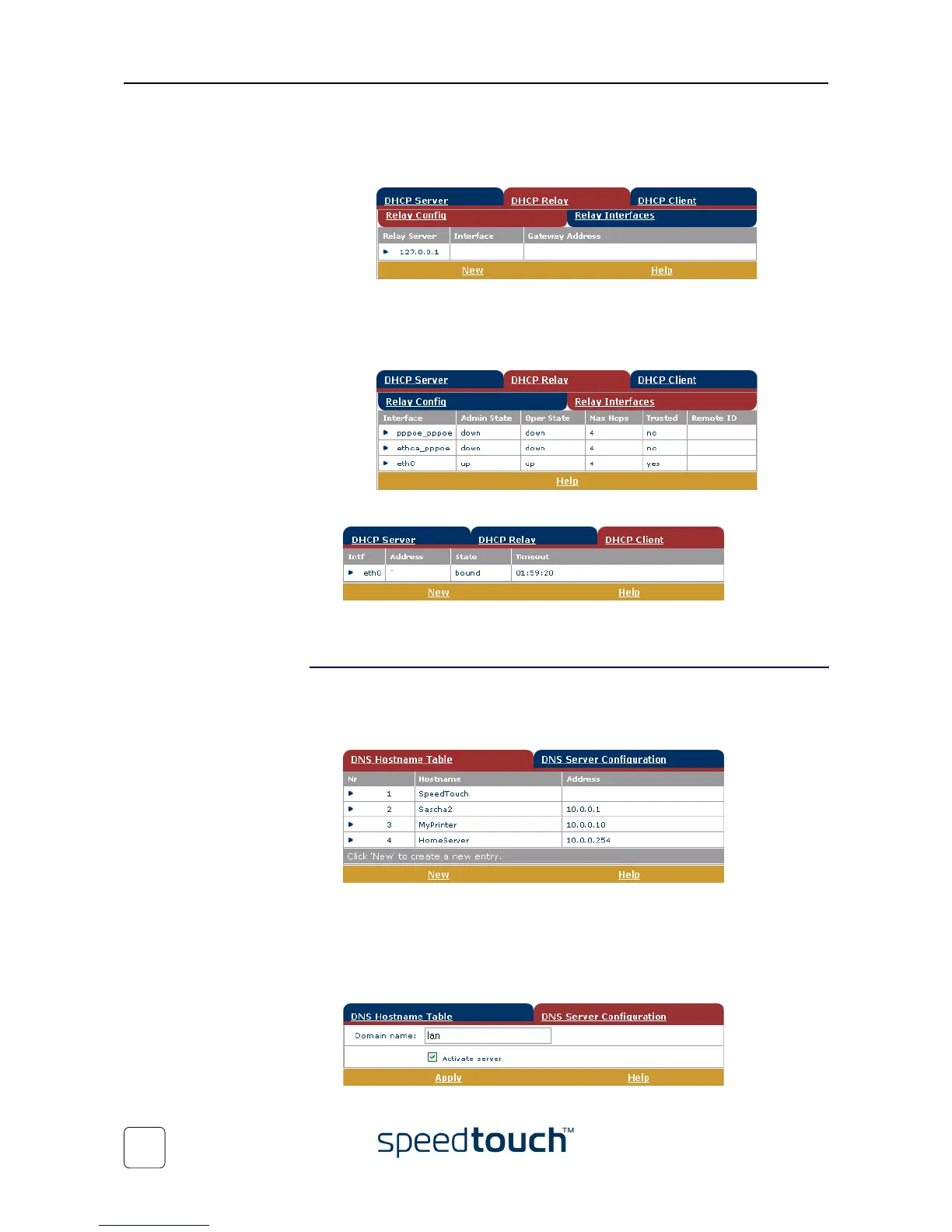
• Click the DHCP Relay tab to view the DHCP relay pages.
• Click the Relay Config tab to view the current SpeedTouch™ DHCP relay
status:
Via this table you can also manually add static SpeedTouch™ DHCP relay
entries for specific interfaces, if applicable.
• Click the Relay Interfaces tab to view the SpeedTouch™ DHCP relay inter-
faces:
• Click the DHCP Client tab to view the current SpeedTouch™ DHCP client status:
You can also manually add static SpeedTouch™ DHCP client entries for specific
interfaces, via this table or by using the IP address table.
DNS
Click this link to display the Dynamic Name System (DNS) page.
This page allows you to:
• View the current SpeedTouch™ DNS server hostname leases:
Via this table you can also add static DNS hostname entries.
This may be useful for devices which do not support DNS, e.g. a printer. By adding
a name for your network printer, identified by its IP address, you will be able to
contact this printer by name rather than by IP address.
• View and/or supply the SpeedTouch™ DNS domain name and to enable/disable
the SpeedTouch™ DNS server:
Note The use of DNS subdomains is supported, e.g. dsl.office.lan.















 To Next Page