3 Dr SpeedTouch™
E-DOC-CTC-20030814-0001 v1.0
38
Using
Dr SpeedTouch™
By default Dr SpeedTouch™ is started automatically at boot of your system and runs in
the background, i.e. minimized in the status area.
Proceed as follows:
1 Double-click in the status area.
2 Dr SpeedTouch™ searches your network for SpeedTouch™ devices. If more than
one device is found, a list of available devices will be provided. If this is the case,
select your SpeedTouch™ device (SpeedTouch™545 or SpeedTouch™570) and
click OK.
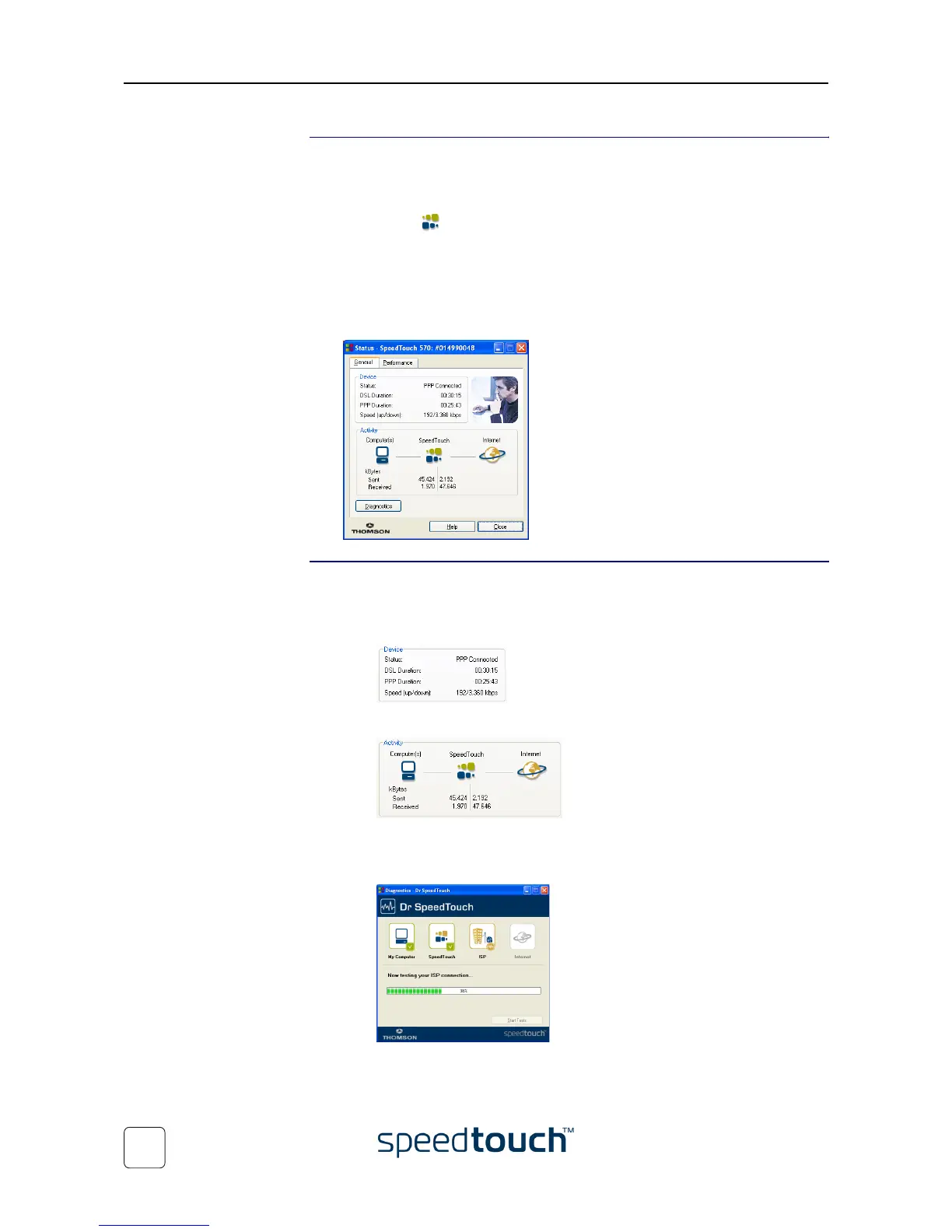
3 Dr SpeedTouch™ appears:
Dr SpeedTouch™
features
Dr SpeedTouch™ consists of two sections:
• Select the General tab to:
• View SpeedTouch™ device information and status:
• View activity between your computer, the SpeedTouch™ and the Internet:
• Click Diagnostics. This allows you to test and troubleshoot the connectivity
of your computer and the SpeedTouch™ device to your ISP and the Internet
via the Diagnostics wizard:















 To Next Page