2 SpeedTouch™ Internet Connectivity
E-DOC-CTC-20030814-0001 v1.0
34
2.2.2 Using the Mac OS X PPPoE Dial-in Client
Configuring a
broadband connection
Proceed as follows:
1 On the Apple menu, click System Preferences.
2 The System Preferences window appears. Click the Network icon.
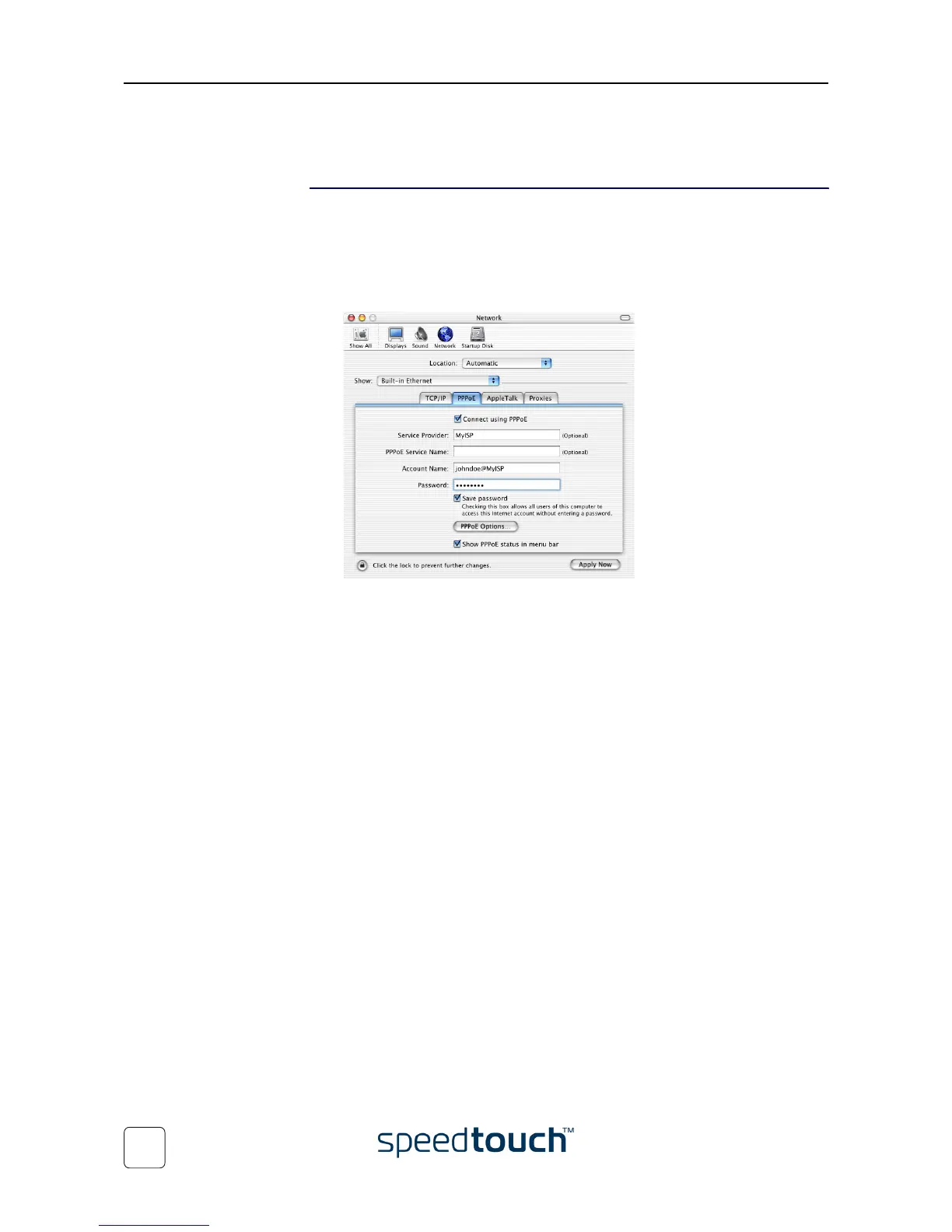
3 The Network window appears. Make sure Built-in Ethernet is selected in the Show
list and click the PPPoE tab:
4 Enter the Account Name and Password provided by your Service Provider.
Note Select Save password in case you want the computer to remember the
password for this account name.
Optionally you can enter a name for this connection in the Service
Provider field. All other fields may stay empty
5 Click Apply Now.















 To Next Page