7 Support
E-DOC-CTC-20030814-0001 v1.0
76
7.2 Using the Wall Mounting Assembly
Wall mounting
assembly
Part of the package is a wall mounting assembly which allows you to conveniently mount
the SpeedTouch™ on a wall.
Before you start, check for the following items:
• The wall mounting assembly (with Velcro sticker and counterpart sticker in place)
• 2 screws and 2 wall plugs
Preparing and using the
wall mounting assembly
Proceed as follows:
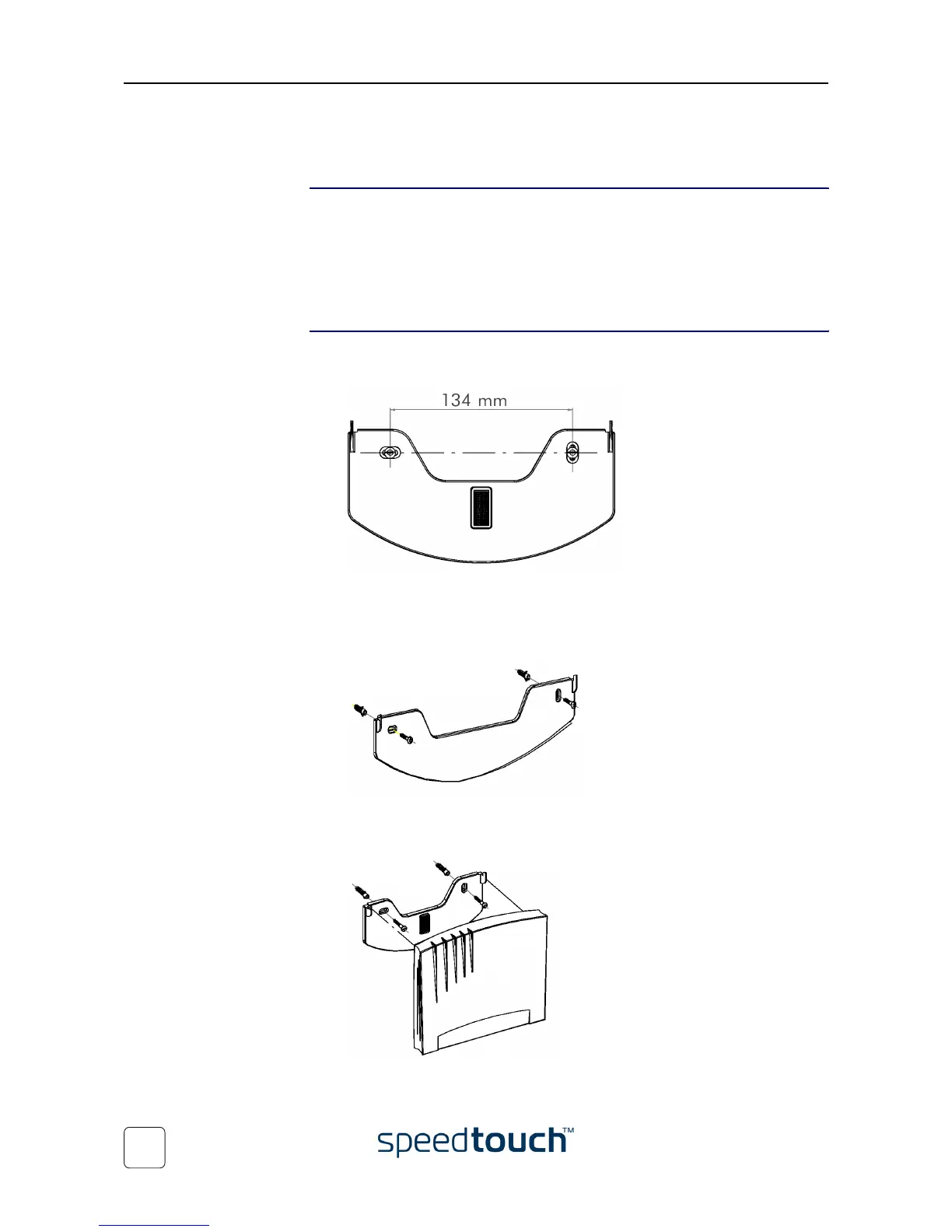
1 Mark two hole horizontal positions, 134 mm (5.36 inches) apart:
2 Drill the marked holes with a 6mm (0.24 inches) diameter drill bit to a minimum
depth of 35mm (1.38 inches).
3 Insert the wall plugs in the drilled holes, position the wall fixing assembly over the
holes, insert the screws in the wall plugs and tighten them firmly:
4 Remove the covering sticker from the (counter) Velcro sticker.
5 Position the SpeedTouch™ over the two hooks:
6 Slide the SpeedTouch™ down into place and firmly press it to the assembly to
stick the counterpart Velcro sticker to the SpeedTouch™ housing.















 To Next Page