7 Support
E-DOC-CTC-20030814-0001 v1.0
74
7.1 Upgrading a SpeedTouch™545 for Wireless
Networking
Introduction If you purchased a SpeedTouch™545, you can upgrade your device for providing wire-
less networking by installing the SpeedTouch™010 wireless upgrade card.
Installing the wireless
upgrade card
Proceed as follows:
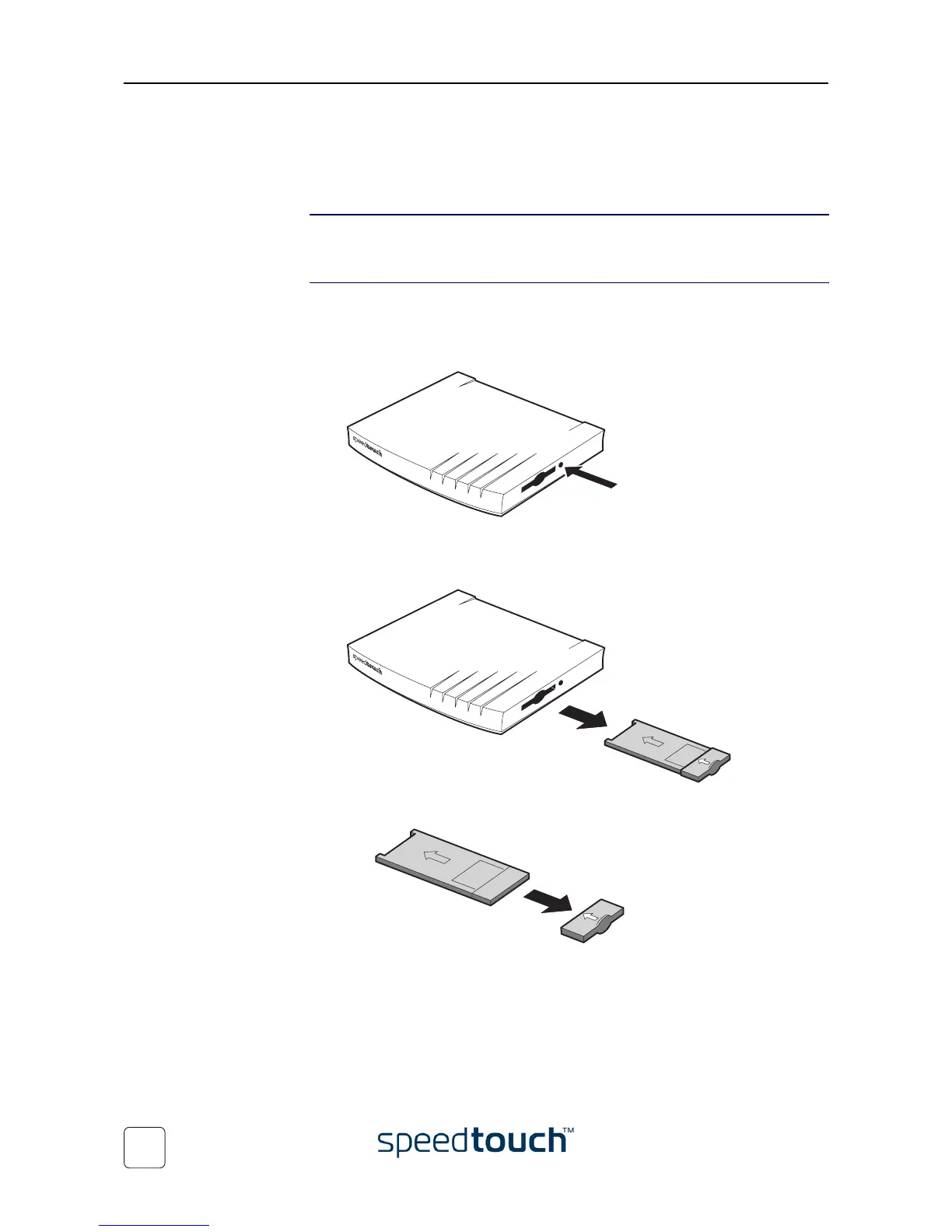
1 Make sure the SpeedTouch™ is turned off.
2 Use a pencil to press the button next to the slot:
The dummy card ejects from the slot.
3 Remove the dummy card from the slot:
4 Remove the cover cap from the dummy card:















 To Next Page