7 Support
E-DOC-CTC-20030814-0001 v1.0
80
7.3.2 Checking for System Software via the
SpeedTouch™ Web Pages (all OSs)
Checking for new
System Software
Proceed as follows:
1 Open a web browser and go to the SpeedTouch™ web pages.
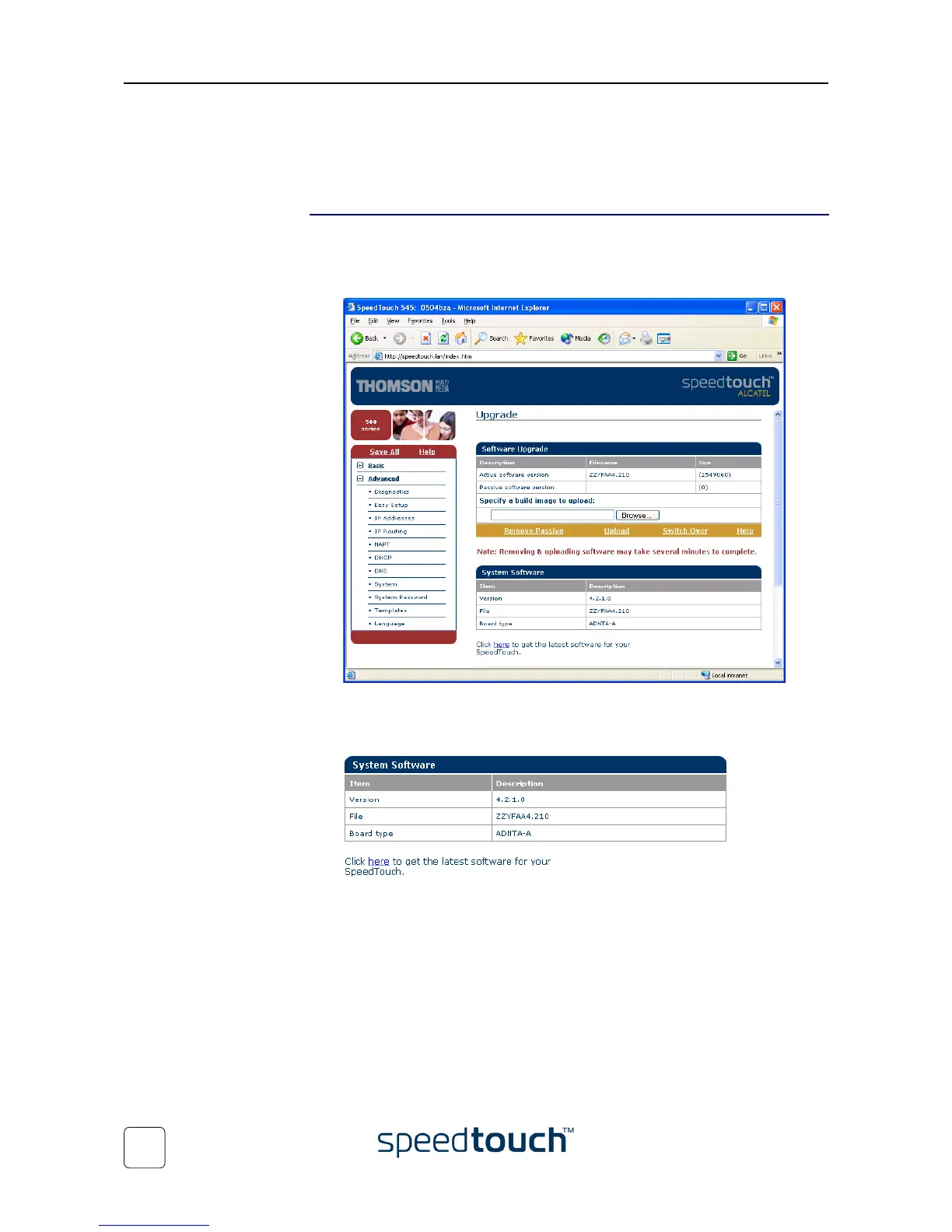
2 Open the Upgrade page via Advanced > System:
3 The System Software box shows some information on the currently running sys-
tem software; underneath an Internet link for getting the latest SpeedTouch™ sys-
tem software is provided:
4 Click the link here to open the SpeedTouch™ System Software Upgrade Internet
website and follow the instructions to download the latest system software for
your SpeedTouch™.
Note You may require a user name and password, prior to be able to access
the SpeedTouch™ System Software Upgrade website.
Contact your Service Provider for more information.















 To Next Page