5 SpeedTouch™ Web Interface
E-DOC-CTC-20030814-0001 v1.0
52
Wireless Click this link to display the SpeedTouch™ Wireless page.
Note If you are using a SpeedTouch™545 without wireless upgrade card installed,
this page will not be available.
This allows you to:
• Click the Access Point Settings tab to view the Access Point Settings pages:
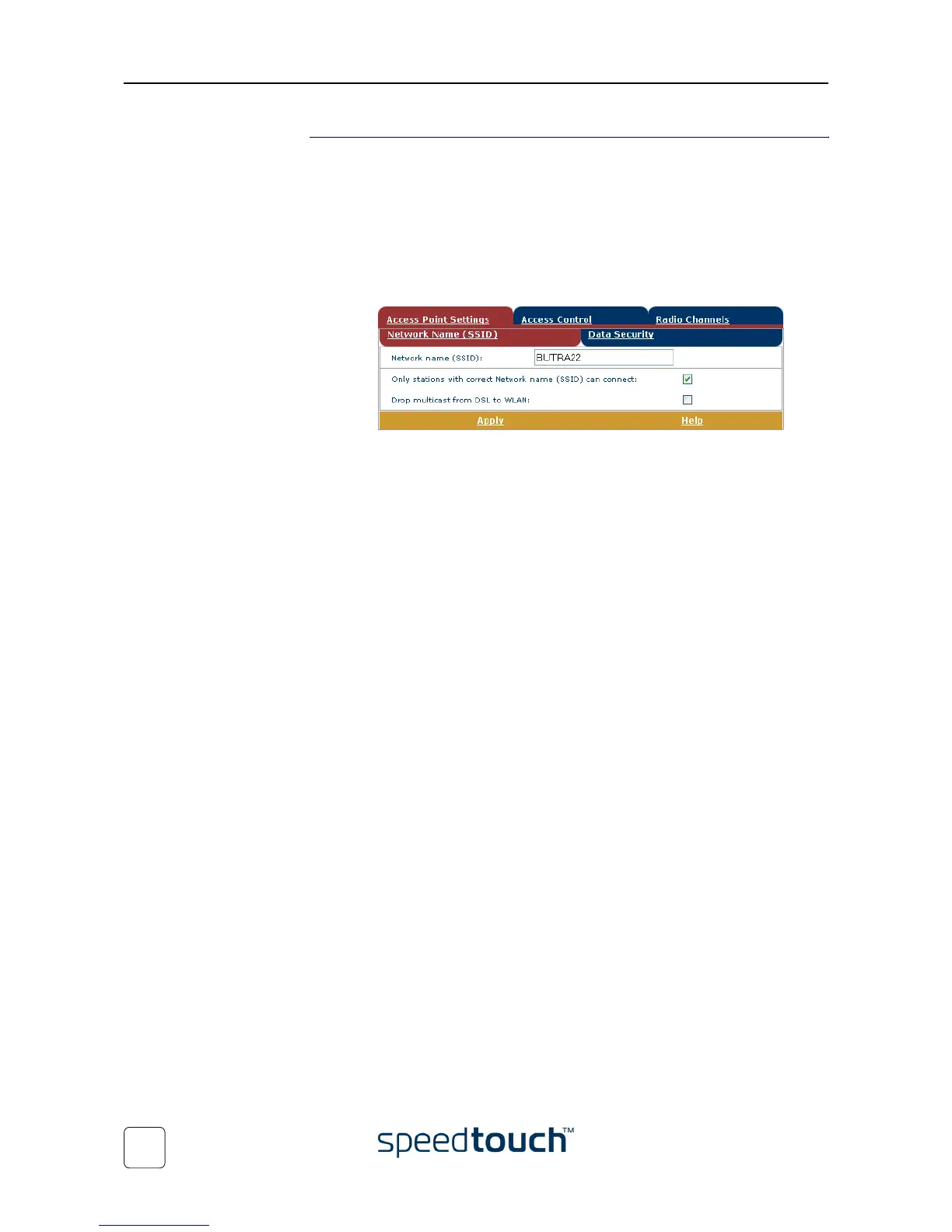
• Click the Network Name (SSID) tab to view and/or change the Speed-
Touch™ Wireless access point SSID:
By default the SpeedTouch™ broadcasts its SSID to the WLAN clients.
WLAN clients using this broadcasted SSID or a blank SSID can join the
SpeedTouch™ WLAN.
To ensure the security of your connection, it is possible to personalize these
SSID settings. Proceed as follows:
1 Make sure Only stations with correct Network name (SSID) can connect is
selected.
Note When you enable this option, the SSID will not be broad-
casted. Depending on your wireless client, the Speed-
Touch™ wireless network will no longer be visible in the
list of available networks.
2 Enter the SSID of your choice in the Network name (SSID) field.
3 Click Apply to apply the SSID.
4 Reconfigure your wireless client(s) to use the changed settings.
5 Click Save all to save your changes to persistent memory.
By default the SpeedTouch™ allows multicasts from external hosts (i.e.
hosts residing on the WAN/Internet). To disable this feature select Drop
multicast from DSL to WLAN.















 To Next Page