10
3.4 Layout Mode - Software
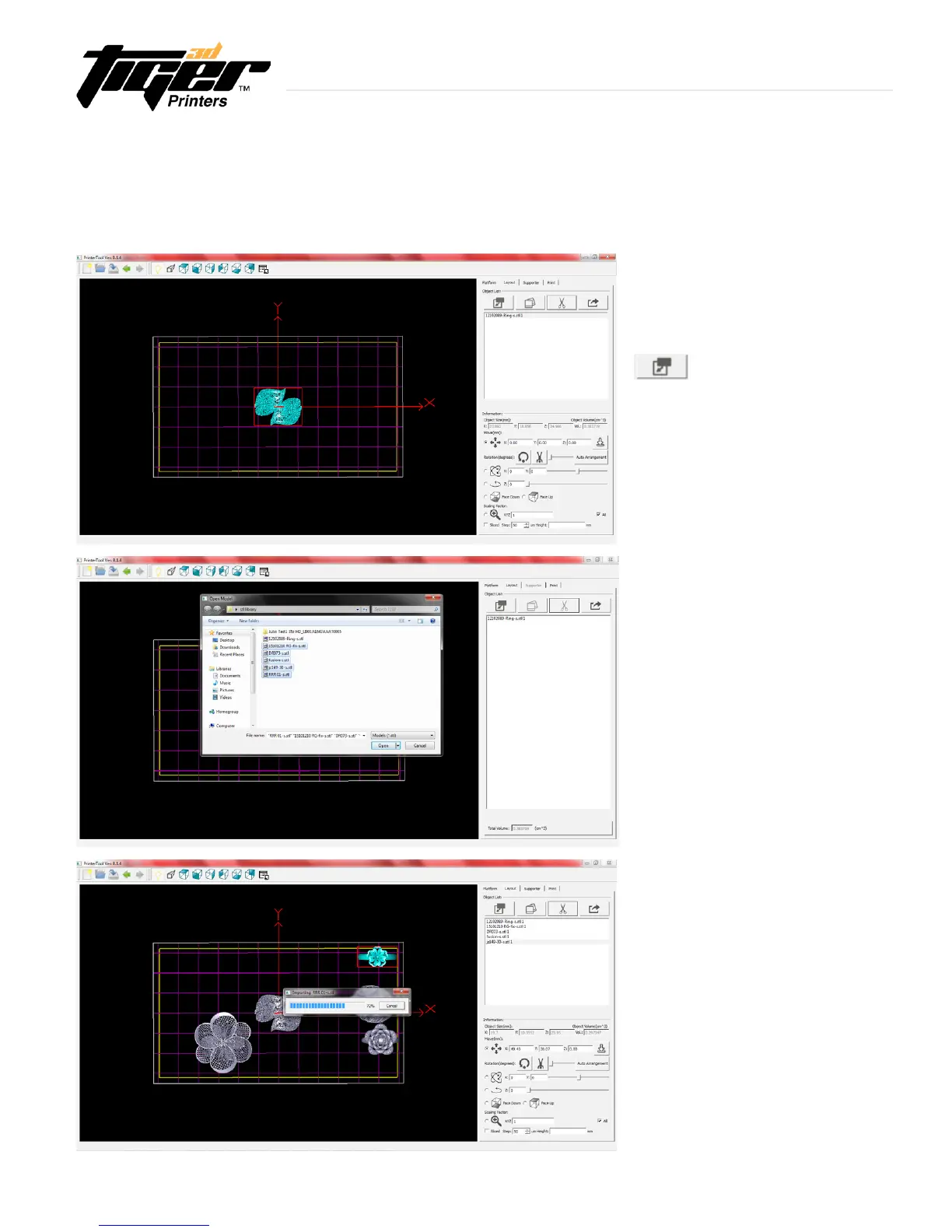
ImporttheSTLlestobeorientedinthe
build area.
- Once the object is imported, that
object will appear in the center of the
build area in the viewport and will be
selected. The object is then ready to be
oriented and supported.
This allows you to arrange objects in the build area.
-Selectmorethanoneobjectinthelist:
Shift + Left mouse button.
-YoucanimportasmanySTLlesas
youwant.ThoseSTLleswillbelistedin
the box on your right and models will be
displayed in the build area.
- A new window status bar will appear
to show the importing program.
Object List
Explore Endless Creativity with Tiger 3D


 To Next Page