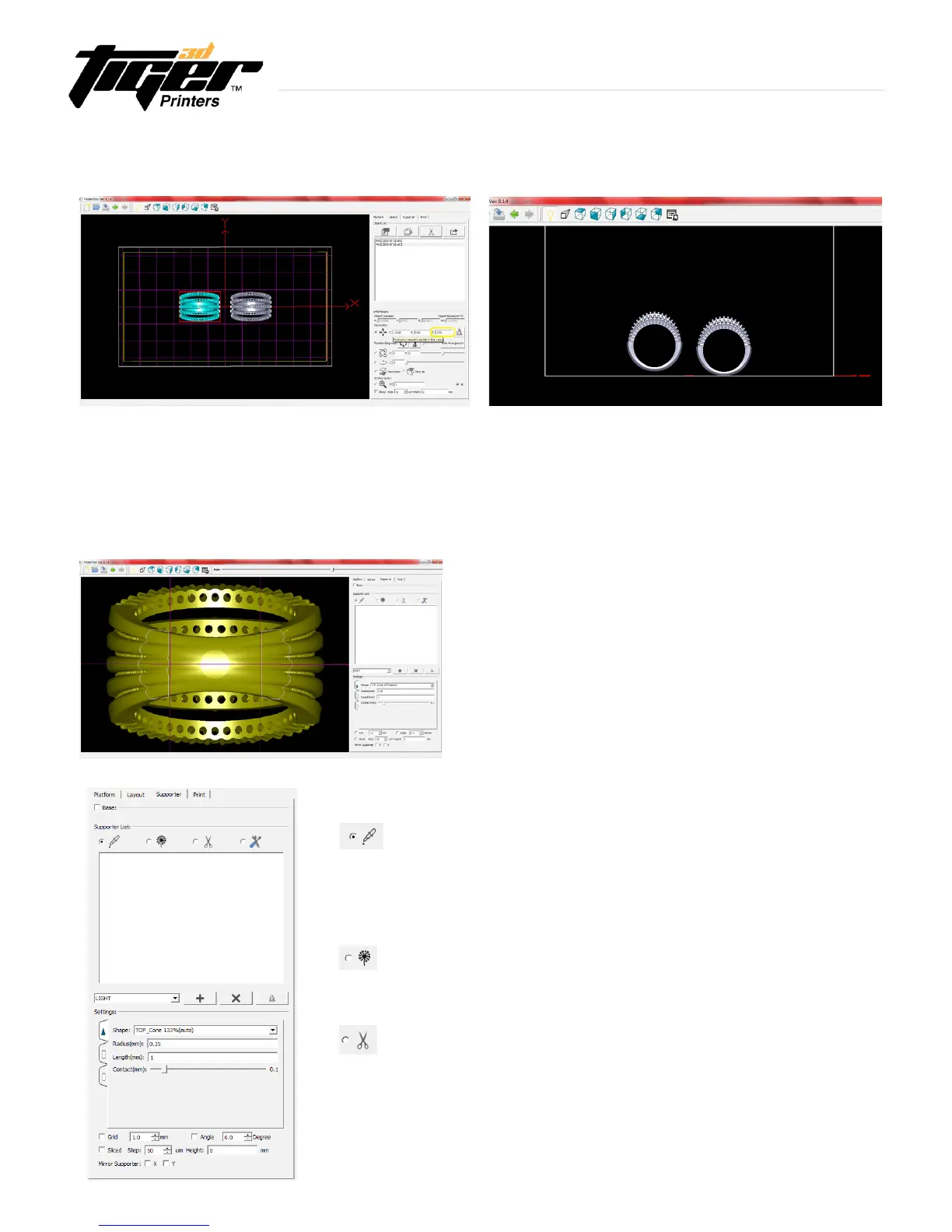
Hint: Before you go into Supporter mode, enter into
Layout mode in preparation for the adding of the support
structure. In Layout mode elevate the model from 1 to
4mm, allocating space for the supports to be added on.
This picture shows the side view of the two identical
parts. The piece on the left shows the allocated space
for supports.
3.4 Layout Mode - Software (continued)
Information
Explore Endless Creativity with Tiger 3D
13
Supporter List
Add Support
- Enable adding of supports with the mouse.
- To add a support, left click on the object where the support should connect to.
- Parameters of added supports can be altered in the “Setting” tab.
Add Multi-Support
- Enable multi-support or branches from this selected support column.
Delete
- Enable deletion of supports with the mouse.
- To delete a support, left click on that support with the mouse.
Support Mode is only available when the desired object
is selected. It allows the user to edit supports on one
object at a time.
Hint: Use bottom view to easily edit or add supports.
Zoom in to see details and layering guide.
3.5 Supporter Mode - Software


 To Next Page