6
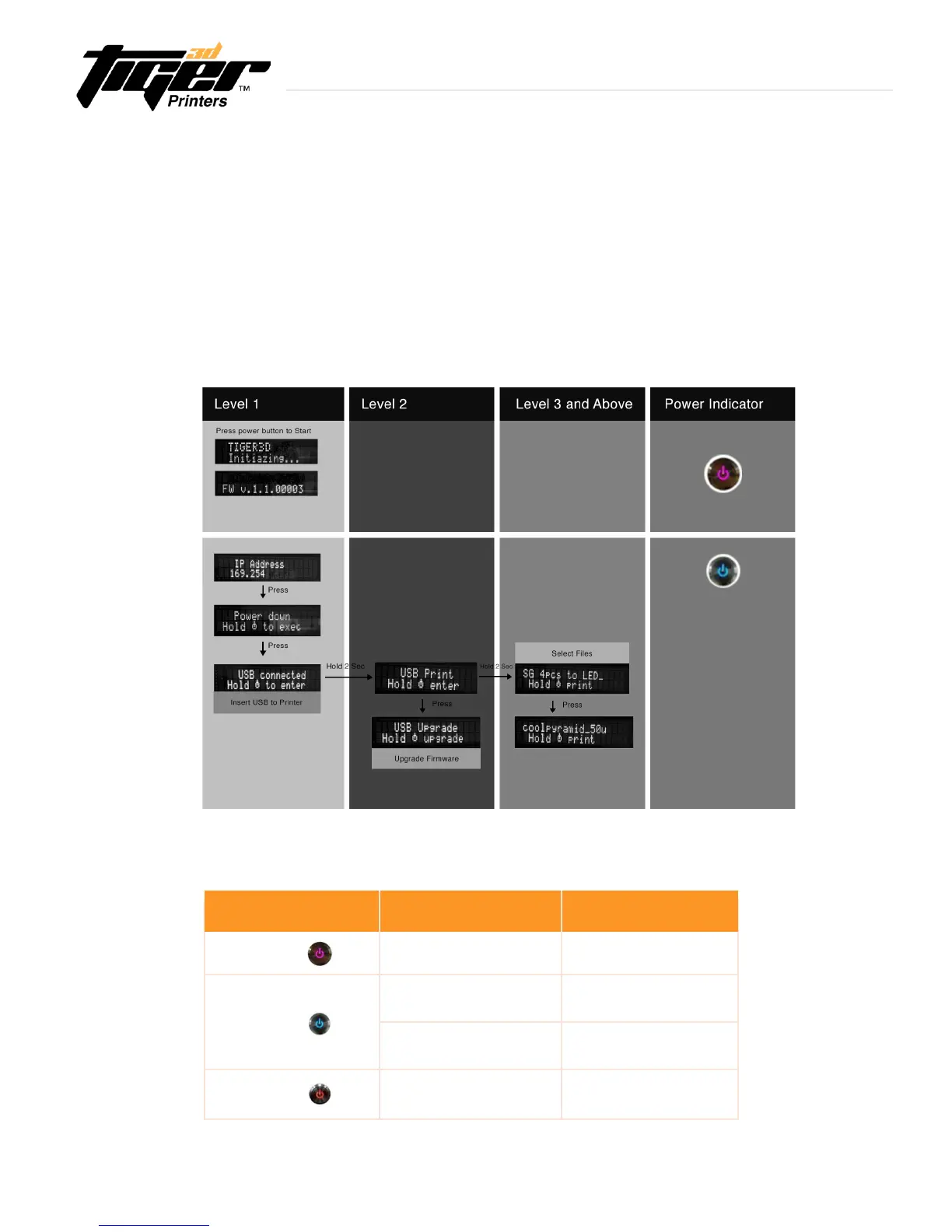
Power Indicator:
Color Behavior Printer Status
Purple
Blinking System warming up
Blue
Solid Standby mode
Blinking Printing in progress
Red
Solid Error
2.3 Power Button Control
To turn your printer on, press the Power button located at the top left corner of the printer. The system will begin
warm up and the indicator light will turn purple. After a few seconds the indicator light will turn blue and the
printerwillbereadyforuse.ThePowerbuttonisalsousedtoselectaleonaUSBdrivetoprint.Downloadthe
latestrmwarefromourwebsite,orexecutermwareupgradebyUSB.
- Press power button:changemodeinthesamelevel
- Press and Hold power button: hold down the power button for up to 2 seconds
to enter the next level
Explore Endless Creativity with Tiger 3D


 To Next Page