(1) Printing
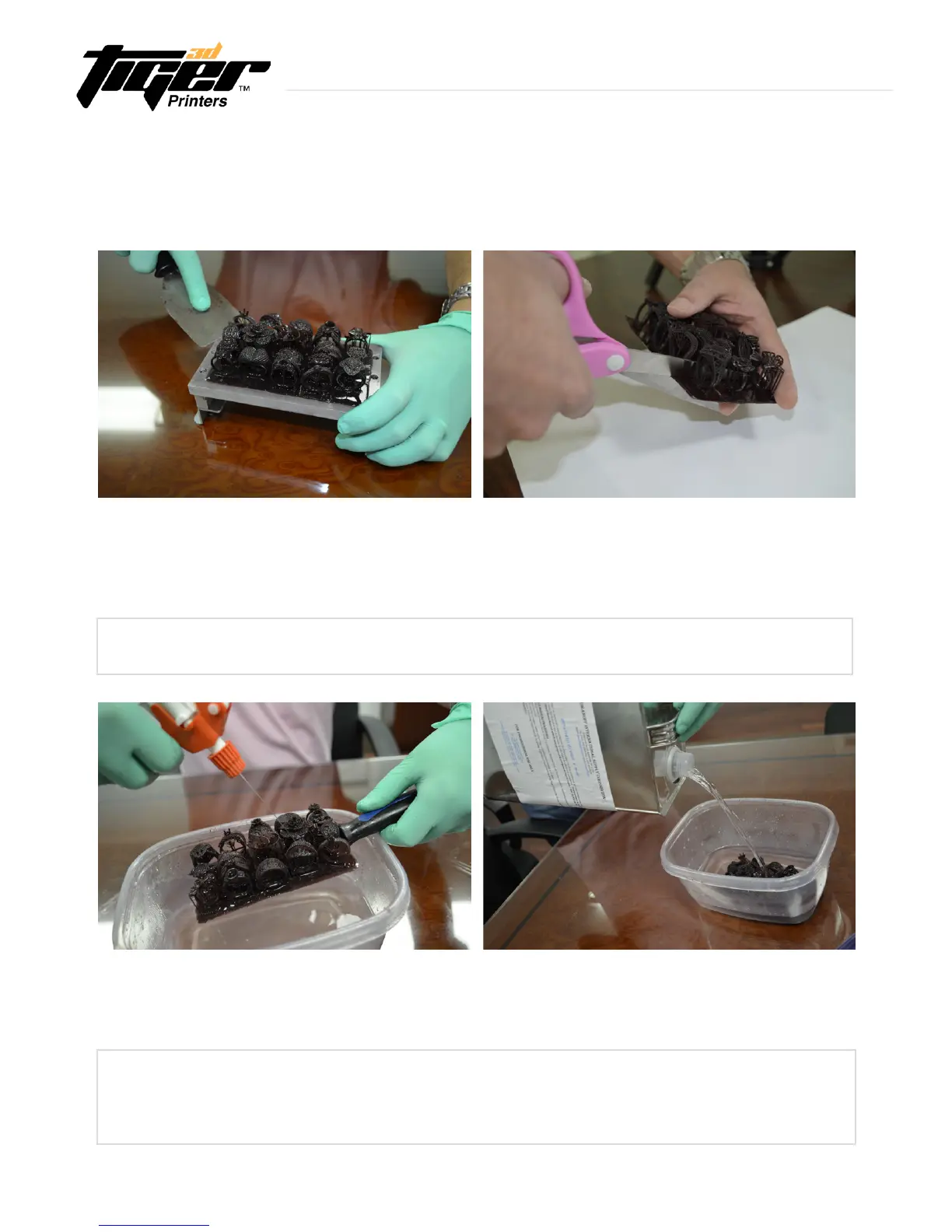
Printthemodelasusual.Oncenished,removethe
printed model from the picker (metal plate) using a
putty knife.
(2) Cleaning
Useaspraybottlewithdenaturedalcohol(SKU:80-092)toremovetheexcessresinfromthesurfaceofthe
model. For best results, soak the model for 2 – 3 minutes in the denatured alcohol.
(1.2) Printing
If you printed multiple models on the same plate,
separate the selected models from the base by cutting
with a knife or regular scissors.
Always use a putty knife to remove the printed model from the picker (metal plate).
The Tiger3D Burgundy castable resin reacts slowly as it is exposed to alcohol
solutions. Quick baths are the best way to clean parts. Longer baths might affect the
surface quality.
24
4. After Printing is Complete
4.1 Casting Preparation and Burn-Out process
with Tiger3D Burgundy Castable Resin
Explore Endless Creativity with Tiger 3D


 To Next Page