19
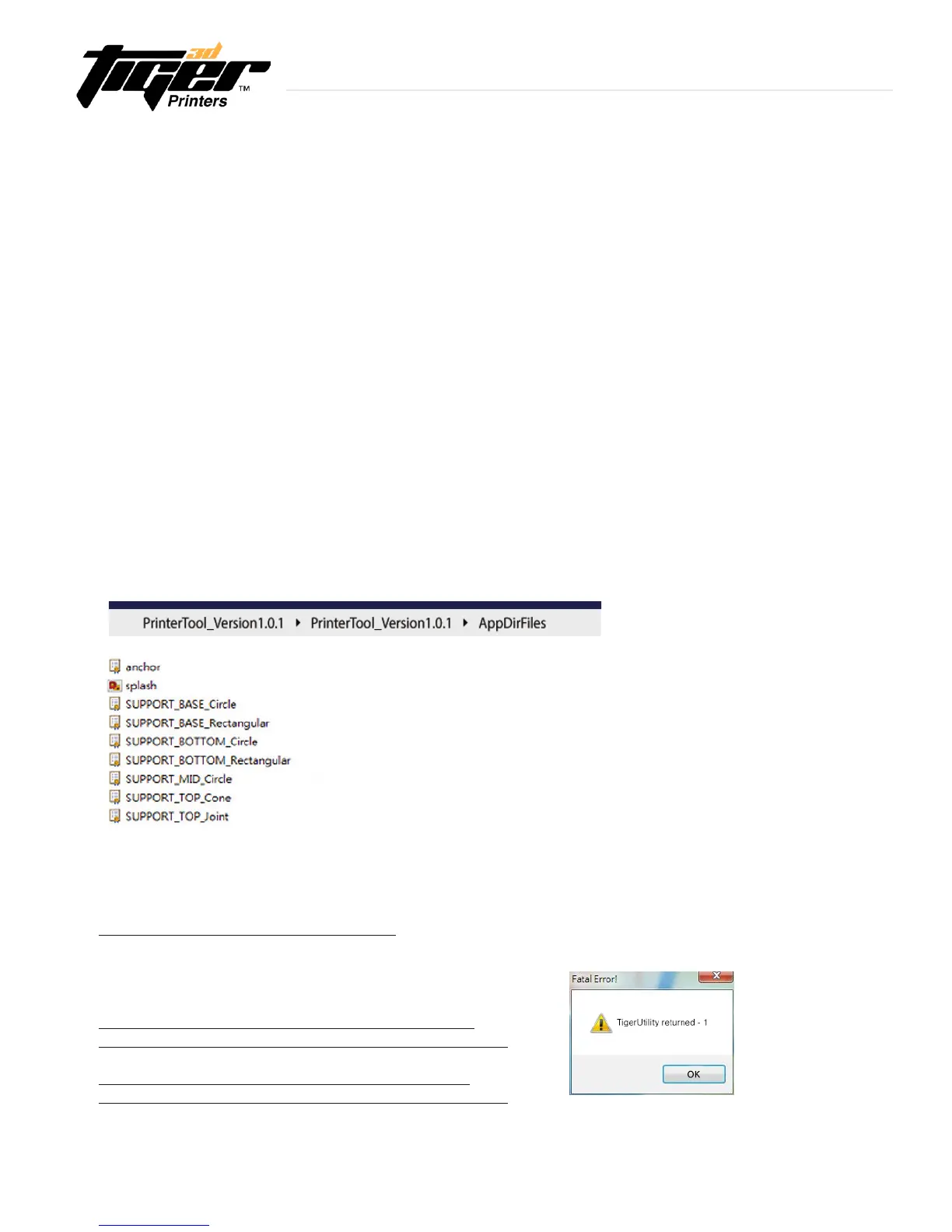
How to resolve “ Fatal Error” when installing
Please go to the links below to install the x86.exe
Make sure you have Installed software from both of the links.
Visual C++ Redistributable Packages for Visual Studio 2013
https://www.microsoft.com/en-us/download/details.aspx?id=40784
Visual C++ Redistributable for Visual Studio 2015 Update 1
https://www.microsoft.com/en-us/download/details.aspx?id=49984
Troubleshooting
User Dened Supporter
-YoucandesignyoursupporterandputitintoPrinterTool’ssupportersettingdrop-box.
-Designa1mm*x1mm*shape,andsaveasaSTLle.
Naming Files
-Nameyourleasfollows:
- SUPPORT_(PART)_(SHAPE) Example:SUPPORT_TOP_CIRCLE
- (PART) = TOP, MID, BOTTOM, and BASE
- (SHAPE) = Joint, Cross, Cone, Circle, ....... etc.
-CopyyourleandpasteitintothedownloadedlesfolderinPrinterTool.
- File : PrinterTool_version1.07\AppDirFiles
- Open PrinterTool again, the new supporter will show in the drop-box.
3.7 Advanced Settings - Software
Explore Endless Creativity with Tiger 3D


 To Next Page