Tinius Olsen MP1200 Extrusion Plastometer Page 11-7
Operation Manual # 02002215
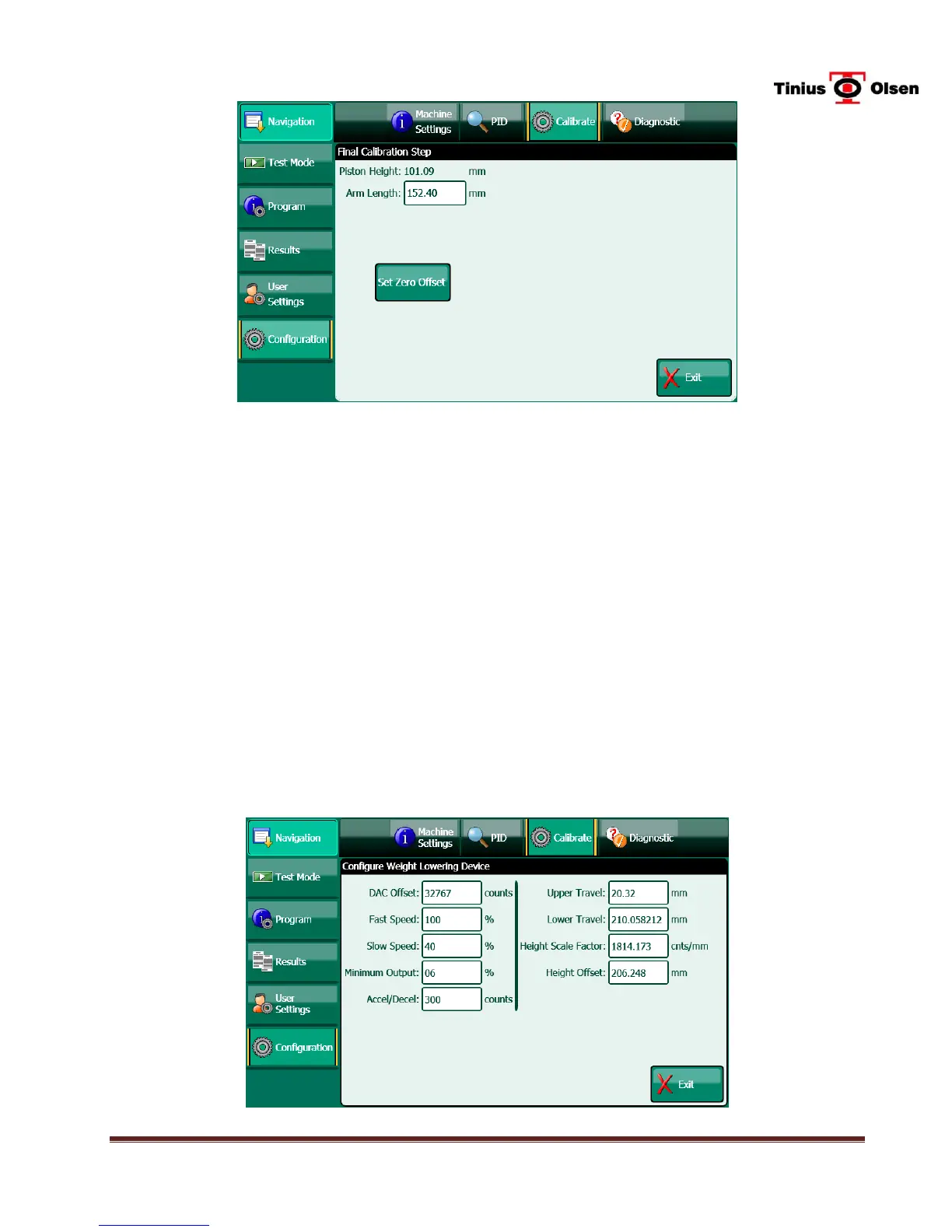
Figure 11-5 - Final Calibration Step screen (Not actual values)
Piston Height – Displays the current position of the “point” of the PPDT arm. To zero
the PPDT, place a clean die (orifice) in the bore, and then place a clean piston in the
bore. Place a weight on the piston rod, and then position the PPDT arm so that the
arm is under the weight. Press the Set Zero Offset button to zero the PPDT.
Arm Length – The Arm Length of the PPDT is determined during calibration and
should not change under normal conditions. The arm length is determined at the
factory and entered into each machine prior to shipment. It is also recorded on the
calibration work sheet supplied with each new instrument. For repaired PPDT or
PPDT supplied for instruments in the field, the arm length is written on a tag attached
to the PPDT when sent from the factory.
11.3.2 Calibrate WLD
WLD Calibration is accessed by selecting CONFIGURATION (passcode 835), then
CALIBRATE, then CALIBRATE WLD. It will only be active if the WLD selection on the
Machine Settings screen is set to ON.


 To Next Page