Tinius Olsen MP1200 Extrusion Plastometer Page 12-10
Operation Manual # 02002215
12.2 Calibration Offsets
The “Calibration Offsets” are a correction factor for the small difference in temperature
between the Actual Temperature displayed on the MP1200 Controller and a NIST (National
Institute of Standards and Technology) traceable temperature measuring device placed in
the test area of the cylinder. In other words, the “Calibration Offset” value entered adjusts
the displayed temperature to agree with the temperature standard in the cylinder.
Because of the wide range of temperatures that the MP1200 Controller may be used, it may
be necessary to enter Calibration Offsets for each test temperature (set temperature).
The actual cylinder temperature was determined at the factory using a NIST traceable RTD
probes placed 10, 45 & 75 mm above the upper face of the standard 8 mm (0.315”) long
orifice. The digital electronic temperature display is also NIST traceable. This procedure is
described in the current version of ASTM D 1238. For ISO 1133 machines, the machine is
calibrated to ISO 1133-2.
For new machines, a MP1200 Configuration/Calibration Settings Worksheet will be
provided showing the Actual Cylinder Temperature, the Machine Displayed temperature,
and the Calibration Offset settings at 190°C, 230°C and 300°C unless other temperatures
are requested.
If the desired test temperature is not on the MP1200 Configuration/Calibration Settings
Worksheet, enter the offset values for the closest calibrated temperature. The next time the
machine is due for calibration, be sure to tell your Tinius Olsen Field Service Manager the
set temperatures that are desired.
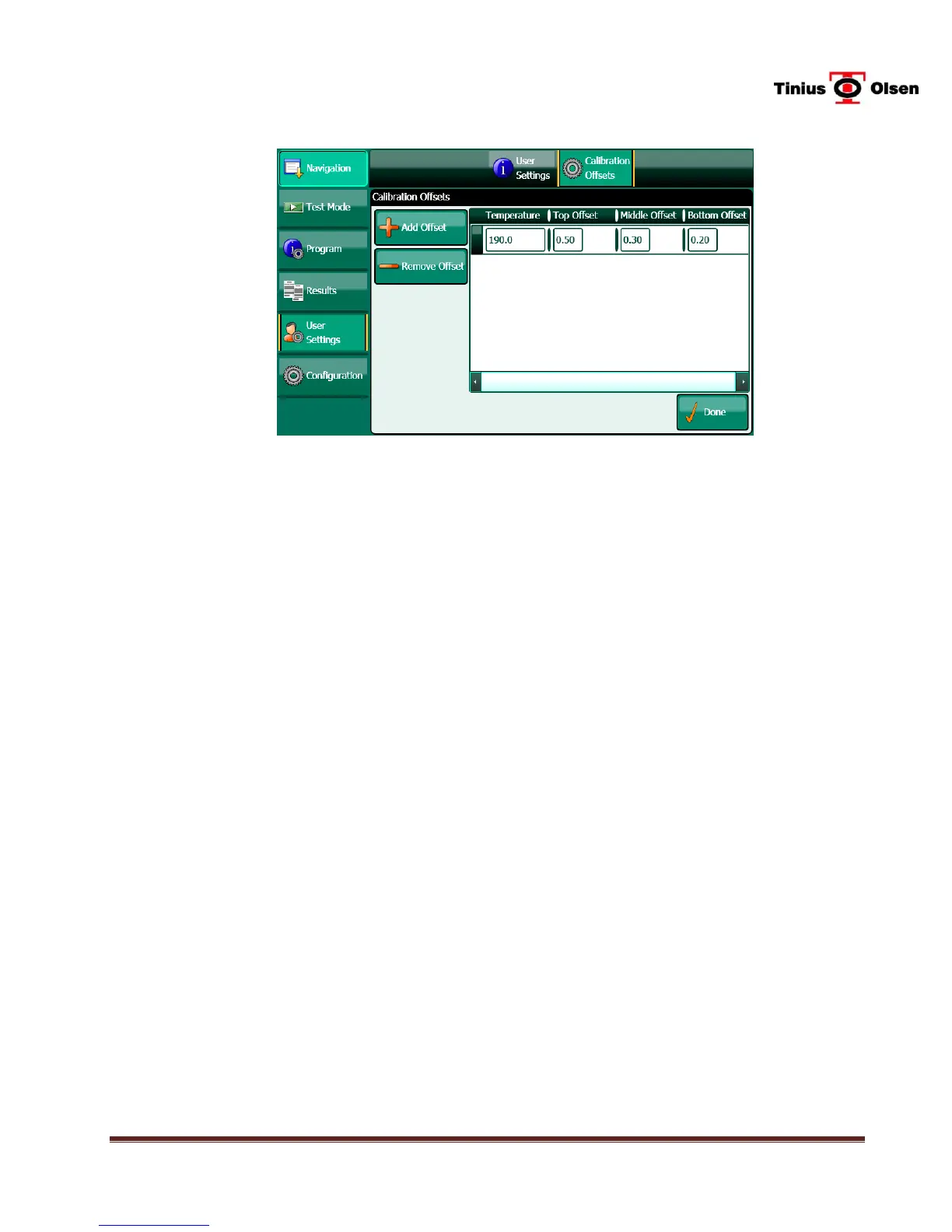
12.2.1 Press the CALIBRATION OFFSETS button at the top of the screen.
12.2.2 To add an offset value, press the ADD OFFSET button, then enter the desired test
temperature and the top, middle and bottom offsets (found on the MP1200
Configuration/Calibration Settings Worksheet). Press on the box below the heading
to activate the keypad.


 To Next Page