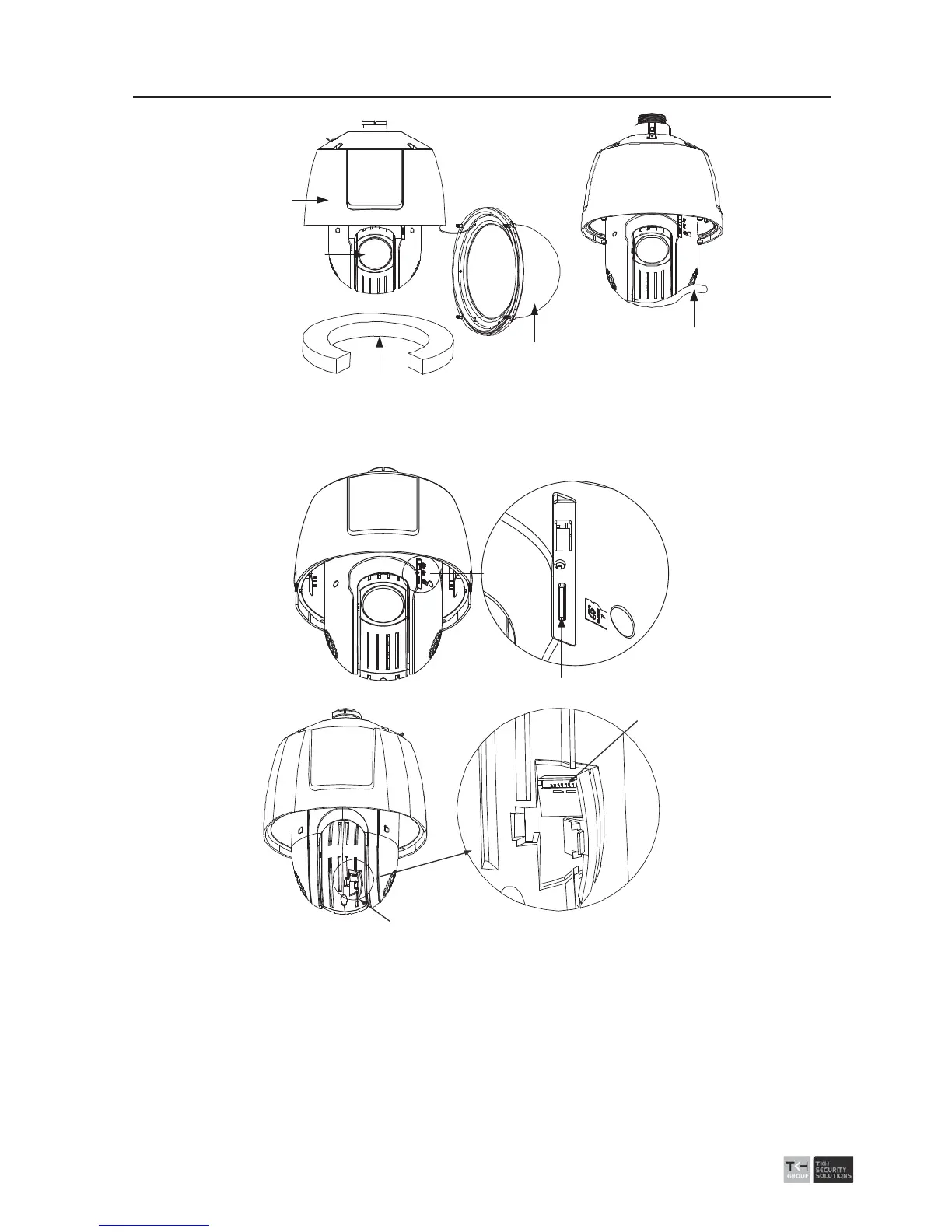
Back Box
Lens Cover
Protective Foam
Lower Dome
Sticker
Figure
2-12 Remove the Protective Elements
3. Install the micro SD card of the speed dome.
SD Card Slot
Debug
Reset
Open Cover
SD Card Slot
Figure
2-13 Install the SD Card.
4. Align the cuts on the lower dome with the lock screws on the back box to reinstall the
lower dome. Tighten the lock screws.
5. Refer to the steps 5-7 of the section 2.1.1 to install the bracket.
6. Install the speed dome to the bracke
t.
1). Hook the back box of the speed dome to the bracket with the safety rope. Route
the cables through the bracket.



 To Next Page