64
Changing Playback Speed
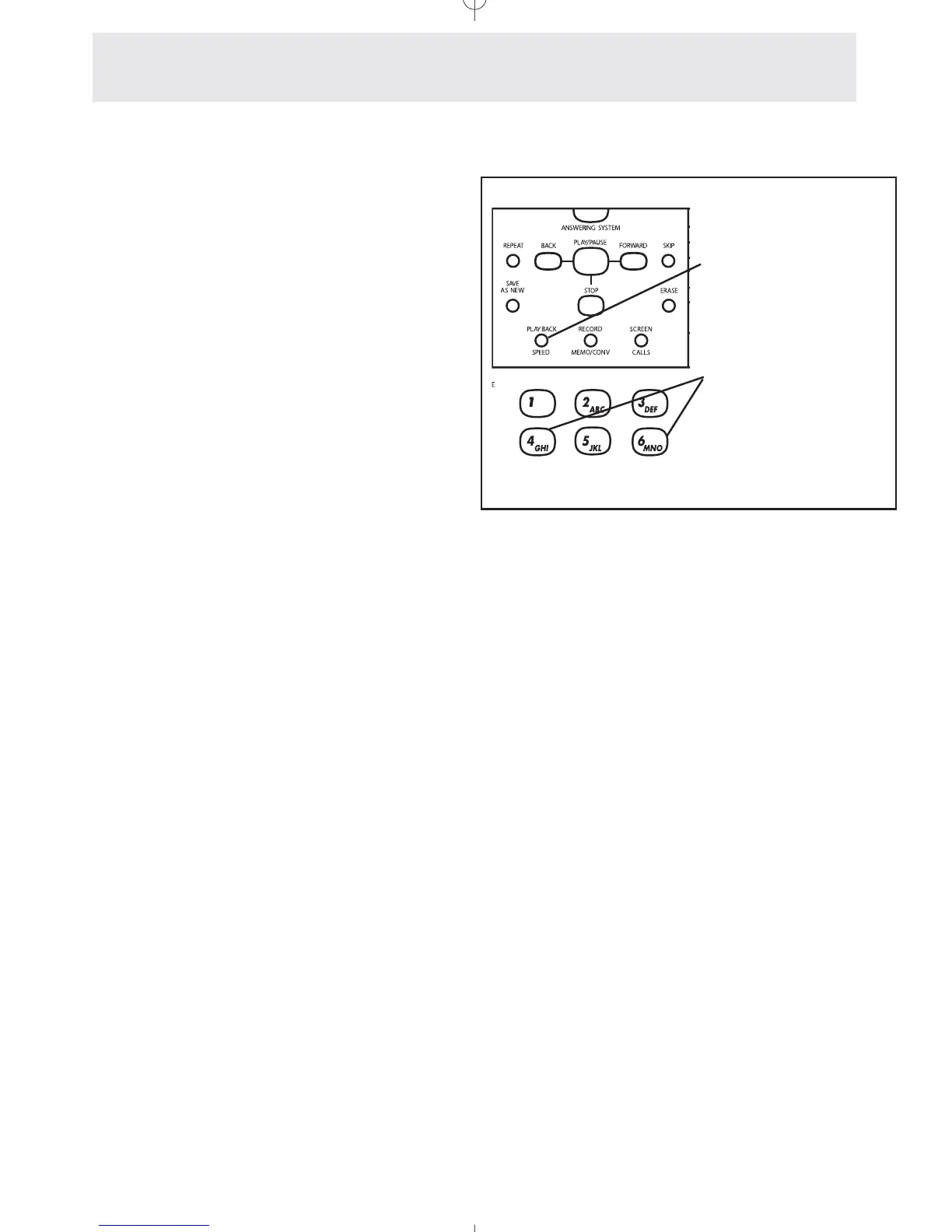
To change playback speed:
1
Press } to slow down
message playback.
2 Press } again at any
time to resume normal playback
speed.
During message playback, press }
to slow down message playback. Press
} again to return to normal play-
back speed.. This feature is useful for hard-to-
understand messages, or for example to give
you more time to write down the address or tele-
phone number in a message.
For even greater control of playback speed, you
may press the 4 button for slow playback, press
the 4 button again for even slower playback,
press the 6 button for fast playback, and press
the 6 button again for even faster playback.
Press the } button at any time to
return to normal playback speed.
Use the PLAYBACK
SPEED button to
slow down message
playback.
Use the 4 and 6 but-
tons for even greater
speed control
Answering System
Setting Up and Operating Your Telephone’s Answering System



 To Next Page