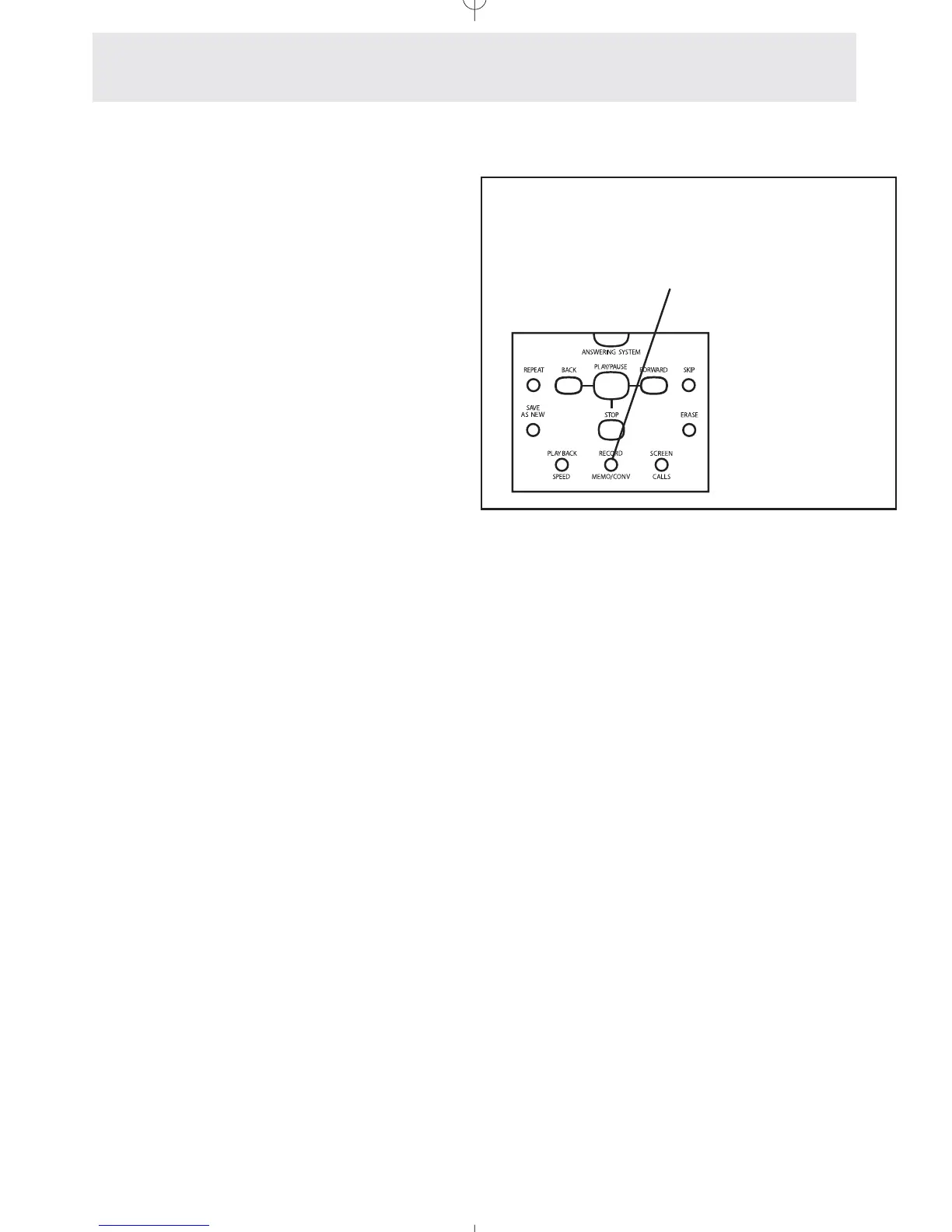
Recording a Memo or Conversation
To record a memo or conver-
sation:
1
Press x.
- Its LED will turn on to indicate that
the phone is recording.
2 Press . at any time to end the
recording
- The LED will turn off.
Recording a Memo
While the telephone is idle, you may record a
memo which will be saved along with the new
messages for later playback. To start recording a
memo, press x. The button’s
LED will turn on and “Recording...” will appear in
the display. Begin speaking. The speakerphone
is automatically on, or you may pick up the hand-
set to talk. Press . to end the recording.
Recording a Conversation
While you are engaged in a phone conversation,
you may record both sides of the conversation.
This recording will be saved along with the new
messages for later playback. To start recording a
conversation, press x. The but-
ton’s LED will turn on and “Recording...” will
appear in the display. The call is now being
recorded. Press . to end the recording.
Use the x button
to record a memo or your con-
versation
Answering System
Setting Up and Operating Your Telephone’s Answering System
Note: This phone does not sound any
warning beeps to alert the other party
that the conversation is being record-
ed. To be certain that you are in com-
pliance with any laws or regulations
concerning recording telephone calls,
you should start the recording, and
then inform the other party that you
are recording the call.
67



 To Next Page