56
9.4. Broadcasting from the RM-200M
[Individual zone broadcast operation]
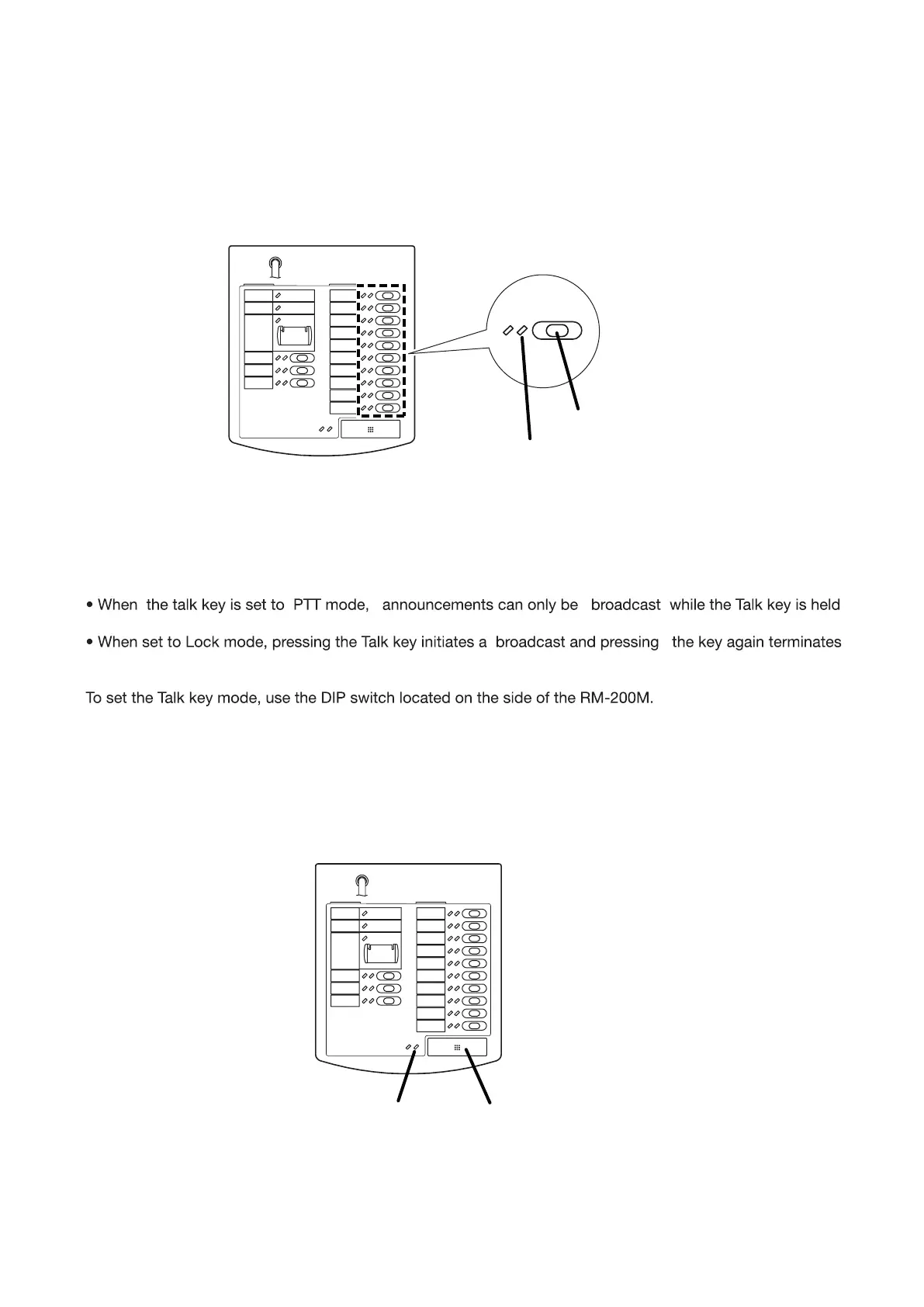
Step 1. Press the broadcast zone selector key to select the broadcast zone. The selected zone’s indicator
lights green
Zone selector key
Zone indicator
[RM-200M]
Step 2. Press the Talk key to make an broadcast. The talk indicator lights green while the Talk key is pressed.
Notes : Two modes are available for Talk key operation: "PTT" and "Lock" modes.
down. Releasing the Talk key terminates the broadcast and extinguishes the indicator.
the broadcast and extinguishes the indicator.
(Refer to 8.2.3. Talk Key Settings)
Talk keyTalk indicator



 To Next Page