22
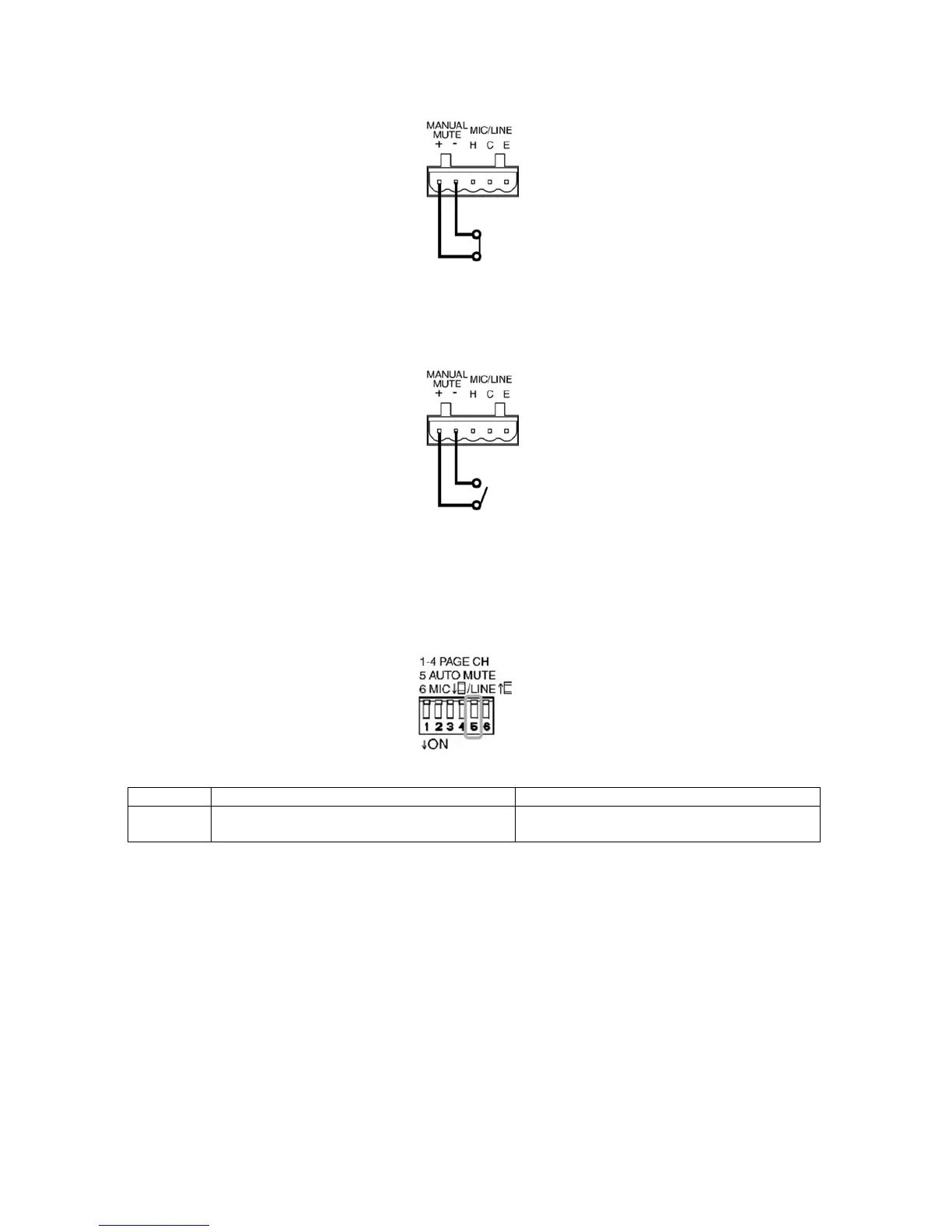
Step 2. Shorting the manual mute terminal (+), (-):
When shorting manual mute terminal (+), (-): the LINE 1, LINE 2, LINE 3, LINE 4 signal that
have been routed to assigned page channel CH1, CH2, CH3, CH4’s outputs will be muted,
and route PRIORITY 1 or PRIORITY 2 signals to outputs.
Step 3. Release the manual mute terminal (+), (-):
When opening manual mute terminal (+), (-): The LINE 1, LINE 2, LINE 3, LINE 4 will
gradually route back to CH1 ,CH2, CH3, CH4 output. The time that the route back signal
starting to fade in is control by the HOLD TIME control.
10.2 Auto Mute
Step 1. Set the AUTO MUTE switch ON:
Switch No. ON: DOWN OFF: UP
5 The mute function is controlled by the PRIORITY
1/2 input signal or manual mute
The mute function is only controlled by the
manual mute
Step 2. Assign the PAGE CH:
This operation is same as 10.1 Step 1.
Step 3. Set PRIORITY 1 or PRIORITY 2 auto mute trigger threshold:
Adjust the MUTE SENSE CONTROL to set the auto mute trigger threshold, rotate clockwise
will increase the sensitivity, rotate counter-clockwise will decrease the sensitivity.
Step 4. PRIORITY 1 or PRIORITY 2 signal trigger the Auto Mute:
When the PRIORITY 1 or PRIORITY 2 signal level exceeds the mute trigger threshold, the
LINE 1, LINE 2, LINE 3, LINE 4 to assigned page channel’s output will be mute and route
PRIORITY 1 or PRIORITY 2 signal to output.
Step 5. Release Mute
When the PRIORITY 1 or PRIORITY 2 signal level is below than the mute trigger threshold,
depends on the setting of the HOLD TIME CONTROL, the signal will start to fade in after the
hold time interval is time out.



 To Next Page