FEATURES AND CONTROLS
35
Steering Wheel Controls/Ignition Switch
35
FEATURES & CONTROLS
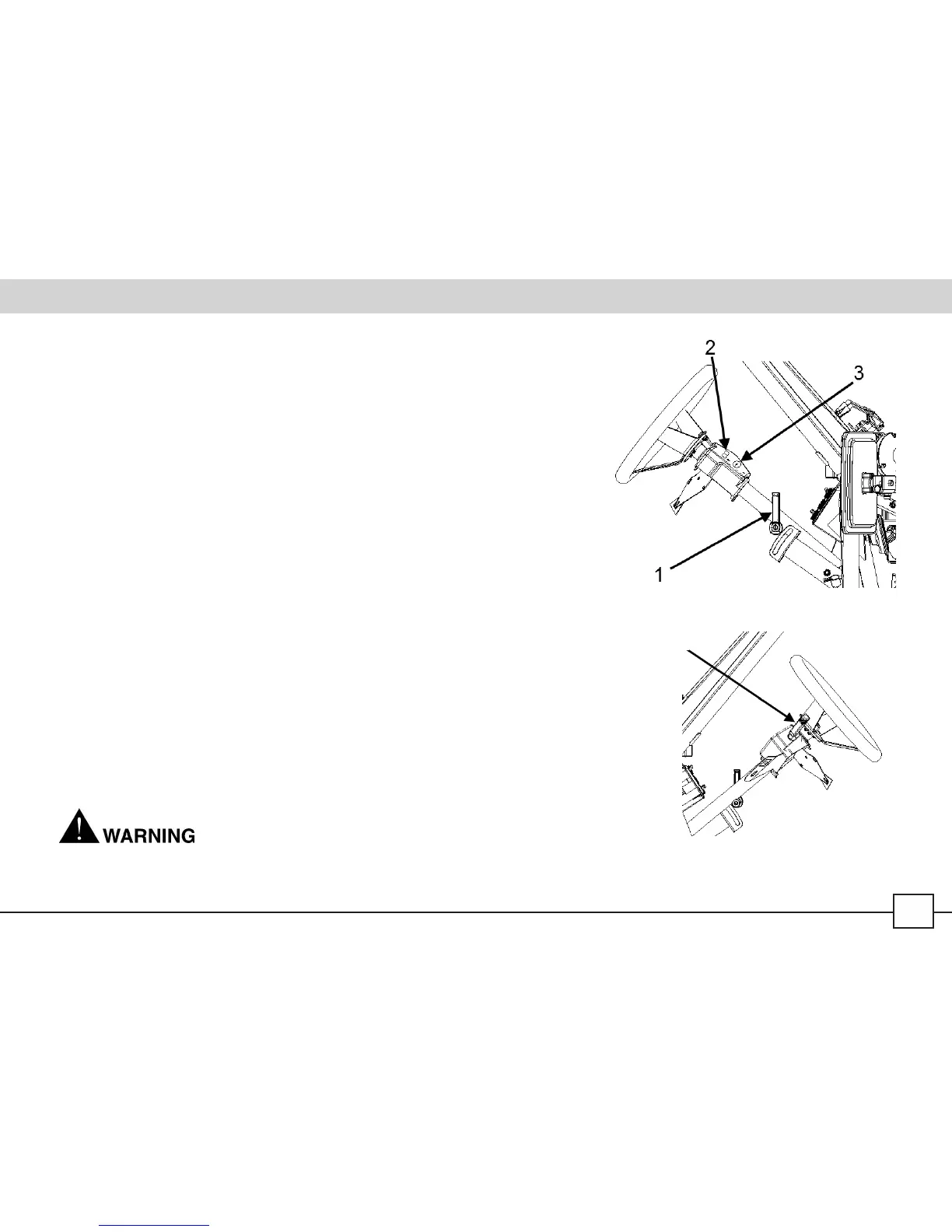
Steering Wheel Controls
1 – Steering Wheel Adjusting Handle
2 – Windshield Wiper Switch (if tted)
3 – Ignition Switch
Make sure the Steering Wheel Adjusting Handle is pointing upwards once the steering wheel is
locked in the proper position by pulling the handle out while swiveling it to the “up” position.
Windshield Wiper Operation
1.
Move the switch to its rst position.
2.
Holding the switch in the second position will operate the washers until released.
3.
Returning the switch to its original position will deactivate the wipers.
Ignition Switch
The ignition switch is a four-position, key-operated switch. The key can be removed from the switch
when it is in the “OFF” position (b). The normal off positon is position (b), “OFF”.
a. ACCESSORIES - Engine is off. All electrical circuits are on. Cooling fan runs.
b. OFF - Engine is off, all electrical circuits are off except 12V plug on console.
c. ON - Engine circuits are on. All electrical accessories can be used.
d. START - Electric starter is engaged by pushing key inward and holding ignition switch key in this
position. Upon release, the key will return to the “ON” position.
Leaving the keys in the ignition can lead to unauthorized use of the vehicle, resulting in serious injury or 4 – Signal/Lights/Horn
death. Always remove the ignition key when the vehicle is not in use. Control Handle
4



 To Next Page