22
22
About This Receiver
Operation
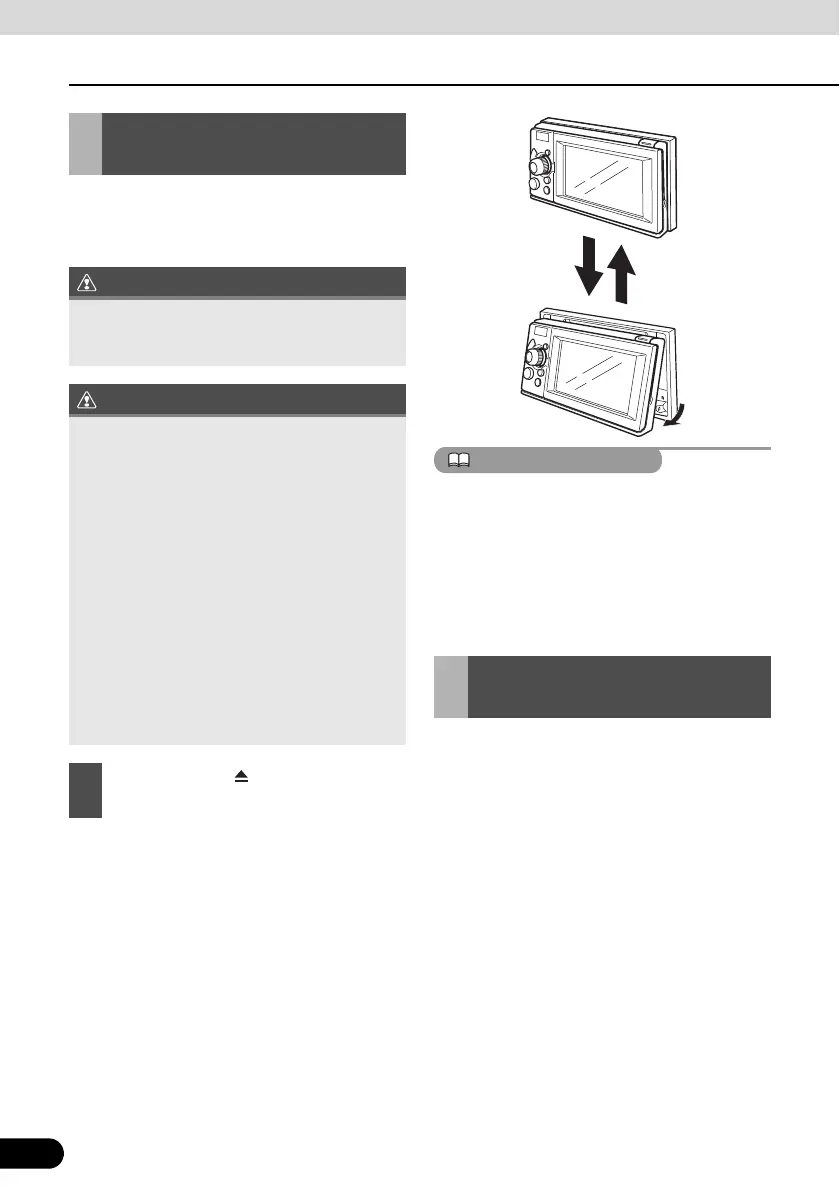
When the screen shines due to ambient
sunlight, you can adjust the angle of the
display.
● You can change the tilt angle in one step
each time you press the button.
● The angle can be changed in 5°, and can
be tilted up to 30°.
● You can open the display even when it is
tilted. When you close the display, it returns
to the preset angle.
● If you tilt the display and turn the ignition key
OFF, the display will return to the upright
position. However, when you turn the
ignition key to the ACC or ON position, the
display returns to the preset angle.
If you want to listen to music, insert a music
CD into the drive slot. Likewise, insert a DVD
disc if you want to play DVD, or a disc
containing a DivX file if you want to play a
DivX file into the drive slot.
Adjusting the Display
Angle
When adjusting its angle, take care not to
pinch your fingers. Otherwise you may hurt
yourself or the display may fail.
● Do not insert a disc through the upper gap
when the display is tilted. Otherwise the
disc or this receiver may be scratched or
damaged.
● When adjusting the display angle, use the
following notes.
Automatic transmission (AT) car:
Adjust the display angle not to limit the
driver to shift the AT lever to the “P”, “r”,
or “N” position. (If the lever shift is
interfered with, do not tilt the display.)
Manual transmission (MT) car:
Adjust the display angle not to limit the
driver to shift the MT lever to the “1”, “3”,
“5”, or “r” position. (If the lever shift is
interfered with, do not tilt the display.)
1
Hold down the [ (OPEN/EJECT)]
button for 1 or more seconds.
Loading/Unloading a
Disc



 To Next Page