24
24
About This Receiver
Operation
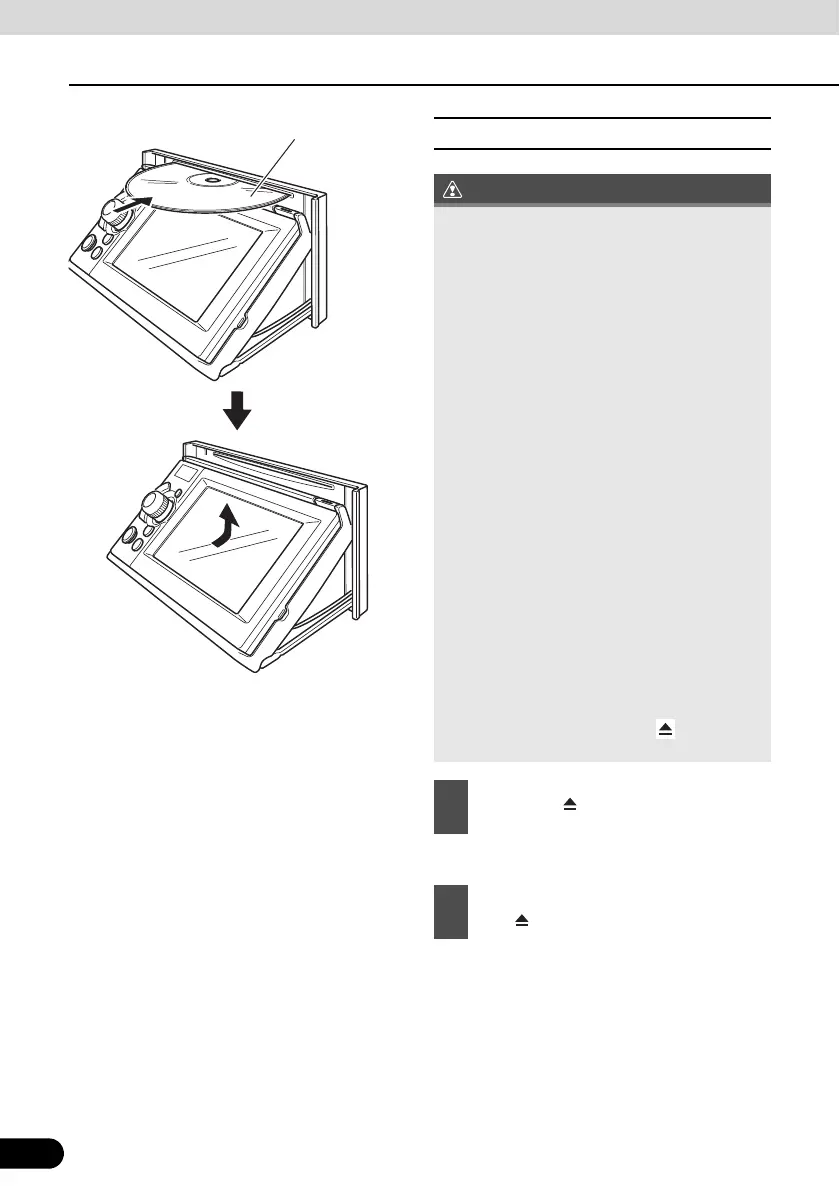
■ CD/DVD unloading steps
● This opens the display and ejects the disc.
● When unloading a disc, use the following
notes.
Automatic transmission (AT) car:
If it is difficult to unload a disc with the shift
lever in the P position, shift it to the N
position. (If your car has a column shift
lever, shift it to the P or N position.)
Manual transmission (MT) car:
If it is difficult to unload disc when the shift
lever is in “1”, “3”, “5” or “r” position, shift it
to the Neutral position.
● Take care NOT to close the display when
the ejected disc remains in the slot.
Otherwise, this receiver or the disc may be
scratched.
● Do not attempt to close the display by
hand. Doing so may damage the display.
● Wipe and clean the display immediately if
juice or another type of liquid spills onto it.
If it is not cleaned, the display may be
damaged.
● To protect the display from heat and dusts,
keep the display closed except when you
load or unload a disc.
● If the disc does not eject (for example, if it
is jammed), hold down the [ (OPEN/
EJECT)] button for more than 5 seconds.
1
Press the [ (OPEN/EJECT)] button.
2
After the disc has been ejected, press
the [ (OPEN/EJECT)] button.



 To Next Page