@ToolkiRC 2024
Charge and discharge work
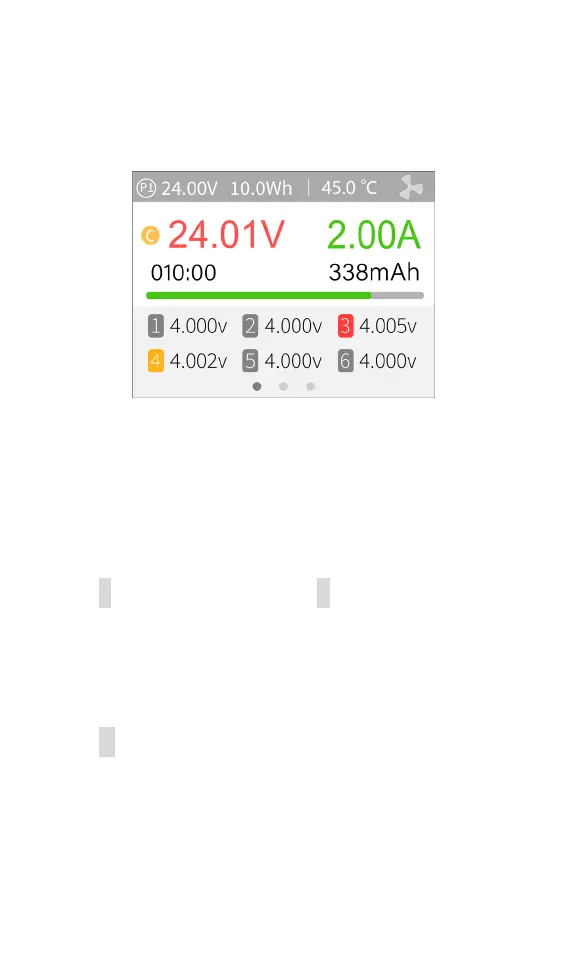
When charging and discharging starts, the charger
enters the following interface:
Press [ ▲▼button] on this interface to toggle
between 3 different displays.
P1: Power selection in system settings
24.01V: Input voltage
10.0Wh: Accumulated power consumption
45.0℃: The internal temperature of the charger
V : Constant voltage sign C: Constant current sign
24.01V: Main port voltage
2.00A: Main port current
010:00: Working time
338mAh: Charged capacity
1 4.000V: Voltage for the first battery cell
.......
-.---v : No battery connected
Short press [●button] to dynamically set the charge



 To Next Page