CA-200F Corneal Analyser - Rev. 7 16/01/2012
Tilt/Decentration
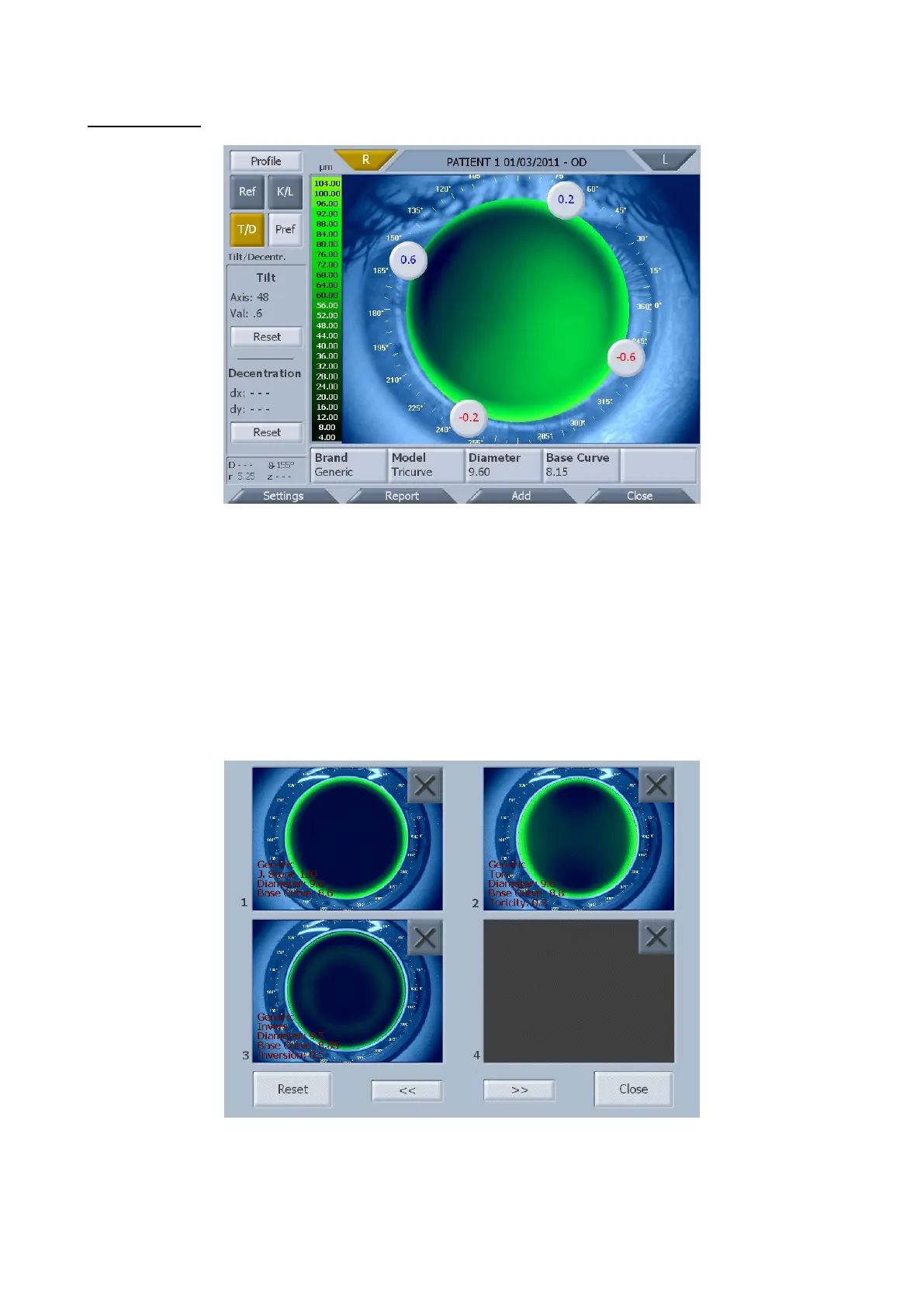
fig. 1-64
Tilt
Displays the four buttons in lens simulation (fig. 1-64). Press the buttons to set the different tilt values. The
"Reset" button resets the initial condition.
Decentration
Drags the lens to the desired position. The "Reset" button resets the initial lens position.
Lens preferences
Tap on the "Pref" button to open the lens preferences window (fig. 1-65).
fig. 1-65
You can add maximum 32 lenses. Use the "<<"and ">>" buttons to view all the lens preferences.
Tap on “Lens preview” to open lens positioning with the lens selected.
Delete a lens by pressing the "X" button in the top right corner of the preview.



 To Next Page