EasyManua.ls Logo

Topcon CA-200F - User Manual

Topcon CA-200F
62 pages
Print Icon
To Next Page IconTo Next Page
Loading...
INSTRUCTIONS FOR USE
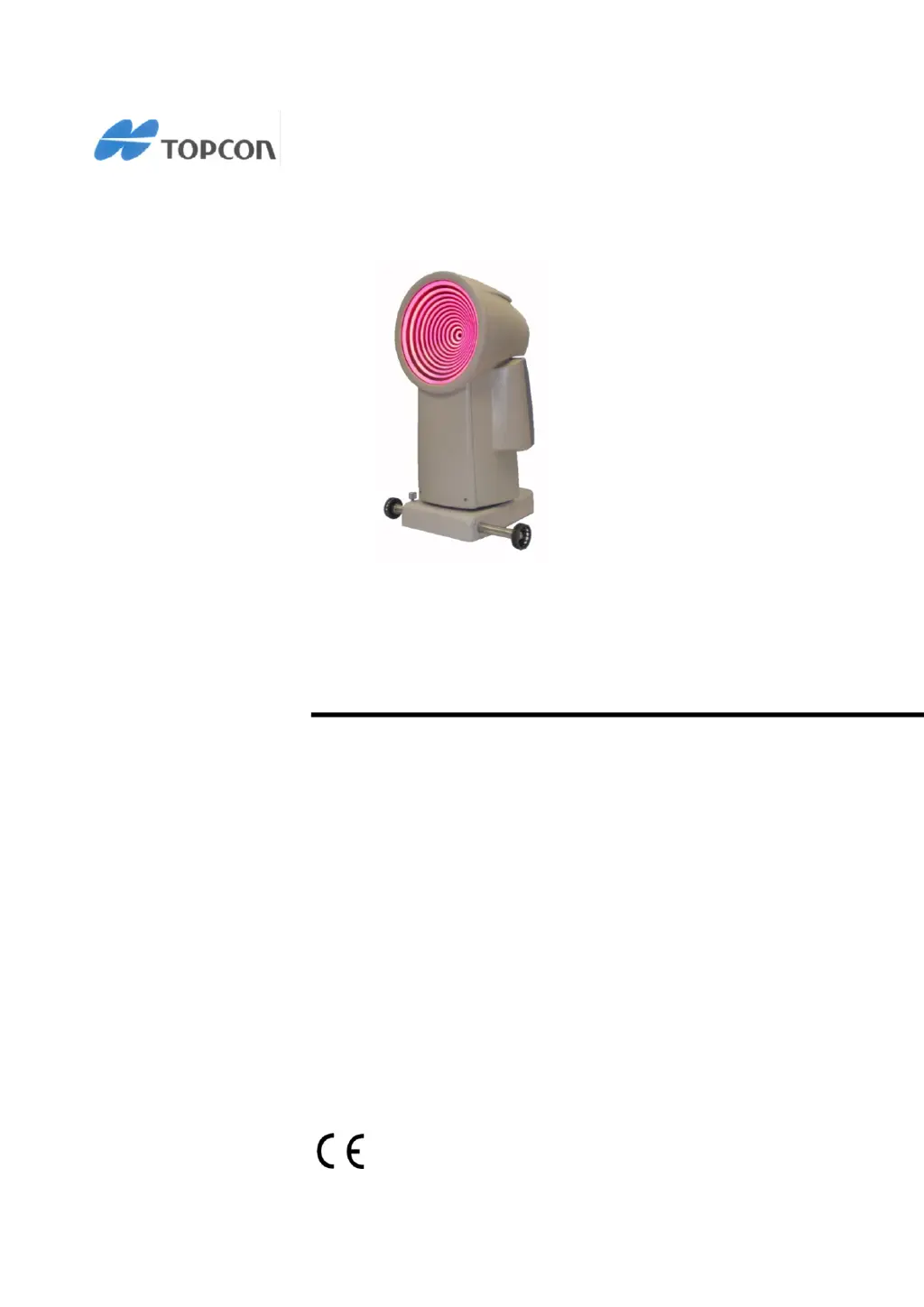
CORNEAL ANALYSER
CA-200F CORNEAL ANALYSER
0051 REV. 7 2012

Questions and Answers

  • K
    Kimberly BrewerAug 4, 2025
    What to do if the calibration check has failed on Topcon CA-200F Measuring Instruments?
    • M
      Michelle MclaughlinAug 4, 2025
      If the calibration check fails on your Topcon Measuring Instruments, repeat the measurement. If the problem continues after repeating the measurement, contact TOPCON Technical Service to have the instrument recalibrated.
  • J
    Jason WebbAug 11, 2025
    What to do if I cannot communicate with the PC using Topcon CA-200F Measuring Instruments?
    • P
      Paul JonesAug 11, 2025
      If you're having trouble communicating with your PC while using Topcon Measuring Instruments, especially when managing patient lists or data, here are a few things to check: * First, make sure the network was set up correctly, referring to the CA-Series Installation Manual for guidance. * Confirm that your PC is powered on and that either the Wi-Fi or LAN connection is actively connected. * Also, verify that the IP address settings for connecting to your PC are correctly configured.
  • M
    Monica OrtizAug 19, 2025
    Why is the CA-200F display black on my Topcon Measuring Instruments?
    • R
      Robert SmithAug 19, 2025
      If the display of your Topcon CA-200F Measuring Instruments is black, ensure that the device is powered on. Additionally, verify that all power cables are securely and correctly connected.
  • K
    kwilliamsAug 27, 2025
    How to fix a standard deviation greater than 0.12 D on Topcon Measuring Instruments?
    • W
      wademeganAug 27, 2025
      If the standard deviation after an acquisition session is greater than 0.12 D on your Topcon Measuring Instruments, simply repeat the measurement.

Summary

INTENDED USE

Product Description and Applications

Details the functions, main applications, and technical use of the corneal analyser.

PRECAUTIONS

General Usage and EMC Guidelines

Outlines essential precautions for operating, storing, and electromagnetic compatibility (EMC).

Immunity Aspects

Radio Frequency Immunity Aspects

WARNINGS FOR SAFE USE

Safety Label Interpretation

Explains the meaning of warning labels and cautions to prevent serious injury or damage.

WARNING LABELS AND PLATES

Instrument Safety Labels and Diagrams

Illustrates and describes important safety warning labels and plates found on the instrument.

INSTALLATION

BASIC OPERATIONS

General Description and Acquisition Modes

Overview of functions, capabilities, and operating modes (PC vs. standalone).

ACQUISITION ENVIRONMENT

TOPOGRAPHY MODULE

Topography and Pupillometry Acquisition

Guides on acquiring topography and pupillometry data, including focus adjustment.

Fluorescein Analysis

ACQUISITION IN STAND-ALONE MODE

TOPOGRAPHIC MAP DISPLAY

Map Navigation and Display Options

Explains how to access, navigate, and customize topographic map display options.

Curvature Profile Analysis

Keratometry and Indices

Keratometric and Keratorefractive Data

Details keratometric data, meridians, and keratorefractive index information.

Keratoconus and Pupil Analysis

Keratoconus Screening and Pupil Indices

Explains keratoconus screening parameters and pupil measurement indices.

FLUORESCEIN MODULE

PUPILLOMETRY MODULE

Dynamic and Static Pupillometry

Guides on dynamic and static pupillometry acquisition, and image selection for different light conditions.

Pupillometry Graphs and Statistics

Pupil Analysis Graphs

ZERNIKE ANALYSIS

Wavefront Aberration Display and Interpretation

Explains the Zernike module for displaying wavefront aberrations and interpreting maps.

Zernike Graphs and Pupil Diameter

LENSES MODULE

Lens Simulation and Selection

Details the lenses module for simulating contact lens positioning and selecting lenses.

Lens Indices and Options

Tilt;Decentration and Lens Preferences

TORIC IOL MODULE

IOL Calculation and Patient Information

Presents IOL calculation summary and guides patient/surgeon information entry.

IOL Calculation Workflow

Surgeon Details and Pre-Op Data Input

Covers managing surgeon details and inputting required pre-operative data for IOL calculation.

IOL Calculation Results and Reporting

Results Display and Report Generation

Shows IOL calculation results and explains how to generate reports and send orders.

MODULE UPDATE

PC SOFTWARE OPERATIONS

TROUBLESHOOTING

Problem Resolution Guidelines

Provides solutions for common communication, measurement, and display issues.

MAINTENANCE PROCEDURES

Instrument Cleaning and Calibration Check

Provides instructions for instrument cleaning and performing a calibration check.

Topcon CA-200F Specifications

General IconGeneral
Product NameTopcon CA-200F
CategoryMeasuring Instruments
Light SourceLED
Power SupplyAC 100-240V, 50/60Hz
Weight15kg
InterfaceUSB
Dimensions (W x D x H)300mm x 480mm x 500mm
DisplayLCD
Number of rings22 rings (Placido disk)
Diopter range1.0 to 100D

Related product manuals