D4208-EN TMR4610 Operators Manual 11
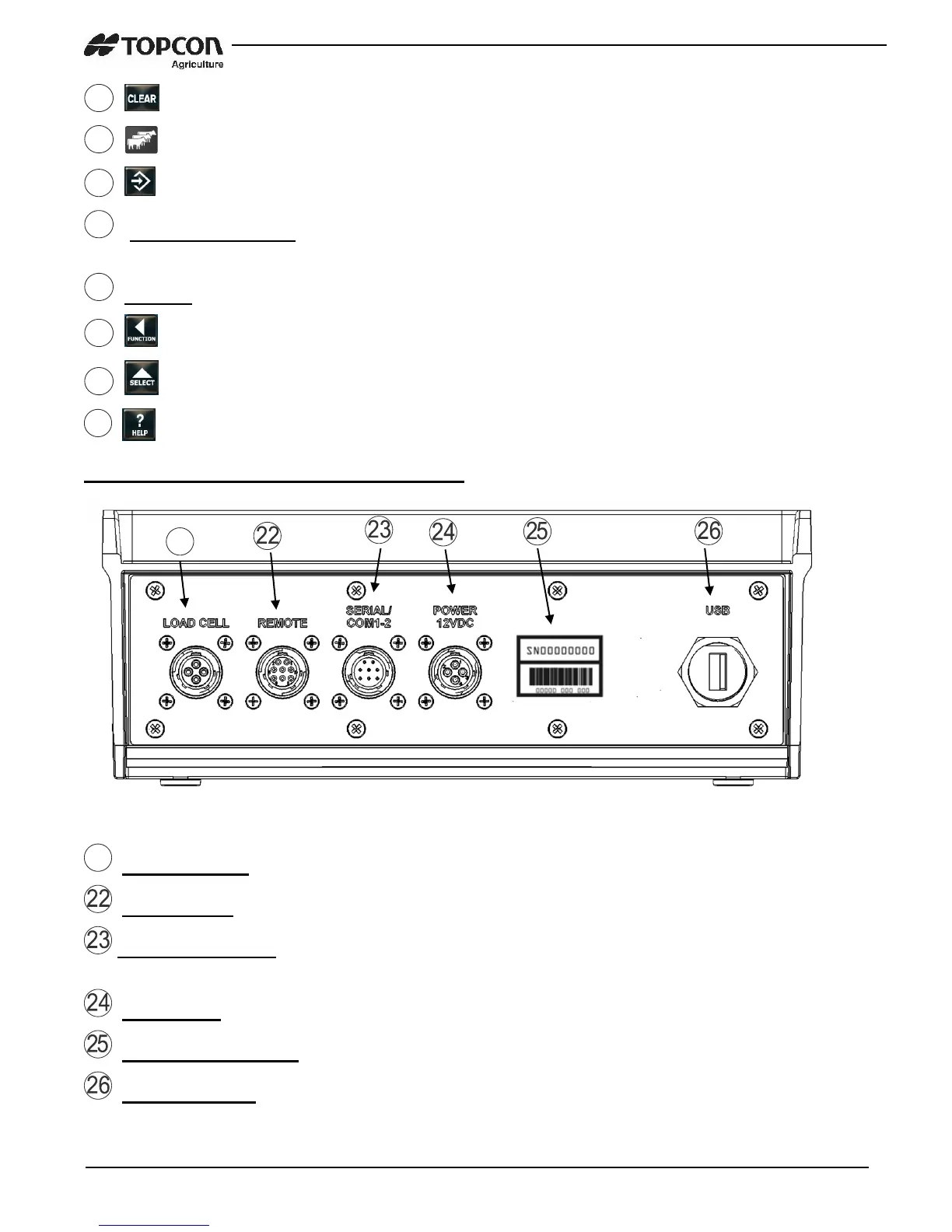
– Clear the charactors on LCD (backspace)
– Press in list mode to begin pen unloading.
– Accepts change or proceeds to next item.
Directional Arrows – Moves through list of information. Left arrow (-) and right arrow
(+)
Keypad – Input numbers or letters
– Performs tasks displayed when using the select button
– Display additional tasks for the user.
– Shows additional information for last key pressed.
Indicator Connections Overview
Load Cell Port – For J-Box Cord.
Remote Port – Optional remote display.
Serial/Printer Port – Communicate with computer and other digital input/output
devices.
Power Port – For Power Cord.
Serial Number Plate – Serial Number of Indicator.
USB Drive Port – Insert USB Drive to upload/download data


 To Next Page