Home
Topcon
Control Panel
DIGISTAR TMR4610
Page 34 (Change Time)
Topcon DIGISTAR TMR4610 - Change Time; Change Date
68 pages
Manual
Save Page as PDF
To Next Page
To Next Page
To Previous Page
To Previous Page
Loading...
34
TMR4610 Operators Manual
D4208-
EN
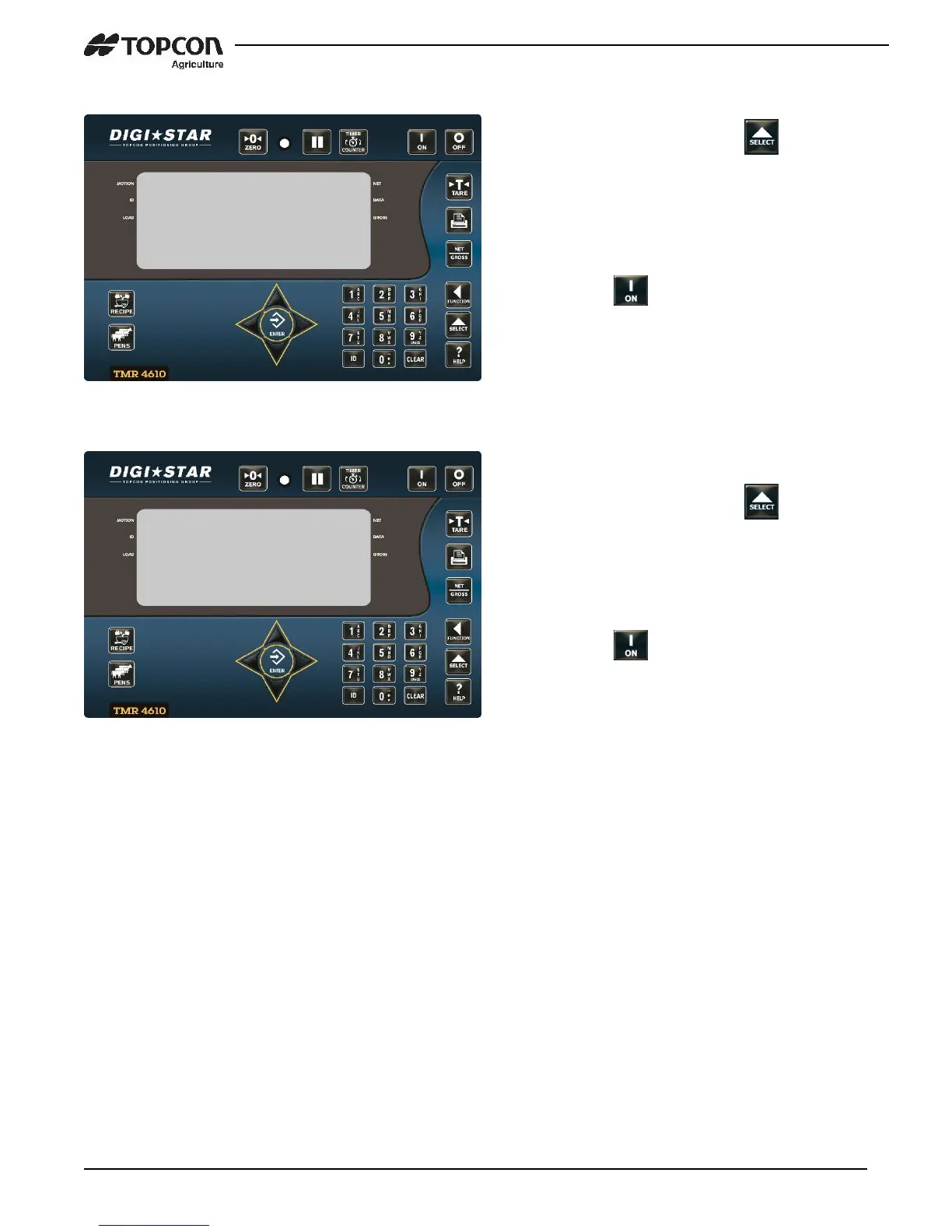
12.10 Change Time
12.11 Change Date
1.
Enter
1202
and press
.
2.
Press LEFT arrow to move cursor
3.
Press UP arrow to set time.
4.
Press
.
1.
Enter
1204
and press
.
2.
Press LEFT arrow to move cursor.
Format DDMMYY, Press UP arrow to
set date.
3.
Press
.
Commonly
Used
Direct Access Numbers
(D.A
.N.)
1202
3:02P 30JAN
17
PRESS RECIPE T
O LOAD
1204
3:02P 3
0JAN 17
PRESS RECIPE T
O LOAD
33
35
Table of Contents
Main Page
Default Chapter
2
Table of Contents
2
1 Introduction
4
2 Tmr4610 Special Features
5
3 Accuracy Statement
6
4 Technical Specifications
7
5 Safety During Use
8
6 Feed Management Software
9
7 Indicator Overview
10
8 Operation
12
Turn on Scale
12
Zero Balance Indicator
12
Tare and Net Gross
13
Print Key
14
9 Data Transfer
15
USB Drive Mode
15
RF Datalink Modes
15
Log in
16
Log out
17
Additional Settings
18
10 Indicator Data Formats
20
Loading and Feeding Complete Loads Mode
20
Resize Recipe Weight
21
Loading Recipe
22
Unloading to Pens
22
Recipe and Pen List Mode
23
Loading Recipe
24
Unloading Pens
24
11 Advance Commands
25
Unload Partial Pens
25
Go Back to Skipped Ingredient
25
Change Feeding Number
26
Clear Scale Memory
26
Re-Use Recipe/Pen Data
27
Mixer Time
27
Rotation Counter
28
Drive Ratio
28
Maintenance Message
29
Add a Pen to Pen List
30
12 Commonly Used Direct Access Numbers (D.a.n.)
31
Pre-Alarm
31
Manual Pen Advance
31
Auto Ingredient Advance
31
Ingredient Tolerance
32
Pen Tolerance
32
Batch Advance Delay
32
Scale ID or Truck ID
33
Scale Number
33
Resize Option
33
Change Time
34
Change Date
34
13 Manual Programming of Recipes
35
Switch to Manual Programming
35
Change Entry Method
35
Ingredient Re-Name
36
Print Ingredients Names
36
Enter New Recipe
37
Edit Recipe
39
Erase a Recipe
40
Review a Recipe
41
Printing Single Recipe
41
Printing All Recipes
42
Loading a Recipe
42
Unloading to Pens
42
14 Other Functions
43
Hold
43
Using Dimmer Option
43
Options Changed by User
44
16 Installation
58
Indicator Mounting
58
Cable Connections
60
Connecting Load Cells to Junction Box
63
Load Cell Direction
63
17 Optional Equipment
64
Cab Controls (Wireless)
64
Data Transfer Options
64
Transmitter/Receiver
64
Remote Indicators
65
Rotation Counter Sensor (Kit P/N: 408088)
65
18 Declaration of Conformity
66
19 Notes
67


 To Next Page