1.5 Star Key Mode
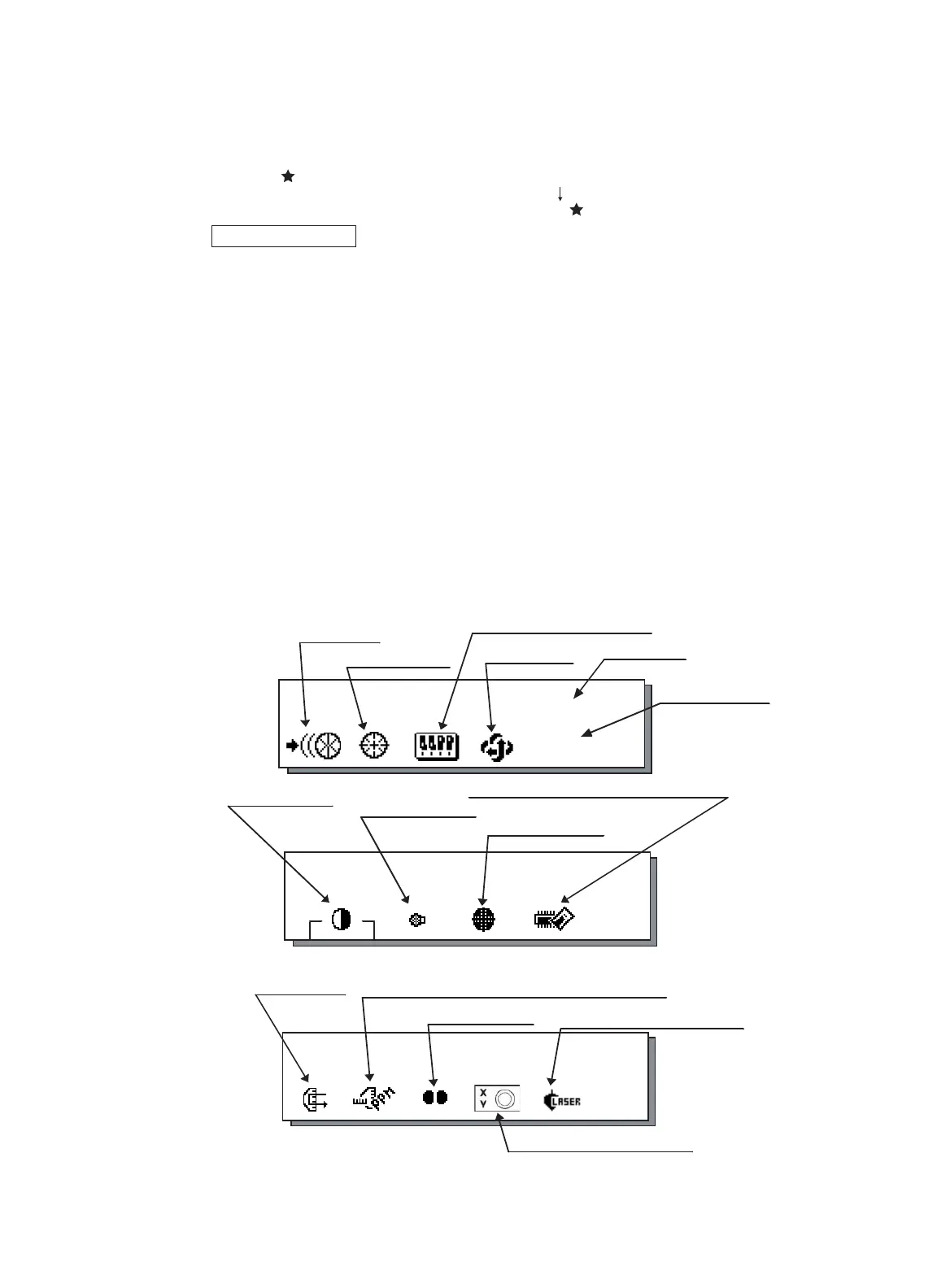
Press the ( ) key to view the instrument options. Since there are three screens (GPT-8000A series)
or two screens (GPT-8000 series) of options, press [F6](1 ) soft key to view the next screen.
The following instrument options can be selected from the ( ):
GPT-8000A Series
• Screen One
1) View Date & Time
2) Auto-tracking [F1]
3) Auto-collimating [F2]
4) Set the parameters for Auto-tracking. [F3]
5) Auto- inversion [F4]
6) Non-prism mode / Prism mode selection [F5]
• Screen Two
7) Adjustment the contrast of the display [F1 & F2]
8) Turn the back light of the display ON/OFF [F3]
9) Reticle illumination---Off / Low / Medium / High [F4]
10) View free memory for internal and card memory [F5]
• Screen Three
11) The light acceptance quantity level (signal level) is displayed.[F1]
12) Set the Temperature, Pressure, Atmospheric Correction Value (PPM), and Prism
Constant Value (PSM) [F2]
13) Turn the Tracking Indicator option ON/OFF [F3]
14) Electric circular graphic display [F5]
15) Turn the Laser plummet option ON/OFF [F5] (only for Laser plummet model)
1 NOMENCLATURE AND FUNCTIONS
1-7
2002-07-07 14:30:40
1
↓
2002-07-07 14:30:40
2
↓
Back Light of Display
Auto- inversion
Date & Time
Set parameter for Auto-tracking
Auto-collimating
Auto-tracking
2002-07-07 14:30:40
3
↓
Contrast adjustment
T
racking indicator
Set the Temperature, Pressure, Atmospheric Correction
Value (PPM), and Prism Constant Value (PSM)
Displaying
Signal Level
Screen 1
Screen 2
Screen 3
View free memory for Card/Internal Memory
Reticle illumination
Laser Plummet
(Only for Laser Plummet type)
Electric circular graphic display
NP/P
Non-prism/ Prism
mode



 To Next Page
 Loading...

