18
5. SYSTEM CONFIGURATION
●
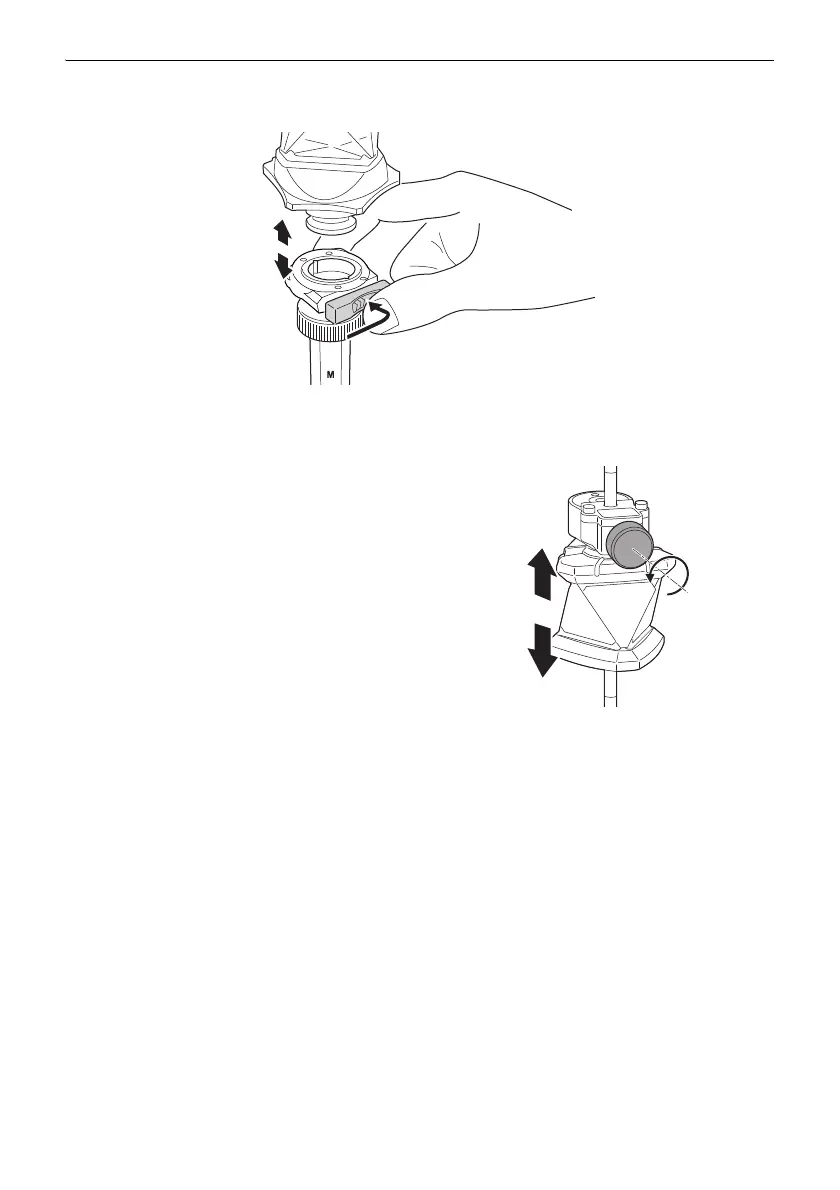
Attaching/Releasing the One-touch attachment
Slide the lock release button to the right then press to release the One-touch attachment.
●
Adjusting position of 360° Prism (ATP1SII) on pin pole (PP2)
Pressing the release button allows the prism to
slide up and down the pin pole. Release the
release button to secure the prism at the desired
position.
• Do not expose the prism to heavy shocks or
vibration by dropping or felling it, or hitting the
prism pole shoe to the ground strongly.
Doing so may damage the prism or affect the
prism height.
• Do not allow sand to come into contact with the
clamp of the 360° Prism. Otherwise sand
particles could jam the motion of the prism.
• In this event, tap the prism from the bottom so
that sand particles come out. If it does not help,
wash away the sand.



 To Next Page