23
6. SETTINGS FOR THE TOTAL STATION
of the field-of-view, Auto Pointing is complete. Although this setting provides greater accuracy,
when supporting the pole by hand, hand movements will result in Auto Pointing taking too long
to complete and a "Time out" error will occur.
When "Rapid" is set however, Auto Pointing can be performed even with slight instability of prism
position or minor shifts of target position in the field-of-view. The instrument will use the data
obtained to determine the direction of the target.
Auto Pointing performed using the "Rapid" setting can be completed in a much quicker time than
the "Fine" setting.
"Fine" is recommended when a high level of measurement accuracy is needed. The range for
the offset between the target and reticle after Auto Pointing completed changes as shown below
depending on the Srch. accuracy setting.
Search operation during Auto Pointing
When the target enters the field-of-view within the set limit (setting of "Auto AIM") for Auto
Pointing completion, the instrument stops moving, calculates the offset between the target and
telescope reticle by image processing, then compensates the angle measurement value
obtained from the encoder. This compensation enables accurate sighting in a short time. Even
though the target and telescope reticle may appear to be misaligned, it does not affect the
sighting accuracy. Compensated values are displayed in blue.
If the instrument is rotated (manually or using the Jogs) more than 10", compensation will be
canceled, the angle reverts to that obtained from the encoder, and the angle values are once
again displayed in black. Compensation is automatically performed when performing Auto
Tracking. Terminating Auto Tracking or powering OFF the instrument will cancel the
compensation function.
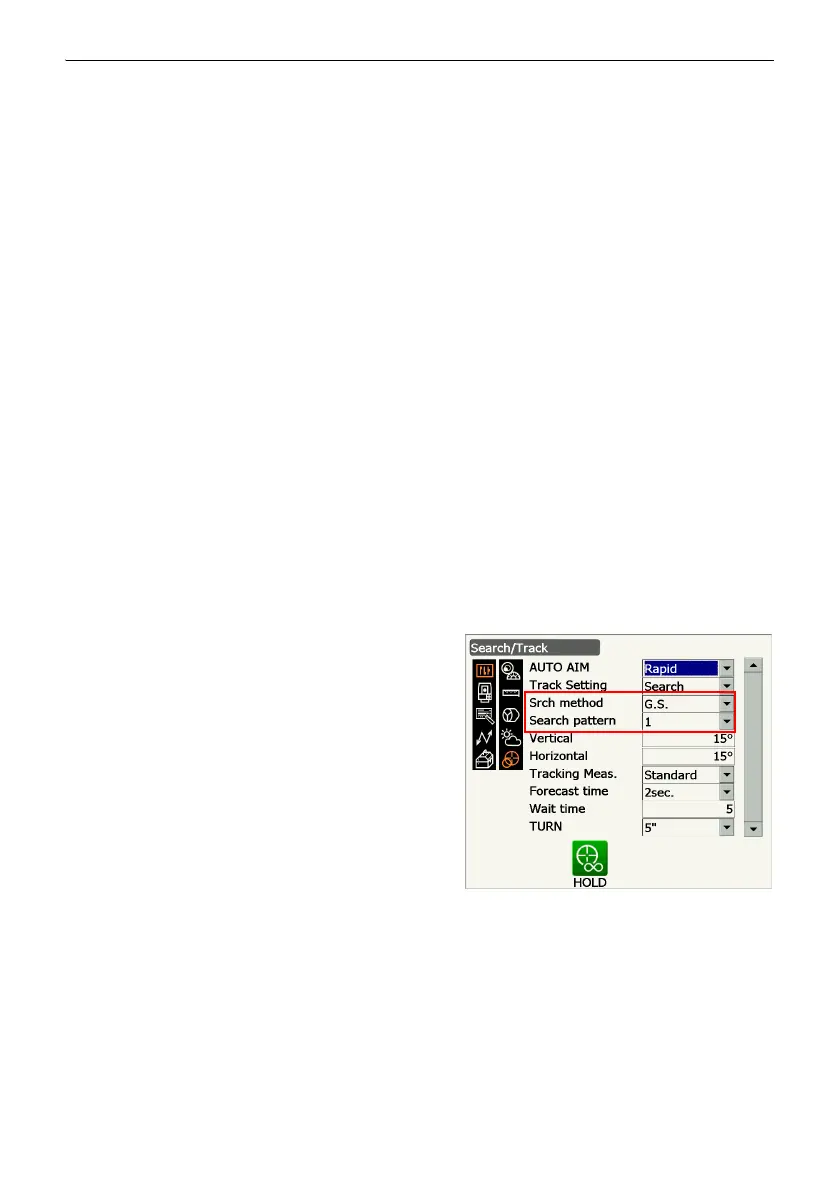
2. Set "Srch. method" to "R.C." in order to start
Turning operation in response to a Turning
command issued from the Remote Controller.
Set "Srch method" to "G.S." to search for the target
in the area specified in the items "Vertical" and
"Horizontal".
"Search pattern" is the setting for the rotating
method of telescope and instrument to find the
target prism.
Items set and options
(3) Srch method
G.S./R.C.
(4) Search pattern
1/2/3
Srch method
Selects search before distance measurement option.
When set to "G.S." the instrument will search for the target in the area specified in the Search
area tab. When set to "R.C.", the instrument will wait for a Turning command to be issued from
the Remote Controller before starting Auto Pointing. Such commands can only be received
when using instruments have a .



 To Next Page