41
7. BASIC OPERATION
2. When calibration is necessary, switch OFF
and proceed to "PROCEDURE Manually
calibrating the compass".
PROCEDURE Manually calibrating the compass
1. Press the POWER button while pressing
the FAR button with the power switched
OFF. An audio tone sounds and the Remote
Controller is switched ON in calibration mode.
● FAR and ● SEARCH are Lit.
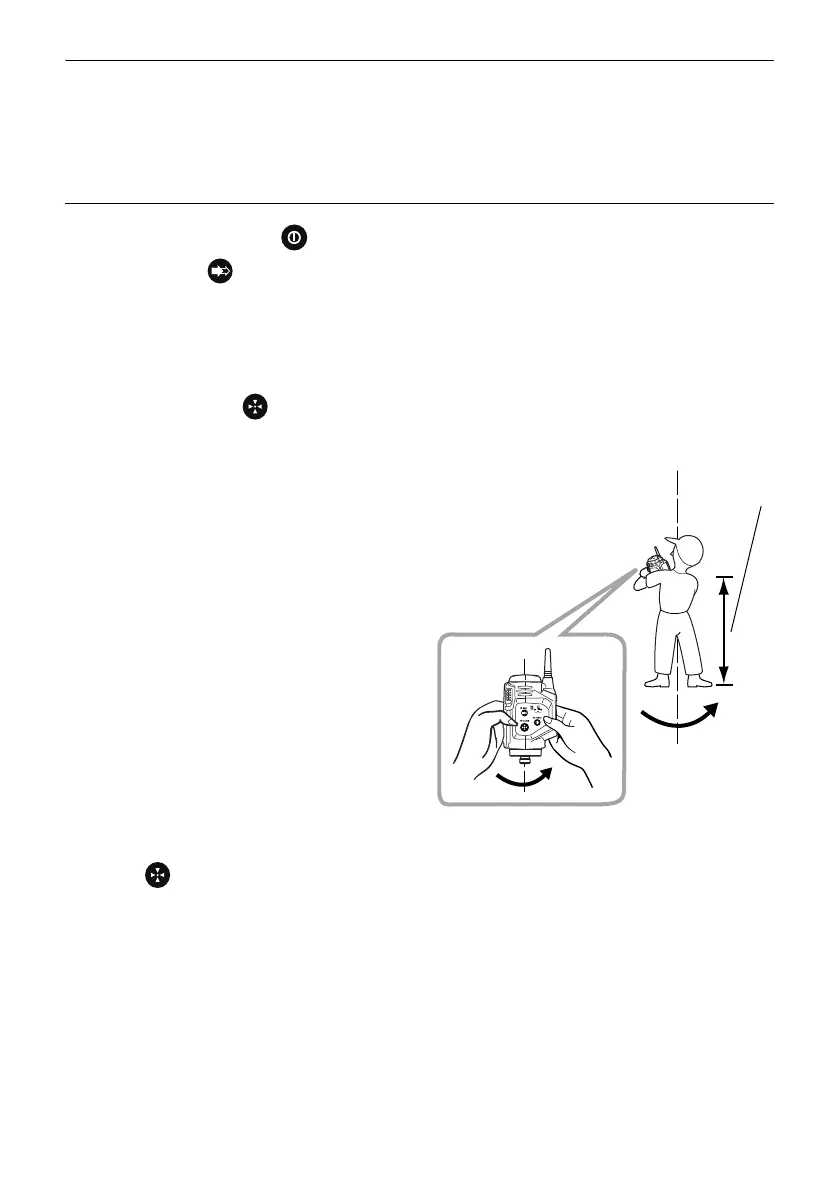
2. Hold the Remote Controller vertical and press
the SEARCH button .
● FAR flashes red and calibration starts.
3. Without moving the position of the Remote
Controller, rotate it 1.5 to 2 times in a
horizontal direction.
Rotate 1.5 to 2 times in approximately 10
seconds.
4. After rotating, continue to hold the Remote
Controller vertical and press the SEARCH
button .
● SEARCH turns Off.



 To Next Page