31
When setting up using the remote controller
After completing 1 through 4 of the above setting procedures, check that the transmission and
reception display is showing “OK”.
If the [NG] mark is displayed, press [ENT] again. (“OK” and “NG” will be displayed only on the
remote controller screen.)
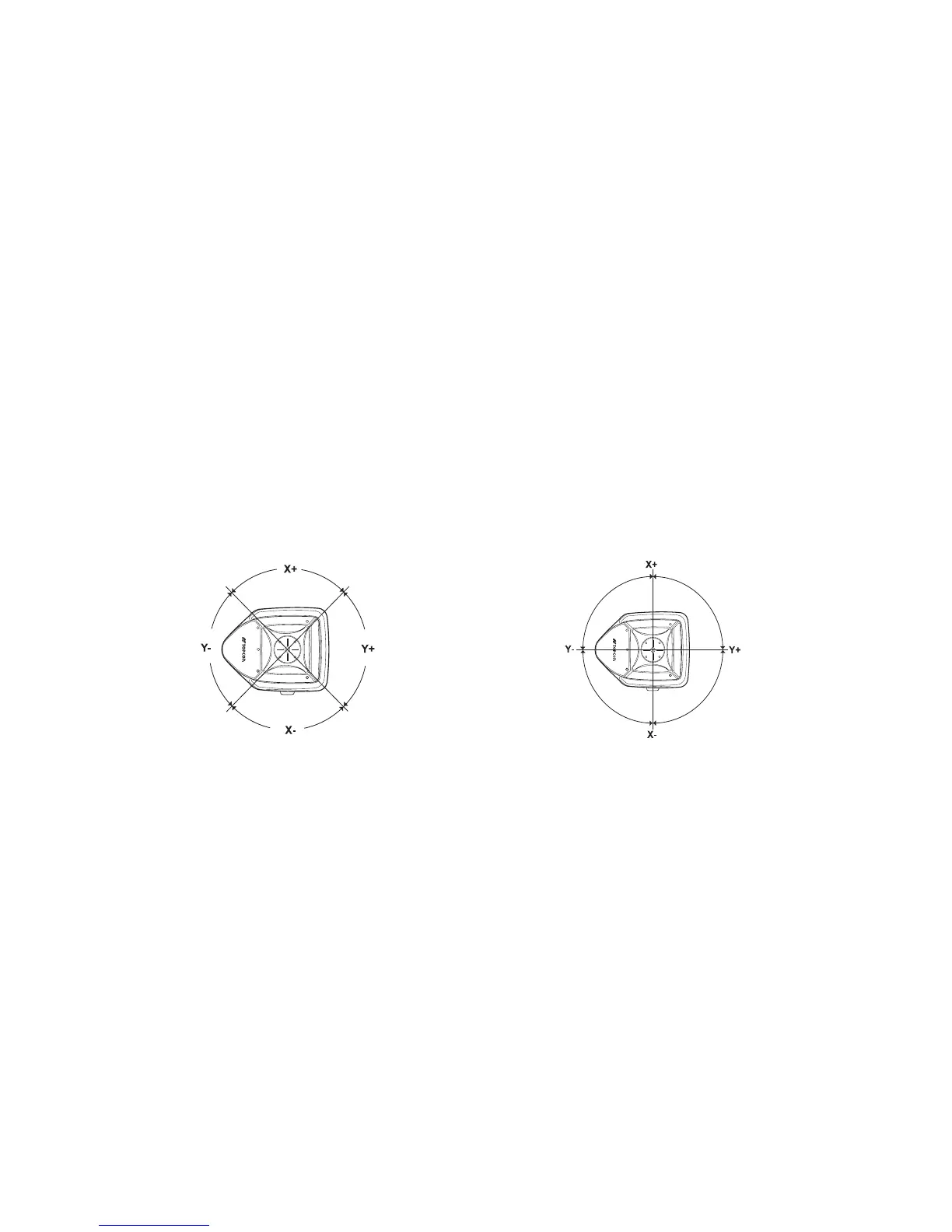
Switching Masking Mode (Split-masking Direction)
Mode 1 Mode 2
As seen
from above
As seen
from above
You can select either Mode 1 or Mode 2 for the masking mode.
The relationship between the arrow keys and masking directions are shown in the above figure.
X axis
Y axis



 To Next Page