22
Maintaining Power Sources
Installing
1
Insert the BT-51Q rechargeable battery into the instrument.
2
Place the DB-51C rechargeable battery holder firmly into the instrument and turn the bat-
tery cover knob to “LOCK”.
Charging
1
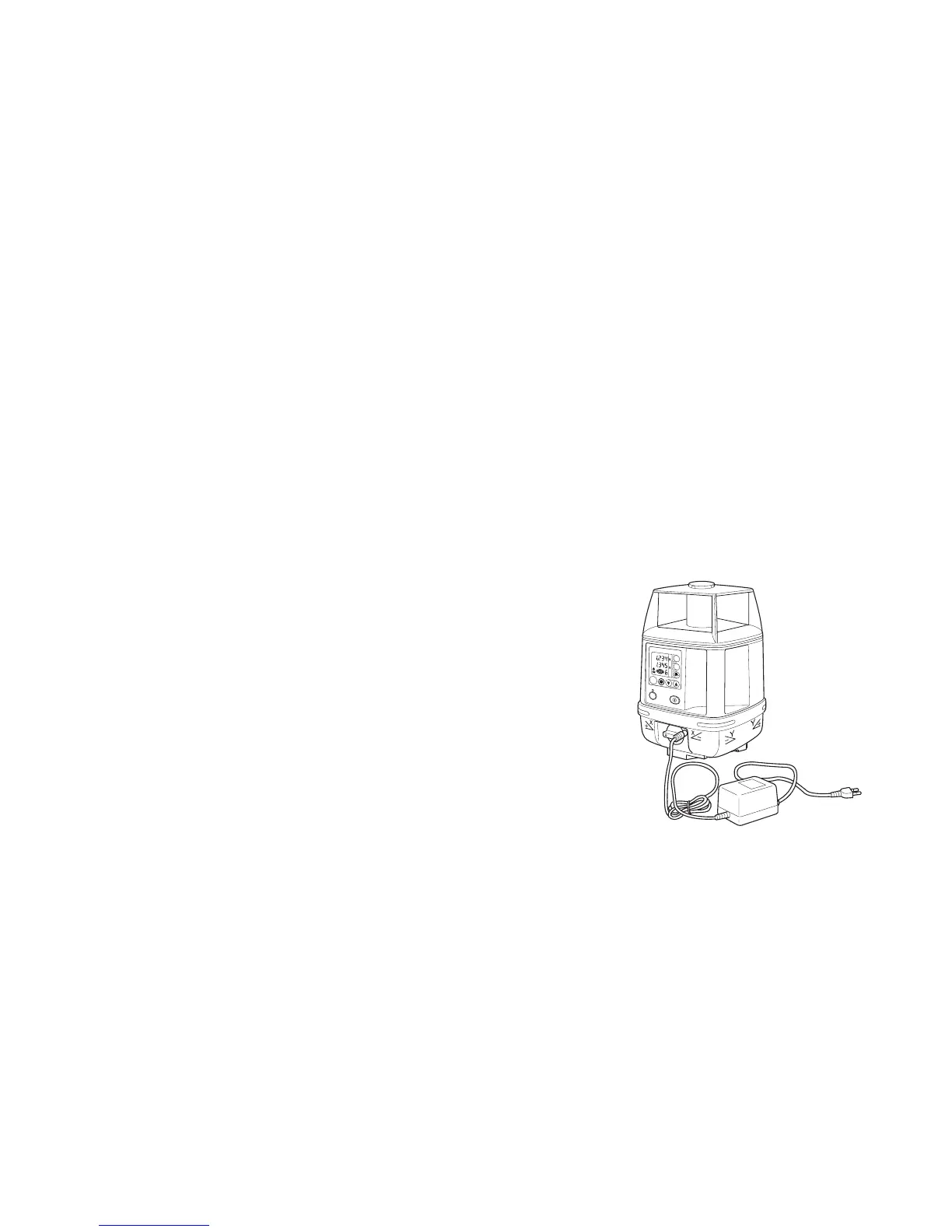
Plug the AC/DC converter (AD-9B or AD-7C) into the charger jack on the DB-51C
rechargeable battery holder.
2
Plug the convertor cord into a proper power outlet
(AD-9B is for AC120V, AD-7C is for AC230V)
3
Complete charging by unplugging the converter con-
nector from the DB-51C rechargeable battery holder
after approximately 9 hours.
4
Unplug the converter from the outlet.
The DB-51C LED will indicate charging status as fol-
lows:
Red ON : Charging
Green ON : Charging completed
Green flashing : DB-51C is not connected to BT-51Q rechargeable battery.
POWER
MANU
ON
ENT
X
Y
RL-H2Sa
x100
rpm
DB-51C
AC/DC converter AD-9B/7C



 To Next Page