41
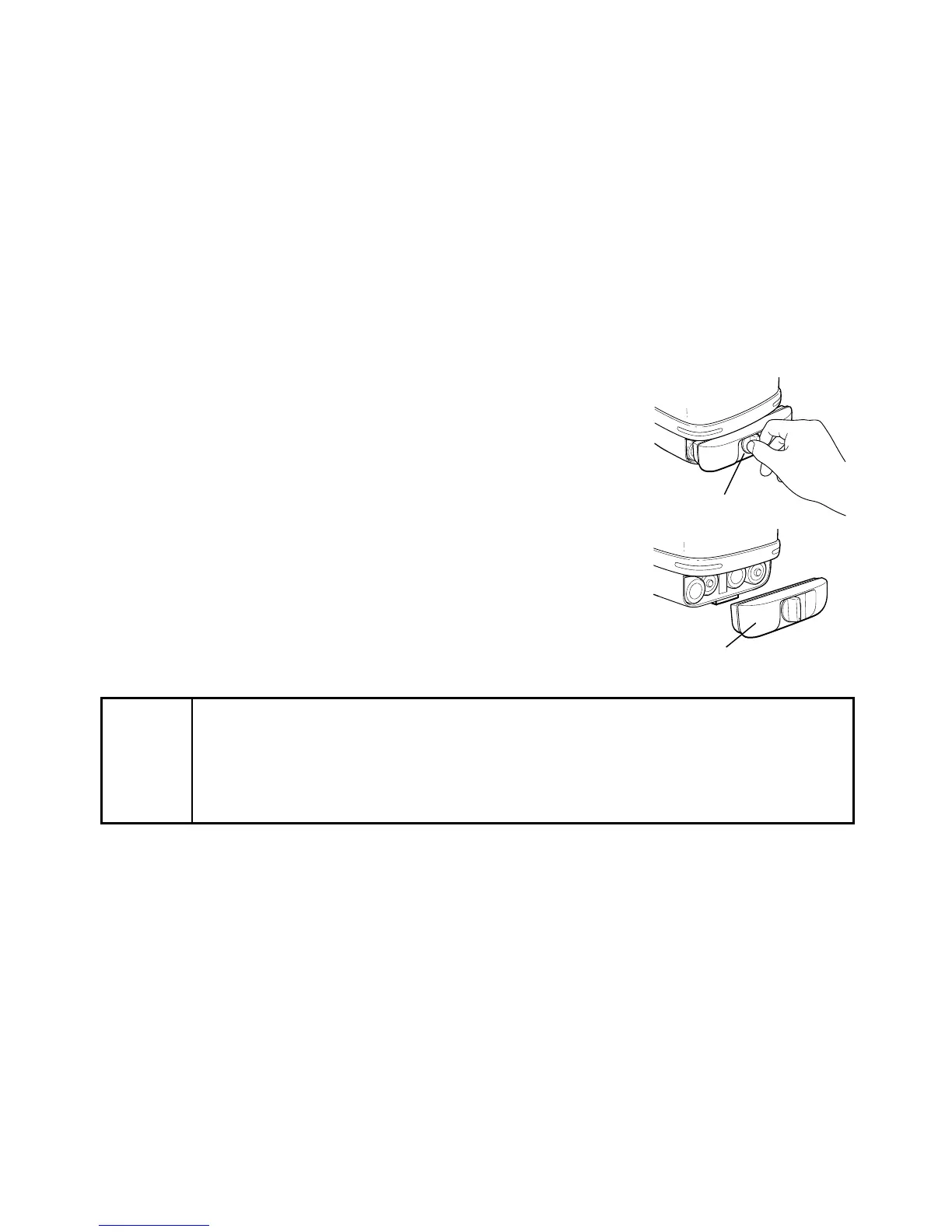
Dry battery holder DB-51
How to replace dry batteries
1 Remove the battery holder DB-51 by turning the battery
compartment lock to “OPEN”.
2 Remove the old batteries and replace with four (4) new
“D” cell alkaline batteries making sure each is placed in
the proper direction as indicated.
3 Replace the battery holder (DB-51) and turn the knob to
“Lock”.
Note
• Replace all 4 batteries with new ones.
• Do not mix used and new batteries, and do not mix different types of bat-
teries together.
• Insert batteries with the positive (+) and negative (-) terminals oriented cor-
rectly.



 To Next Page