16
Maintenance
Every six months check the following items for proper operation of the unit.
* Lubricate shafts and sprockets.
* Keep opener clean at all times.
* Check and tighten anchors bolts.
* Check for loose or corroded wire
* Ensure the opener is well earthed, and correctly terminated.
2. The distance you use the remote is too far away from the opener. Try it
again closer.
3. Remote control is not suitable for receiver. After making sure the codes are
correct, erase remote controls and then re-program the codes in the device.
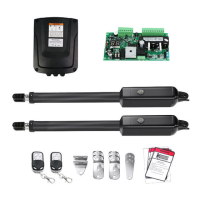
4. Check the control board. Replace the control board as necessary.
The gate opens, but
stops and will not
return.
1. Check the installing position of the magnets. The opener would not run if
both of the limit switches are activated by one magnet.
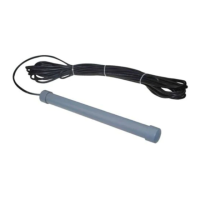
2. Check the limit switch. Remove the wire connection of the limit switch
which is connected to the 9#, 10#, and 11# terminals of the control board and
then try it again. Replace the limit switch if the motor could run in both
directions.
3. Check the control board. Replace the control board as necessary.
The gate can open,
but fails to close.
1. Photocell is obstructed. Remove obstruction.
2. Check the limit switch. Remove the wire connection of the limit switch
which is connected to the 9#, 10#, and 11# terminals of the control board and
then try it again. Replace the limit switch if the motor could run in both
directions.
3. Check the control board. Replace the control board if necessary.
The motor runs but
the gate doesn’t
move.
Ensure the clutch for emergency release is adjusted properly and is not
slipping.



 To Next Page