23
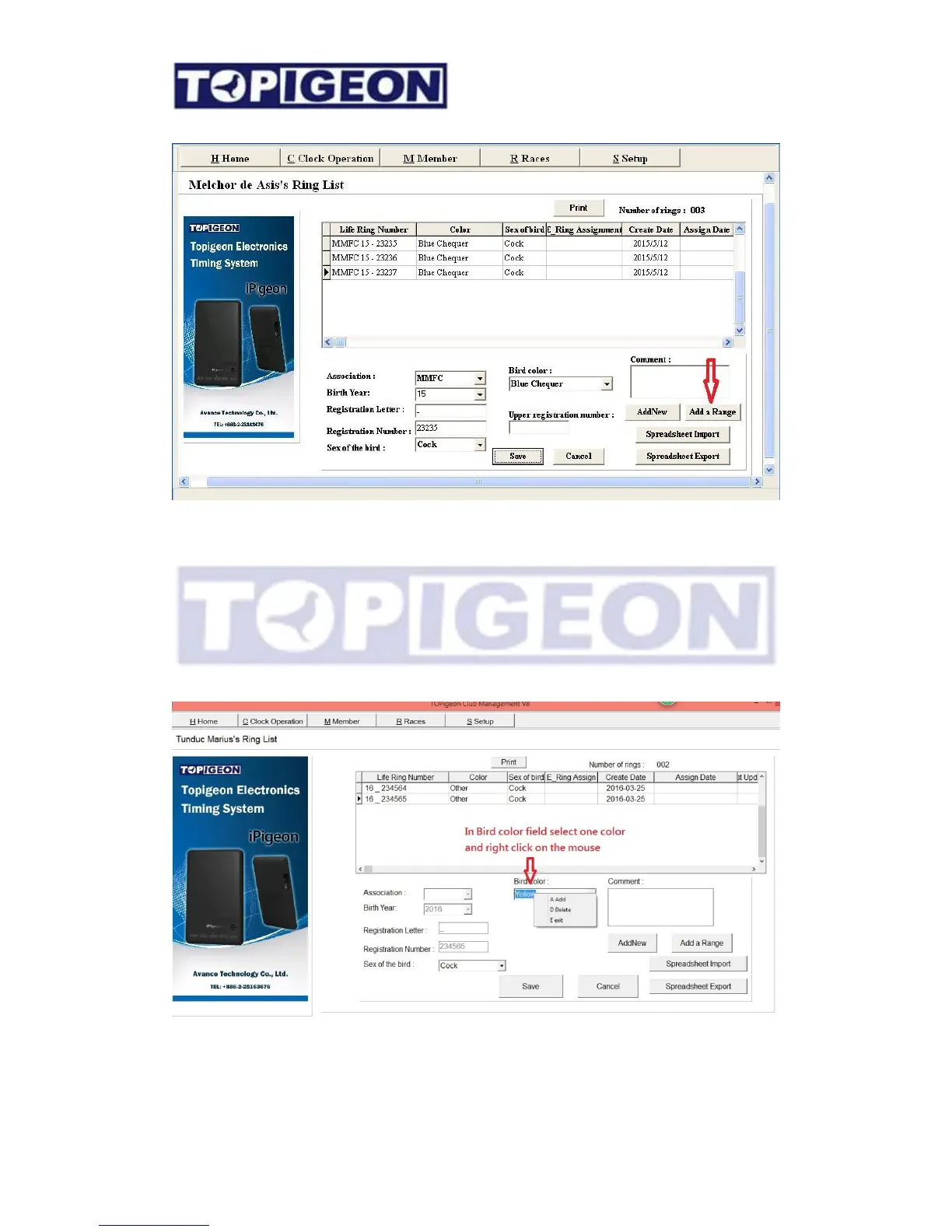
populate in the upper window.
The detail of the individual pigeon information can be edit later.
Add/Delete Birds color
Select one bird color and the Bird color dropdown box and right clock on the mouse.
Add/Delete manual will show.
To delete the clock just check “delete”. To add color an adding window will show to
enter the color code and color name.



 To Next Page