53
Club Version System Operation
There is special version for Club to read out the fancier exported race data without iPigeon
clock system. The Club Version is just a simplified iPigeon Fancier version and the operation
is simple.
Installation of Club Version System
To install the Club Version System, you need to get additional iPigeon clock and to upgrade
to the Club Version. The Club Version firmware will be located in the agent/distributor V8
Dropbox directory. You will need a SD card to copy the Club Version firmware to your SD
card and load to the clock which is exactly the same as clock firmware upgrade. Please refer
to the previous system firmware upgrade procedure for the detail operation.
Initialization of Club Version System
After you have loaded the Club Version firmware to the clock, you need to initialize this
clock to import all the Club Manager club information. You will now need to connect this
clock to your Club Antenna making sure the computer Club Manager is loaded and the S
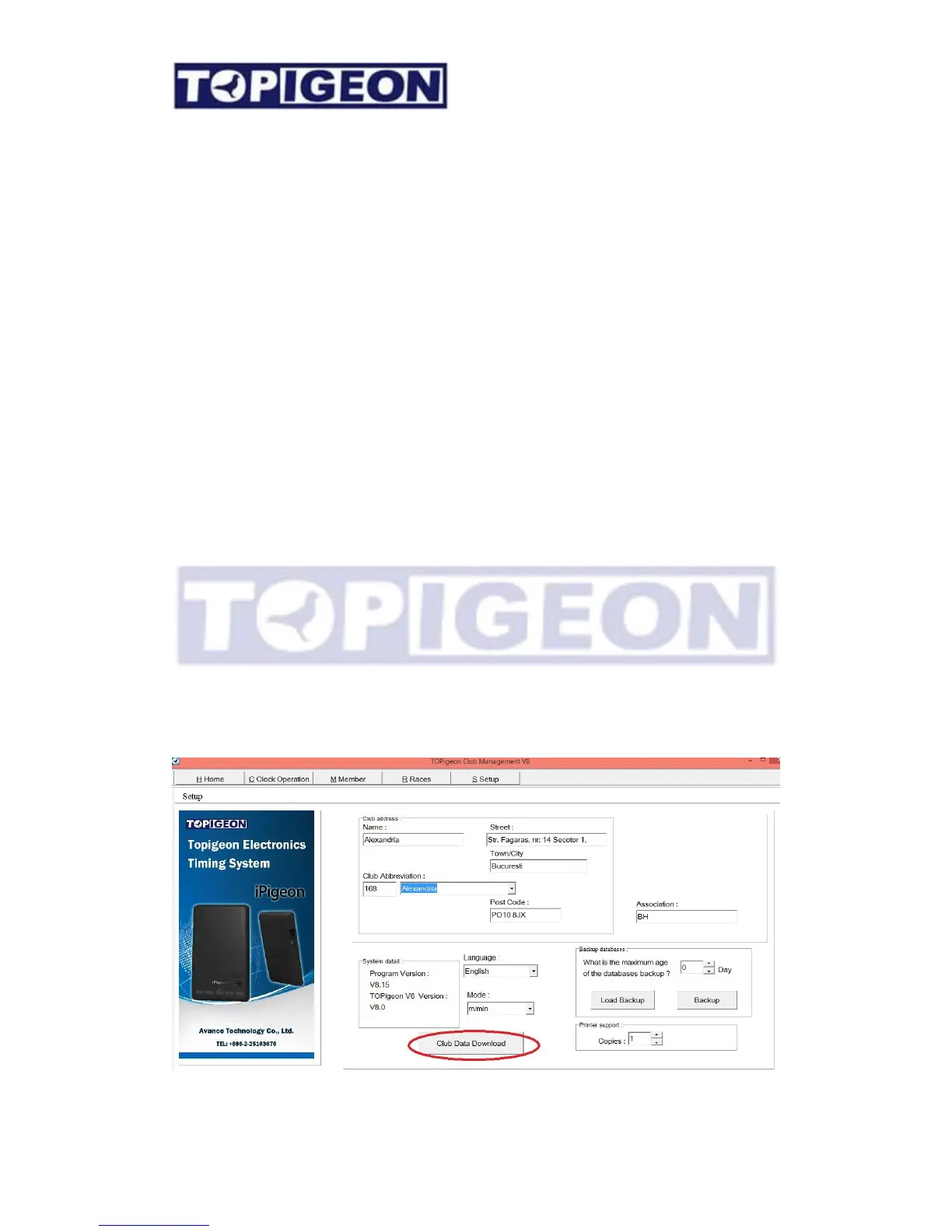
Setup screen is selected. Now place the Authorisation Key into the ‘Club Antenna Ring
Well’ and leave it there, then select the clock ‘Connect to PC’ icon and then select on the
computer ‘Club Manager’ screen ‘Club Data Download’ button which will then give a ‘Club
Data Download Success !’ OK button.



 To Next Page