33
Race Result Upload
Note: You have to print from the timer of Race Finalization List at least once before you can
operate this function. Otherwise, you will get error message of print out first.
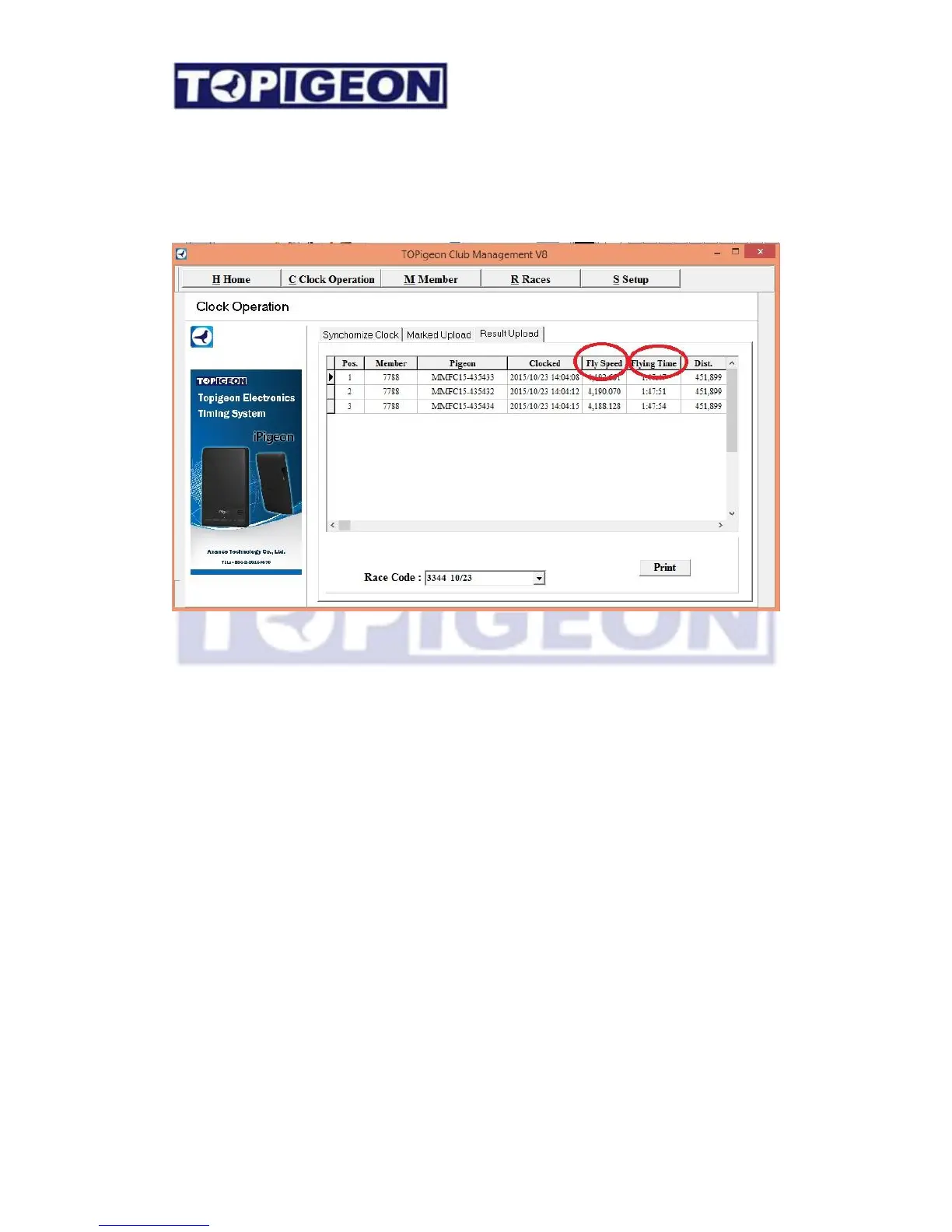
Again, the iPigeon timer needs to be “Connect to PC” status and go to Clock Operation -
Result Upload tab. Select the proper race code from the Race Code scroll bar and click on
the proper race. As you can see the picture above the Fly speed and Flying time all been given
after upload.
Advance Features
Manually input external clock
If your club has external clock which cannot upload to the club manager and you want
to use the race result tool to generate report you can manually input the data. Firstly,
you need to create the member and rings information in the system. In the Race TAB,
left click on the race entry and select the “
Add/Edit
other clock”.



 To Next Page