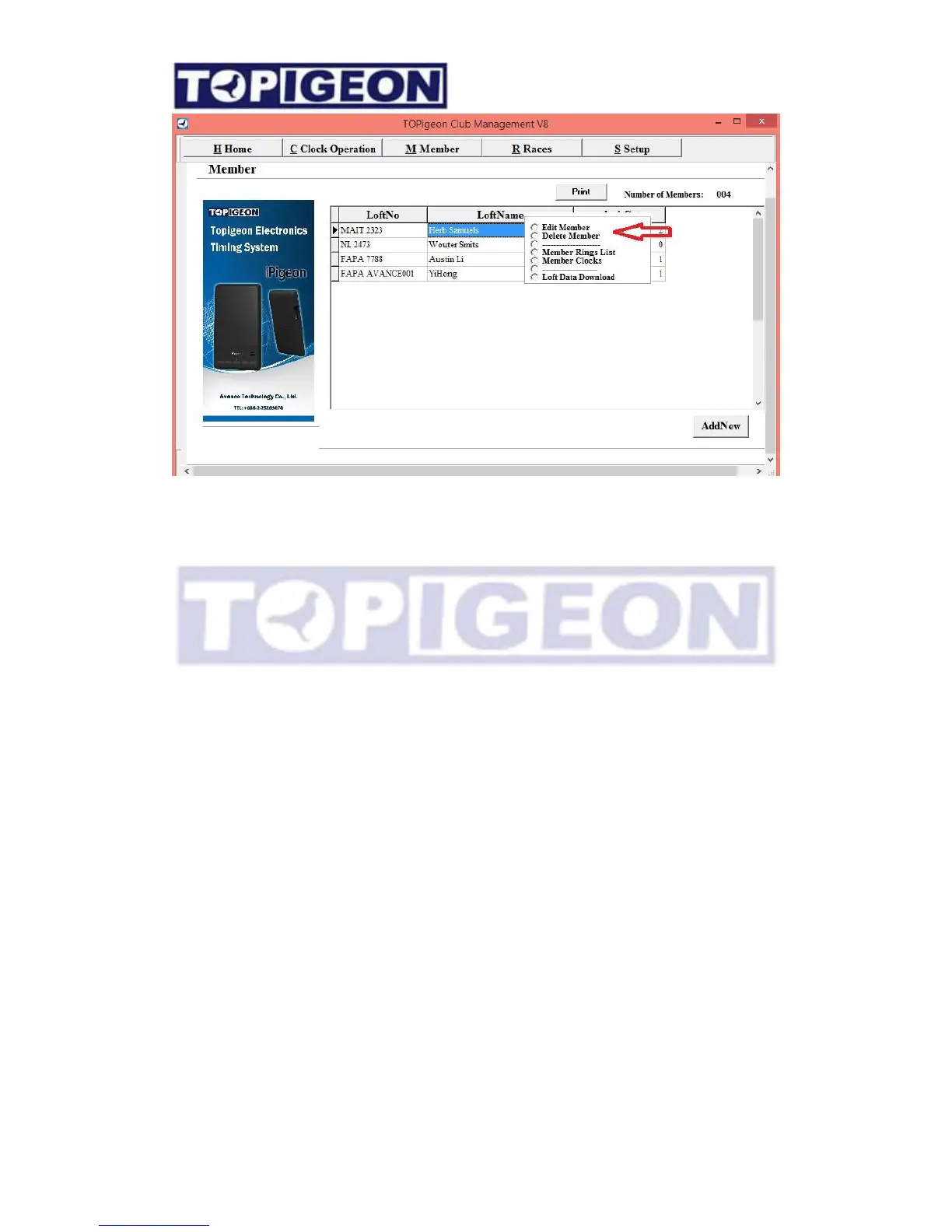
18
E
d
i
t
M
e
m
b
e
r
”
to
change members addresses
or
d
e
t
a
il
s
.
“
D
e
l
e
t
e
M
e
m
b
e
r
”
to
d
e
l
e
t
e
the
member
f
r
o
m
C
l
ub
M
a
n
a
g
e
r
“
M
e
m
b
e
r
s
R
i
ng
L
i
s
t
”
to v
i
e
w t
h
e
i
r r
i
ng
li
s
t, which will be the same as you double click on
the member’s row. The function will be introduce later.
“
M
e
m
b
e
r
s
C
l
o
c
k
s
”
to v
i
e
w member
C
l
oc
k
s information, clock serial number and
time last synchronized.
Download loft information into member’s clock
Before you operate this process make sure the member’s clock and PC already connect and
member’s clock is in “Connect to PC” Status.



 To Next Page