34
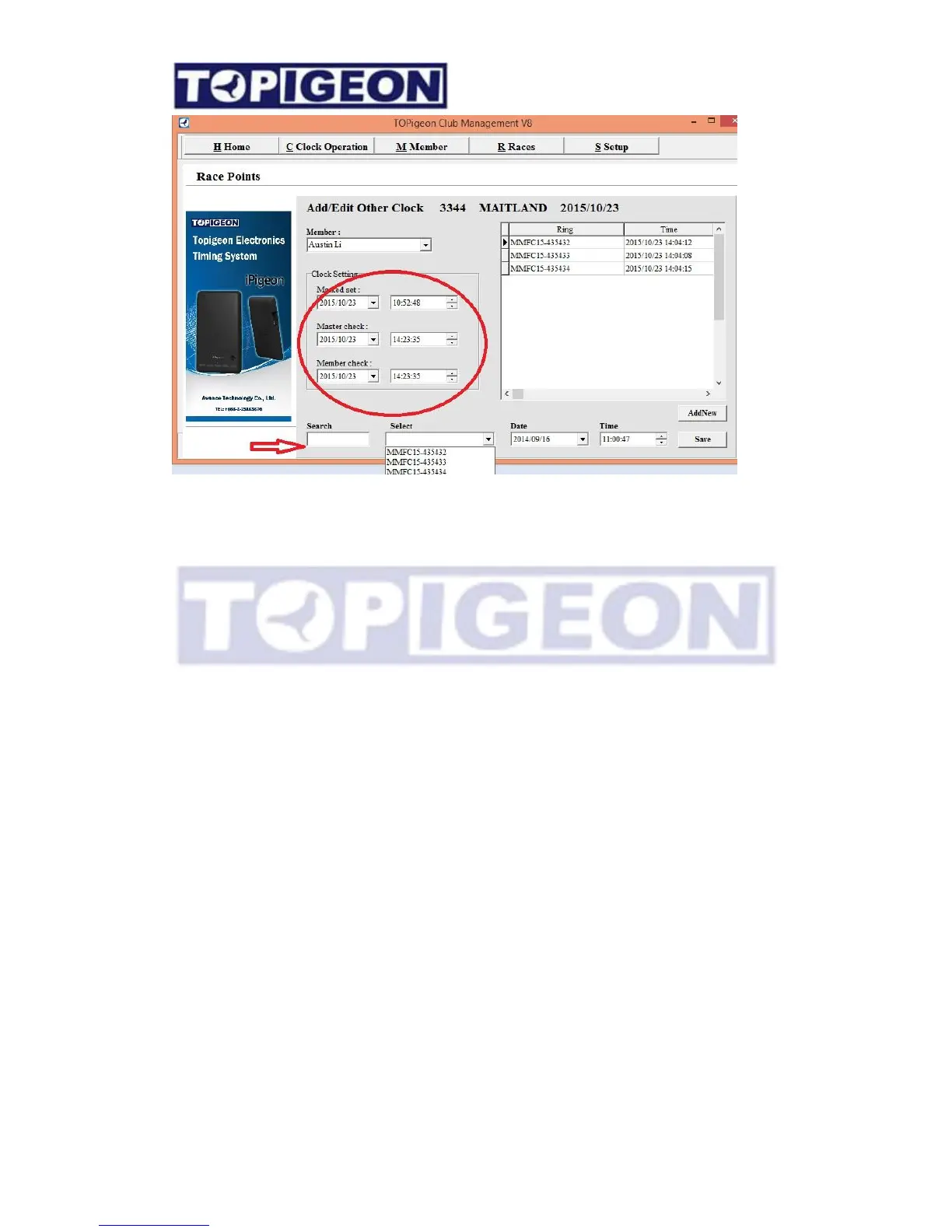
Make sure you have created member and member ring list. You can enter the clock
setting data. When you select the ring number, you can either use select drop down box
to select, or you can use the search field, by key in the last few digit of ring number, and
in the select drop down box will show the select condition ring number. Next enter the
date and time. You can simply enter the time by using arrow key. After complete the
bird data entry, click on
Save
button to save.
Import/Export member birds list
When other club member wants to join to your club you can use import/ export features
in the Member’s ring list window. Firstly, you have to create new import member
information. The member shown in the member list double click on the member will
bring you to the member’s ring list window. Edit the member’s birds list from
Microsoft Excel. Then click on the “import spreadsheet” select to the right file in the
file manager. The birds ring list will be direct import to this member. You can also
export to Excel spreadsheet if the member birds ring list like to migrate to other Club.



 To Next Page