30
1. Go to the Liberation Site Abbreviation dropdown box and select the Liberation point
you want to delete.
2. Right click on the mouse and check the delete button.
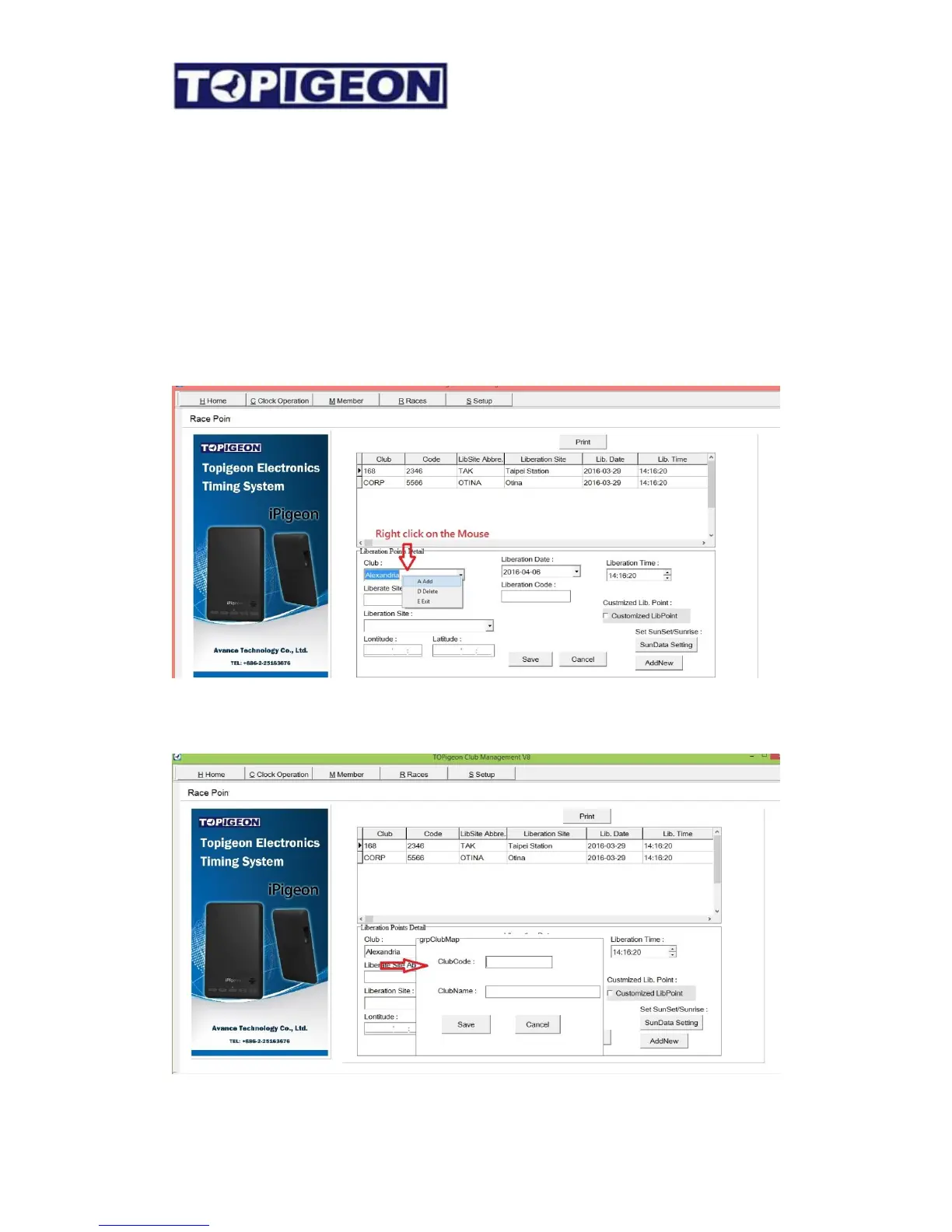
Add/Delete Club Information
The Club Manager is not only serving for single Club operation, but also serving Pigeon
racing Federation or Association. When the Club manager dealing with many club and you
will need the capability of adding and delete the Club information, such as Club name and
Club abbreviations (Club Code). This feature is inside the RACE Tab,
In the Club dropdown box, you can simply add or delete the Club information. After you
click on Add you can enter the Club Name and Club Code accordingly.



 To Next Page