Instruction Manual - TORBAL AGC Series
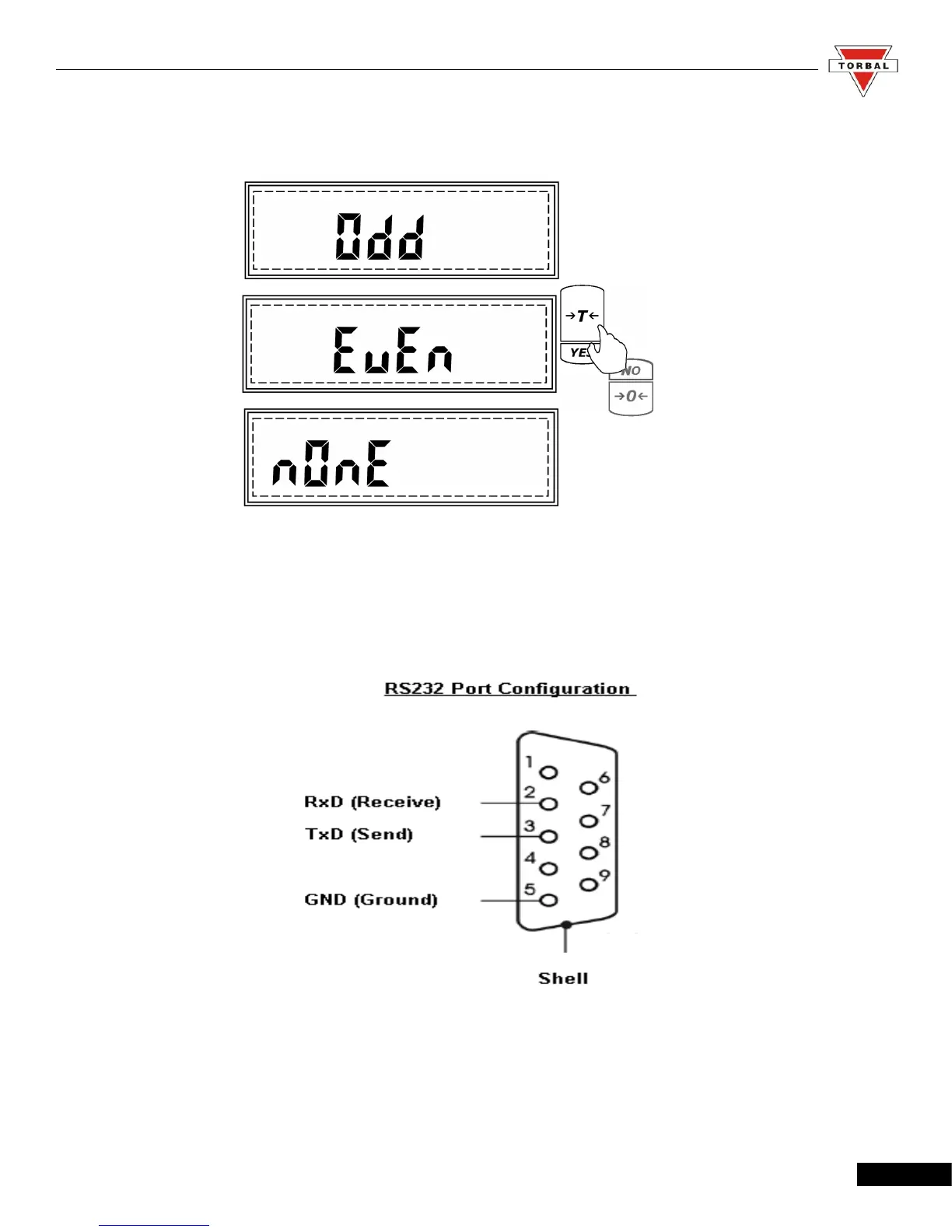
6. After pressing “T” when Parity is displayed, the scale will display available parity settings: none,
even, odd.
7. To make a selection, press “T” (Yes) when the desired setting is displayed.
Note: When connecting the scale to a third-party software or third party printer, make sure that both the
host (scale) and the slave are configured with the same Baud and Parity settings.
44



 To Next Page