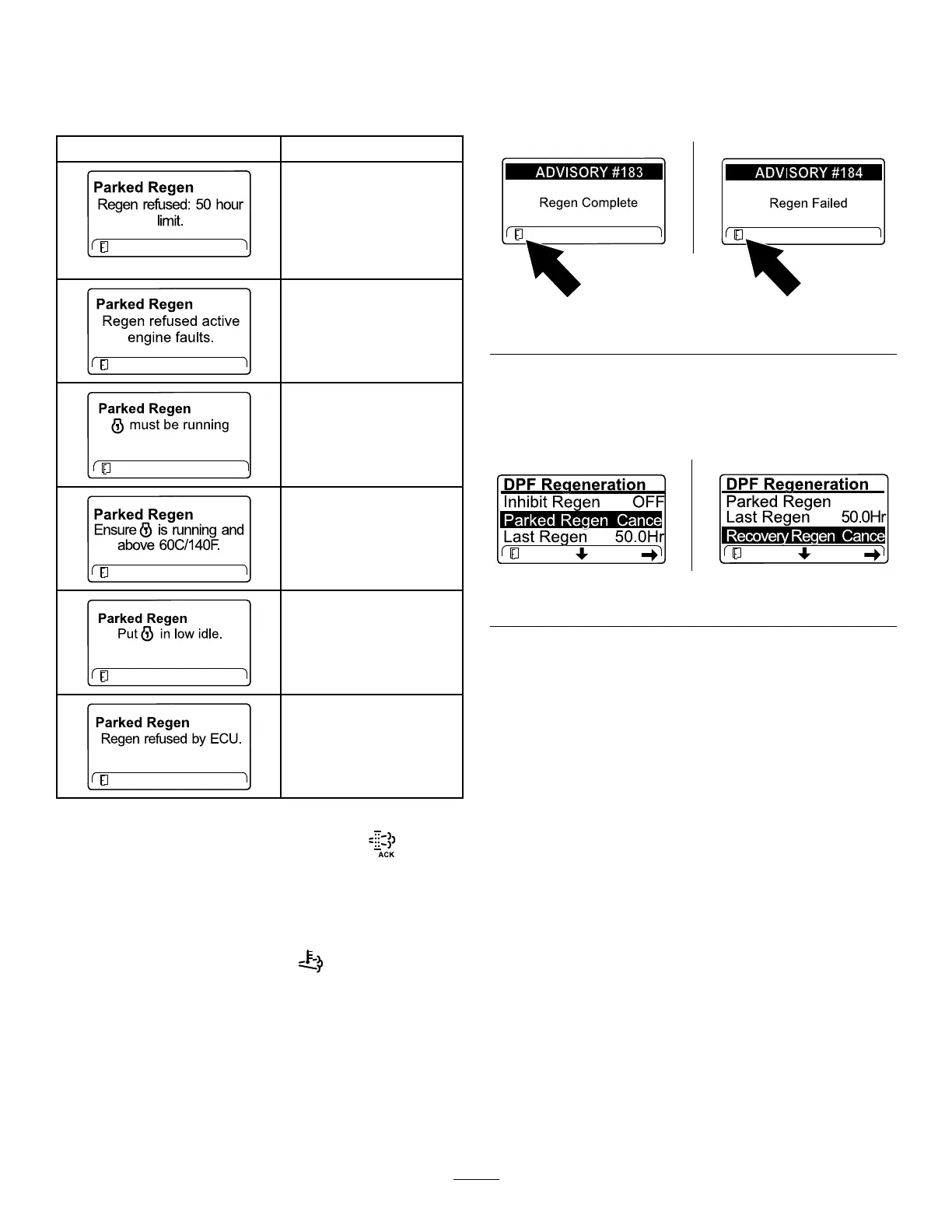
11.Theenginecomputercheckstheenginestate
andfaultinformation.TheInfoCentermay
displaythefollowingmessages:
CheckMessageandCorrectiveActionTable
Message
CorrectiveAction
Exittheregeneration
menuandrunthemachine
untilthetimesincelast
regenerationisgreater
than50hours;refertoTime
SinceLastRegeneration
(page30).
Troubleshoottheengine
faultandretryDPF
regeneration.
Startandruntheengine.
Runtheenginetowarm
thecoolanttemperatureto
60°C(140°F).
Changetheenginespeed
tolowidle.
Troubleshoottheengine
computerconditionand
retryDPFregeneration.
12.TheInfoCenterdisplaysthehomescreenand
theregenerationacknowledgeicon
appears
inthelowerrightcornerofthescreenasthe
regenerationprocesses.
Note:WhiletheDPFregeneration
runs,theInfoCenterdisplaysthehigh
exhaust-temperatureicon
.
13.Whentheenginecomputercompletesa
parkedorrecoveryregeneration,theInfoCenter
displaysADVISORY#183;ifitfails,theInfoCenter
displaysADVISORY#184.Presstheleftbuttonto
exittothehomescreen.
g362807
Figure45
CancelingaParkedorRecoveryRegeneration
1.IntheDPFRegenerationmenu,scrolltoPARKED
REGENCANCELorRECOVERYREGENCANCEL.
g362918
Figure46
2.Presstherightbuttontocanceltheregeneration.
35


 To Next Page