EasyManua.ls Logo

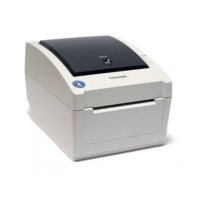
Toshiba B-EV4T SERIES - User Manual

Toshiba B-EV4T SERIES
48 pages
Print Icon
To Next Page IconTo Next Page
Loading...
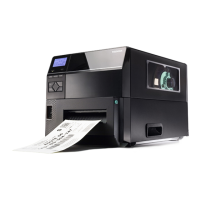
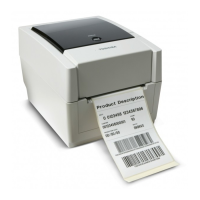
TOSHIBA Barcode Printer
B-EV4T SERIES
Owner’s Manual

Questions and Answers

  • J
    Jamie FordAug 18, 2025
    How to fix poor print quality on Toshiba Barcode Reader?
    • T
      Thomas Sullivan Jr.Aug 18, 2025
      If you're experiencing poor print quality with your Toshiba Barcode Reader, the issue might stem from using non-approved supplies. Replace the media with TOSHIBA TEC approved media and the ribbon with a TOSHIBA TEC approved ribbon. Also, a dirty print head can cause poor print quality, so try cleaning it.
  • J
    Jonathan AdamsAug 20, 2025
    What to do if the media is not issued from Toshiba Barcode Reader?
    • K
      Katie SchneiderAug 21, 2025
      If the media is not being issued from your Toshiba Barcode Reader, first, ensure that the media is loaded correctly. Next, check the interface cable to make sure it's properly connected. Lastly, a dirty media sensor can prevent media from issuing, so try cleaning it.
  • D
    donaldarroyoAug 23, 2025
    What does it mean when the red light is flashing at medium speed on my Toshiba B-EV4T Barcode Reader?
    • V
      Victoria CalhounAug 23, 2025
      If the red light is flashing at medium speed on your Toshiba Barcode Reader, it indicates that the media has run out. To resolve this, load a new media roll and then press the [FEED] button.
  • K
    Kimberly BurnsAug 26, 2025
    How to troubleshoot power adapter light not working on Toshiba B-EV4T?
    • J
      Jordan SchroederAug 26, 2025
      If the power lamp on your Toshiba Barcode Reader's power adapter isn't lighting up, start by checking the power cord connection to the adapter and the AC outlet. If the connection is good, test the AC outlet with another device to rule out power failure. Lastly, check the building's fuse or circuit breaker.
  • M
    Mark NelsonAug 27, 2025
    What does orange flashing at medium speed mean on Toshiba B-EV4T?
    • T
      Terri MontgomeryAug 27, 2025
      If the orange light is flashing at medium speed on your Toshiba Barcode Reader, this indicates that the ribbon has ended. Load a new ribbon, and then press the [FEED] Button.
  • C
    Chelsea HarrisonAug 30, 2025
    How to fix missing dots on Toshiba B-EV4T Barcode Reader printouts?
    • J
      John HillAug 30, 2025
      If you notice missing dots on printouts from your Toshiba Barcode Reader, the print head might be dirty; try cleaning it. If cleaning doesn't solve the problem, the print head elements may be broken, contact your TOSHIBA TEC representative to ask for a print head replacement.
  • S
    Savannah PaulSep 1, 2025
    Why is the red light flashing fast on my Toshiba B-EV4T?
    • E
      Edwin Jones PhDSep 1, 2025
      If the red light is flashing fast on your Toshiba Barcode Reader, it means a paper jam has occurred. Remove the jammed media, reload the media, and then press the [FEED] button.
  • S
    Stephen DixonSep 3, 2025
    What to do if indicator lamp doesn't light up on Toshiba Barcode Reader?
    • C
      caseycarrollSep 3, 2025
      If the indicator lamp on your Toshiba Barcode Reader doesn't light up green when you turn on the power, ensure the power adapter connector is fully inserted into the power jack. Disconnect the power cord from the AC outlet, insert the Power Adapter Connector into the Power Jack, then connect the power cord to the AC outlet.
  • C
    Casey CookSep 6, 2025
    How to fix labels not separating smoothly on Toshiba Barcode Reader?
    • D
      David ClarkSep 6, 2025
      If labels aren't separating smoothly from the backing paper on your Toshiba Barcode Reader, especially when using the optional strip unit, ensure you are using TOSHIBA TEC approved media. Also, check that the label loading method is correct; reload the label properly if needed.
  • K
    Kevin OconnellSep 8, 2025
    What does orange flashing fast mean on Toshiba B-EV4T?
    • R
      Ronald SkinnerSep 8, 2025
      If the orange light is flashing fast on your Toshiba Barcode Reader (only when the cutter unit is fitted), it indicates a paper jam in the cutter unit. Remove the jammed media, reload the media, and press the [FEED] Button.

Summary

Safety Information

Warnings and Prohibitions

Critical warnings about risks of death or serious injury and prohibited actions.

Printer Setup

Initial Setup and Power Management

Step-by-step guide for initial setup, including powering on and off.

Connecting Interface Cables

Instructions for connecting serial, parallel, USB, and Ethernet cables.

Media Loading

Media Loading Basics

Initial steps for loading various types of media rolls and fanfold paper.

Ribbon Loading

Calibration, Testing, and Utilities

Media Sensor Calibration

Guide to calibrating the printer's media sensors for accurate detection.

Maintenance

Print Head Cleaning

Detailed procedure for cleaning the critical print head element.

Troubleshooting

Printer Troubleshooting Guide

Common printer issues, their causes, and suggested solutions.

Status Lamp Meaning

Understanding the meaning of indicator lamp colors and patterns for diagnostics.

Removing Jammed Media

Step-by-step instructions for safely removing jammed media from the printer.

Toshiba B-EV4T SERIES Specifications

General IconGeneral
Power SupplyAC 100-240V, 50/60 Hz
Print MethodThermal transfer and direct thermal
Resolution203 dpi
Print Width104 mm
Print Speed4 ips (inches per second)
InterfacesUSB, Serial (RS-232), Ethernet
Optional InterfacesWireless (Bluetooth, Wi-Fi)
BarcodesCode 39, Code 128, UPC, EAN
2D CodesQR Code, Data Matrix, PDF417
Operating Temperature5°C to 40°C
Storage Temperature-20°C to 60°C

Related product manuals