3. APPEARANCE
3. APPEARANCE
3- 1
3. APPEARANCE
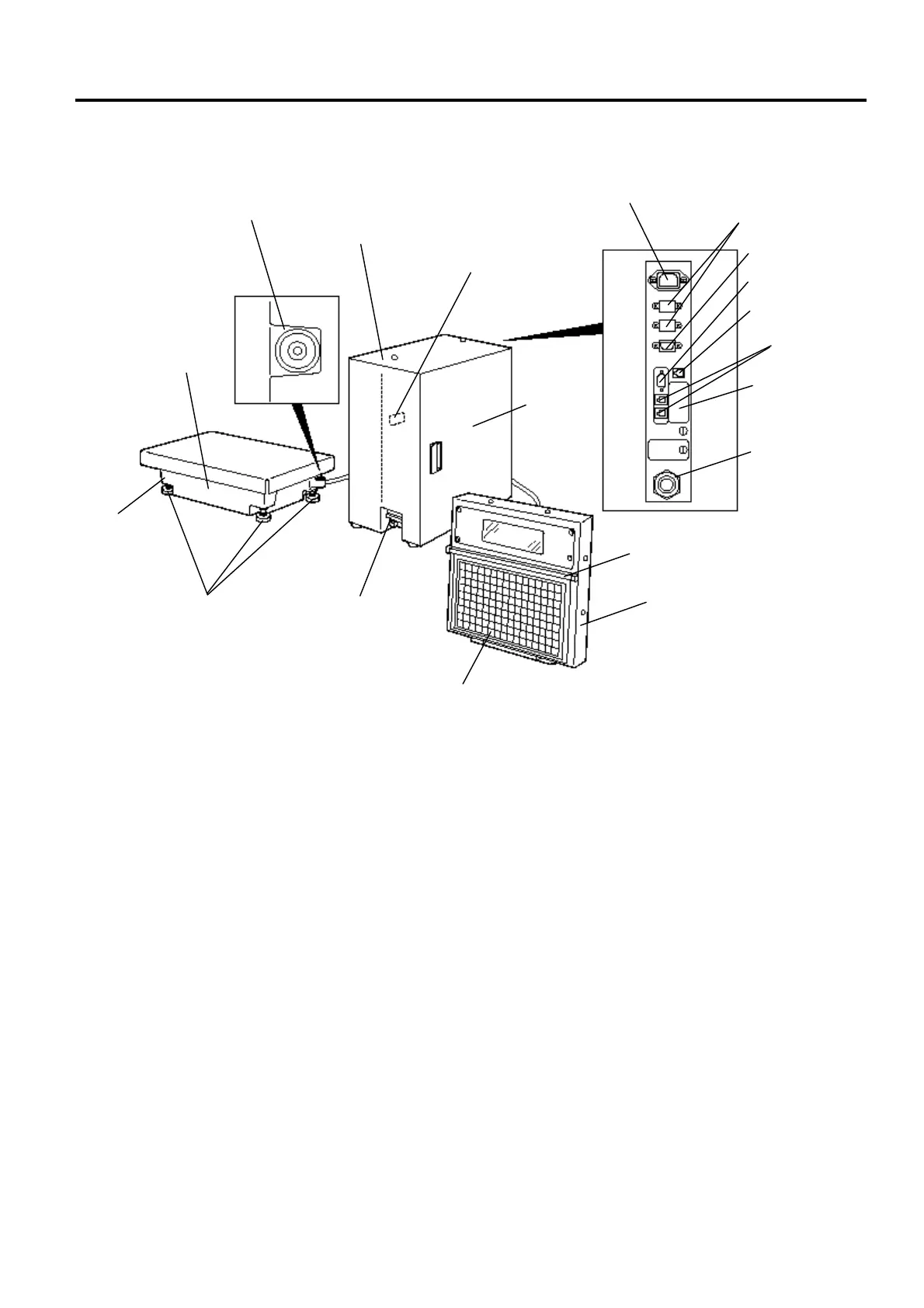
NOTES: 1. The main power switch is provided inside of the printer unit. When turning the power
switch on/off, open the printer cover.
2. To set the speed/operation key sheet, open the keyboard frame and insert the two tabs
of the key sheet into the two slots of the keyboard frame bottom.
TMCC I/F
(option)
Power Inlet
CMT/PL-3 I/F
PC-AT
Keyboard I/F
(option)
LON I/F
Scale Connector
Printer
Cover
Keyboard Frame
Remote Display
Operating/Speed/Programming Keyboard
Print Head
Main Power Switch
Printer Unit
Platter
Level Gauge
Adjustable Legs
Scale Unit
Display Cable
LAN I/F (option)



 To Next Page