10. PROGRAMMING PROCEDURES
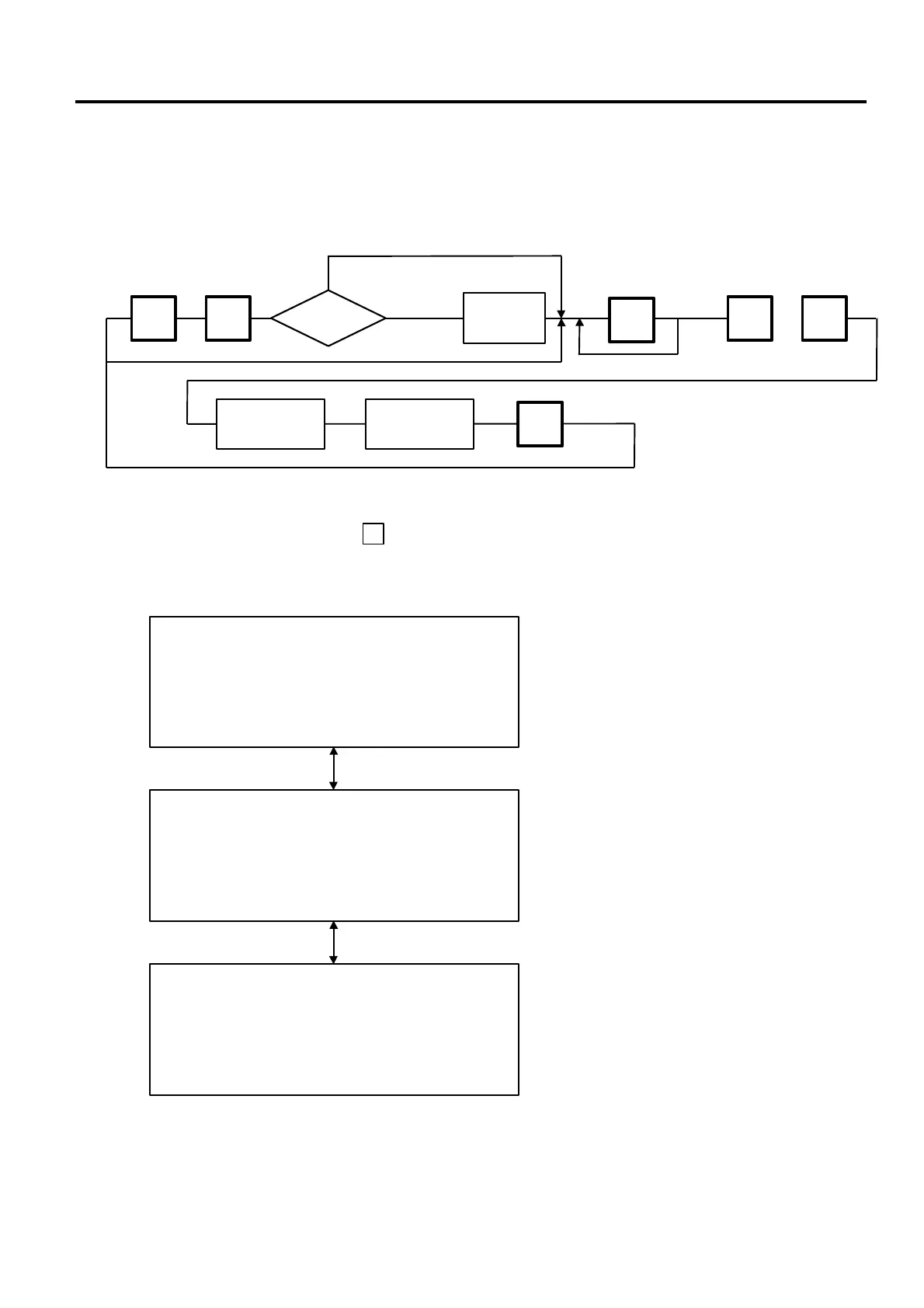
■ How to access to Programming Menu
10- 1
10. PROGRAMMING PROCEDURES
■ How to access to Programming Menu
Enter the
Password
to
Programming
starts
Programming
completes
unnecessary
menu number
Select an item No.
(See next page.)
Select the
programming
menu page.
neccesary
ESC.
0 0 9
PROG
.
◇
NOTES:
1. When the selected menu ( ) is protected froman access, refer to Section 12.2 and enter
the password.
2. In Section 10.1, 10.2 and 10.3, items which have been sold on that day cannot be called
before resetting (refer to Section 14) unless Initial Setting #1-4 is set to 1.
<Menu> PROG.1
0. PLU DATA EDIT 5. MESSAGE
1. PLU DATA 6. MSG. COMBINATION
2. INGREDIENT 7. SPECIAL INFO
3. NUTRITION 8. GRADE LINE
4. CONFIRMATION LABEL 9. SPEED KEY SET
<Menu> PROG.2
0. PRT LOCATION 5. INITIAL SET
1. DATE TIME 6. BAR CODE FORMAT
2. CMT 7. TITLE
3. ON-LINE/LOCAL 8. LOGO
4. LON SYSTEM 9. IDIOM
<Menu> PROG.3
0. VENDOR NAME
1. FREE FORMAT
2. LAN SYSTEM
Password



 To Next Page