13. OPERATING PROCEDURES
13.13 FLOATING VENDOR
13- 20
13.13 FLOATING VENDOR
Menu: REG
Mode: WEIGH, FIX, or BY COUNT
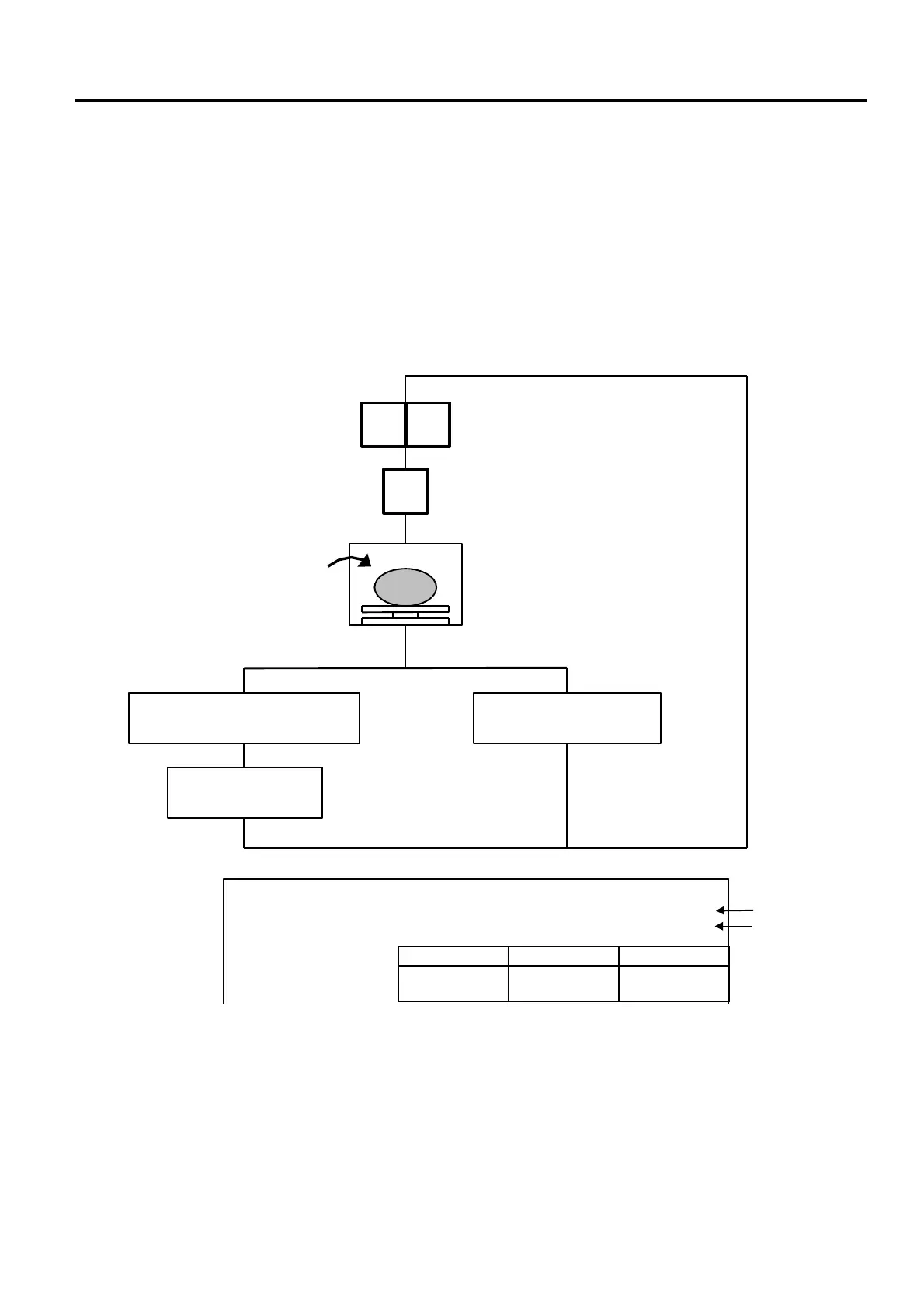
Floating vendor function allows you to register different commodities sales together. This function is
available when the Initial Setting #11-1 is set to 1 and using a receipt.
Be sure to select IN-LINE in Section 11.15 LON SYSTEM even if no scale is connected, then enter the
ID# 1, turn the power off and then on.
Maximum number of registerable commodities
One scale: 200 commodities
One vendor: 99 commodities
Enter the PLU#
Press:
PLU
Place a commodity
on the platter.
Group Vender Direct Vendor
Press the speed key the
vendor # is assigned to.
Press the speed key to which
the group vendor # is assigned.
Enter the last digit of
the number.
vendor#
Item Count
NOTE: Print format varies depending on the settings of the Initial Setting #11-1, 11-2, 11-3, 11-4
and 11-7.
1b UNIT/$ TOTAL $
1.000 1.00 1.00
1 2
<REG.>
APPLE 10
1



 To Next Page