10. PROGRAMMING PROCEDURES
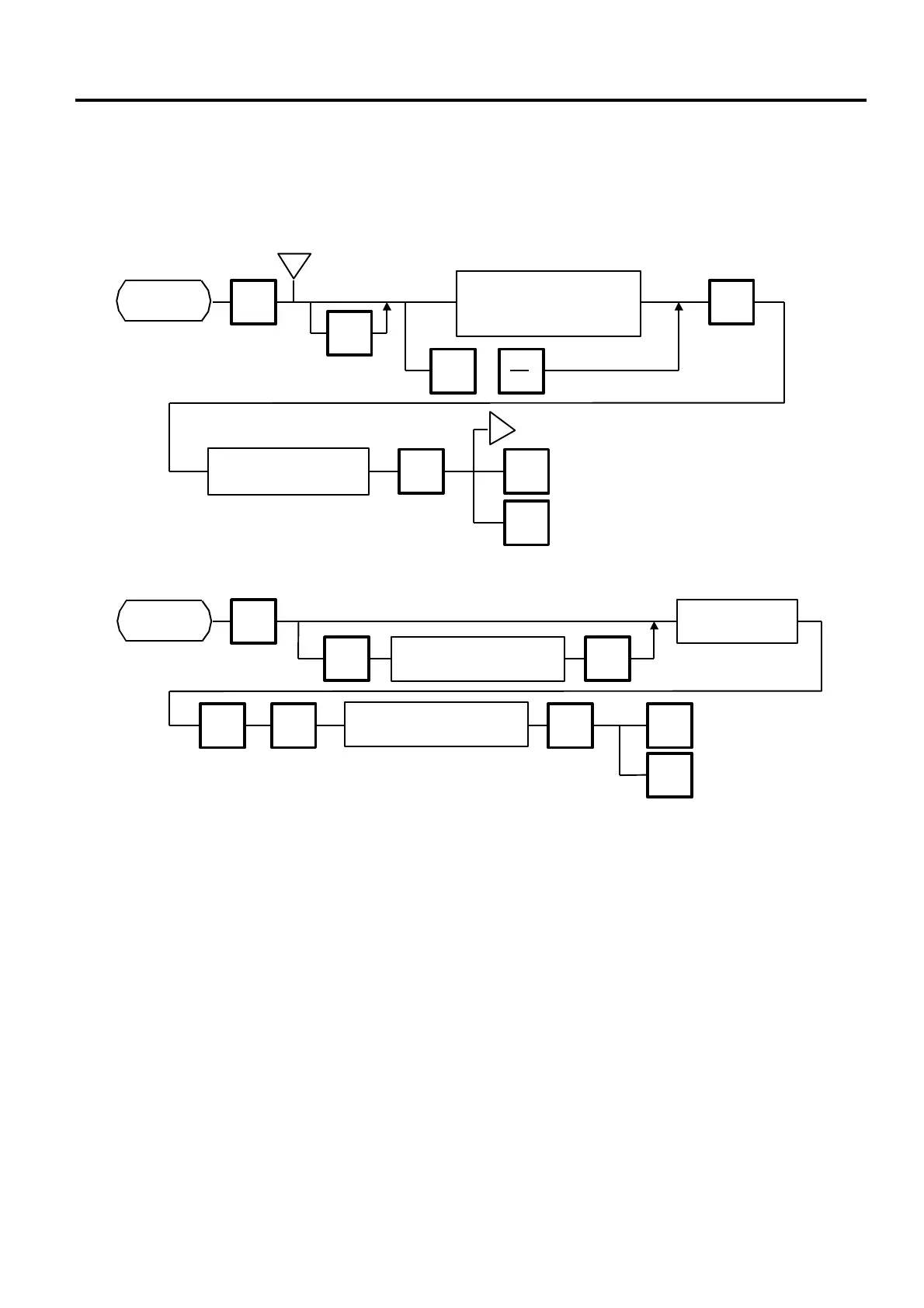
10.10 SPEED KEY SETTING
10-17
10.10 SPEED KEY SETTING
Menu Page: 1
Item No.: 9
The H-9100N has a maximum of 108×2 speed keys which are very convenient to call PLUs quickly.
(Refer to page 5-3 regarding the Key Layout.)
■ Setting Department/Vendor Number
● Department Number
When initial set #10-6 is set to “1”, the six-digit PLU # is divided into two; the upper two digits are assigned to department #, and the lower four
digits to PLU.
The department # is automatically added in the front of the four-digit PLU # and treated as a six-digit PLU #.
In case of “PROG.”, “Report”, and “Reset” modes, PLU # is treated as a six-digit number. So the upper two digits are not treated as
department #. Consequently the four-digit PLU # is available only in “REG.”, “M.DOWN”, and “REWRAP” modes.
NOTE: The default Dept No. is a two- digit serial number ranging from o to 99. Entering a “0” clears a Dept. No.
● Vendor Number
Vendor numbers can be be set when the Initial Setting #11-1 is set to 1.
Vendor numbers are assigned to the speed keys in two ways:
① Individual vendor number: 00-39
Vendor # is assigned to the speed keys one by one.
② Group vendor number: 0-, 1-, 2- and 3-
Maximum 10 vendor numbers can be assigned to one speed key, resulting in 4 speed keys in total. When assigning group vendor
numbers to the speed keys, enter the first digit of the vendor key (0, 1, 2 or 3) plus a bar (-).
9
Enter the Speed
Key number
(# 1 to 108 on each page)
ENTER
PROG.
ESC.
Page 1
<MENU>
i
Enter the PLU#.
(max. 6 dig.)
ENTER
key Page
◇
9
PROG.
ESC.
Page 1
<MENU>
ENTER
AUTO
CODE
Enter the speed
key number.
Enter the default
department #. (1 to 99)
Enter the department # 1
to 99 or vendor # 0 to 39.
ENTER
◇
ENTER
Selecting items to be assigned
to speed keys.
(PLU #/VENDOR #/DEPT #/)
i
NEXT
PLU
or



 To Next Page