10. PROGRAMMING PROCEDURES
10.18 TRANSFERRING LOGO DATA
10-29
10.18 TRANSFERRING LOGO DATA
Menu Page: 2
Item No.: 8
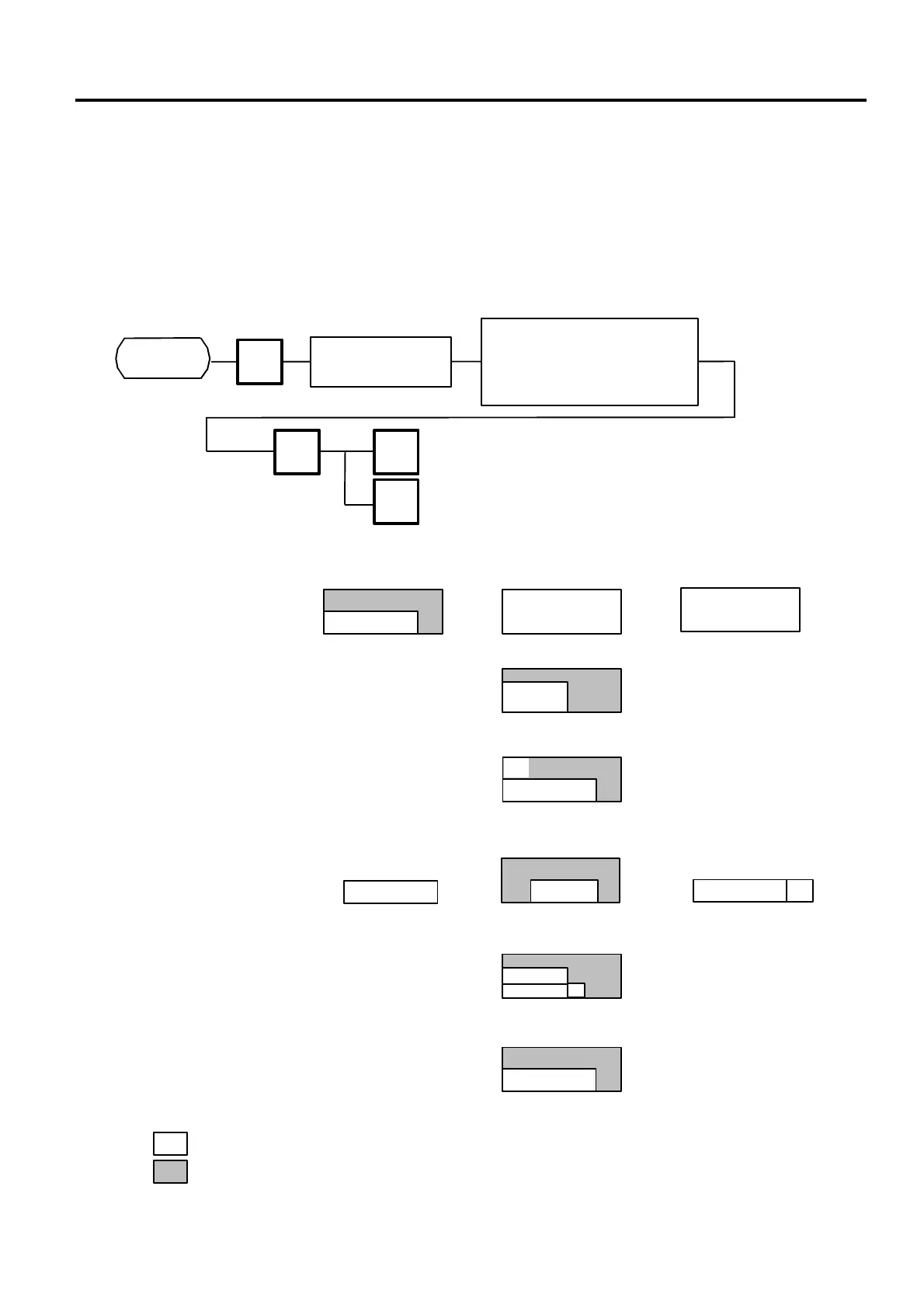
Logo data is created on a PC and stored into RAM through the CMT interface. Two different sizes of
logos, 320×118 dots and 256×64 dots, are available on the H-9100N series. 64 KB of RAM area is
secured for logo data, in which the maximum of 13 logos (320×118 dots) or 26 logos (256×64 dots)
can be stored.
Before starting the following operation, set the initial setting #10-7 to 1.
NOTE: Two sizes of logos are printed differently as follows:
8
PROG.
ESC.
Page 2
<MENU>
Load a tape into
the CMT Loader
Select a transmission item.
1: SAVE (H-9100N→CMT)
2: VERIFY (H-9100N=CMT)
3: LOAD (H-9100N←CMT)
ENTER
Print LOGO
(320 x 118 dots)
Display LOGO
(256 x 64 dots)
<Display> <Label> <Receipt>
: Logo data
: Print/Display area
Page 2
displayed.)
256
64
80
160
(Part of LOGO is
printed.)
1st LOGO
104
118
64
256
(Part of LOGO is
overlapped with
FSP print area.)
1st LOGO
(LOGO is printed on the
center of printing area.)
#2 are printed.
(Part of LOGO is
printed.)
(LOGO is printed on
part of FSP print
area.)
64
160



 To Next Page